
How to Change the Assignee of a Contact
You can change the assignee of a contact in ChatDaddy using three different methods: !Image 1. Locate the Contact: Open the Inbox and find the contact you want to reassign. 1. Assi…
You can change the assignee of a contact in ChatDaddy using three different methods:
Through the Inbox
-
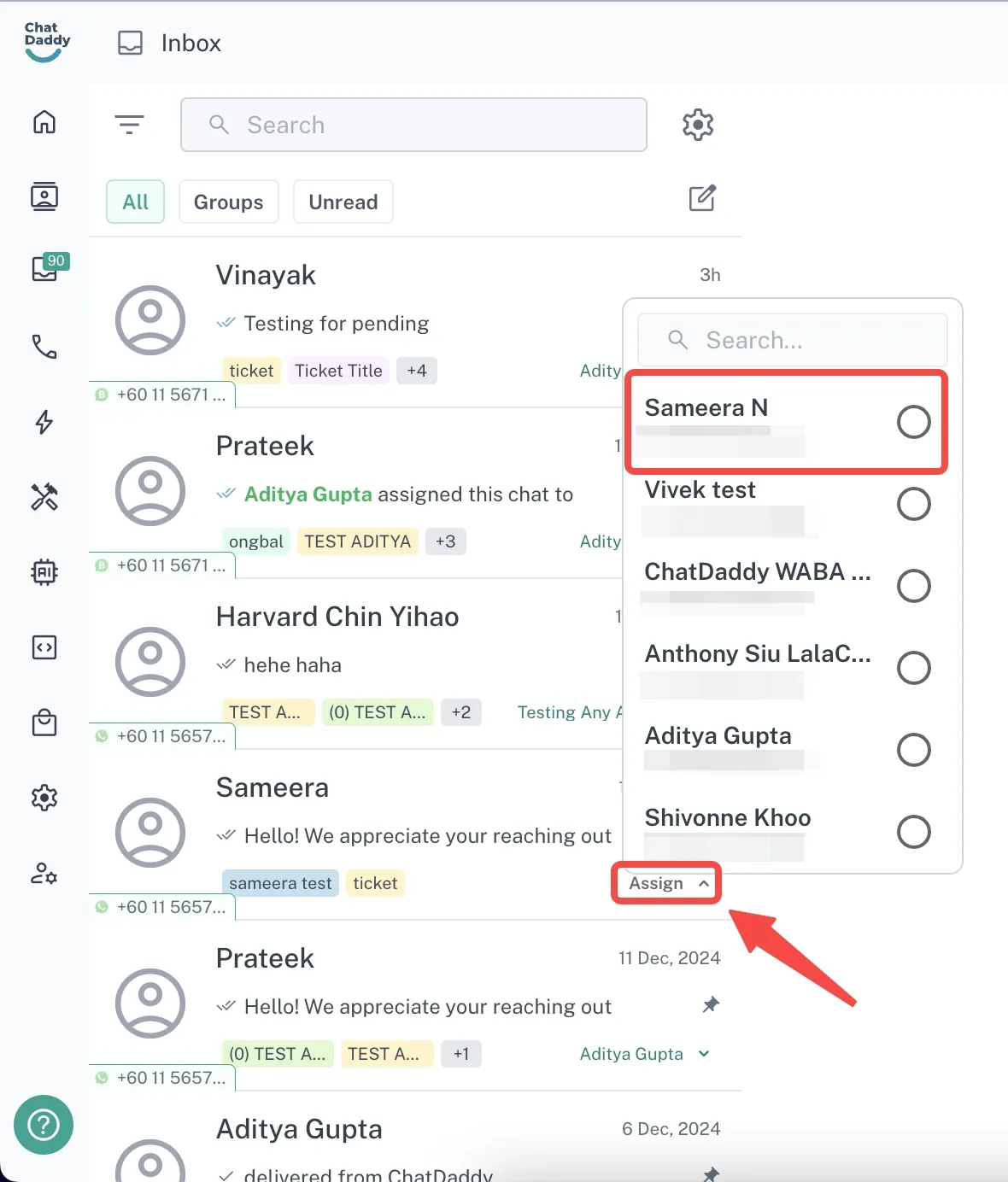
Locate the Contact: Open the Inbox and find the contact you want to reassign.
-
Assign Button: Click on the “Assign” button at the bottom-right corner of the contact’s details.
-
If the contact is already assigned, this button will display the name of the current assignee.
-
Select Teammate: Choose the teammate to whom you want to assign the chat.
Through the Contacts Page
-
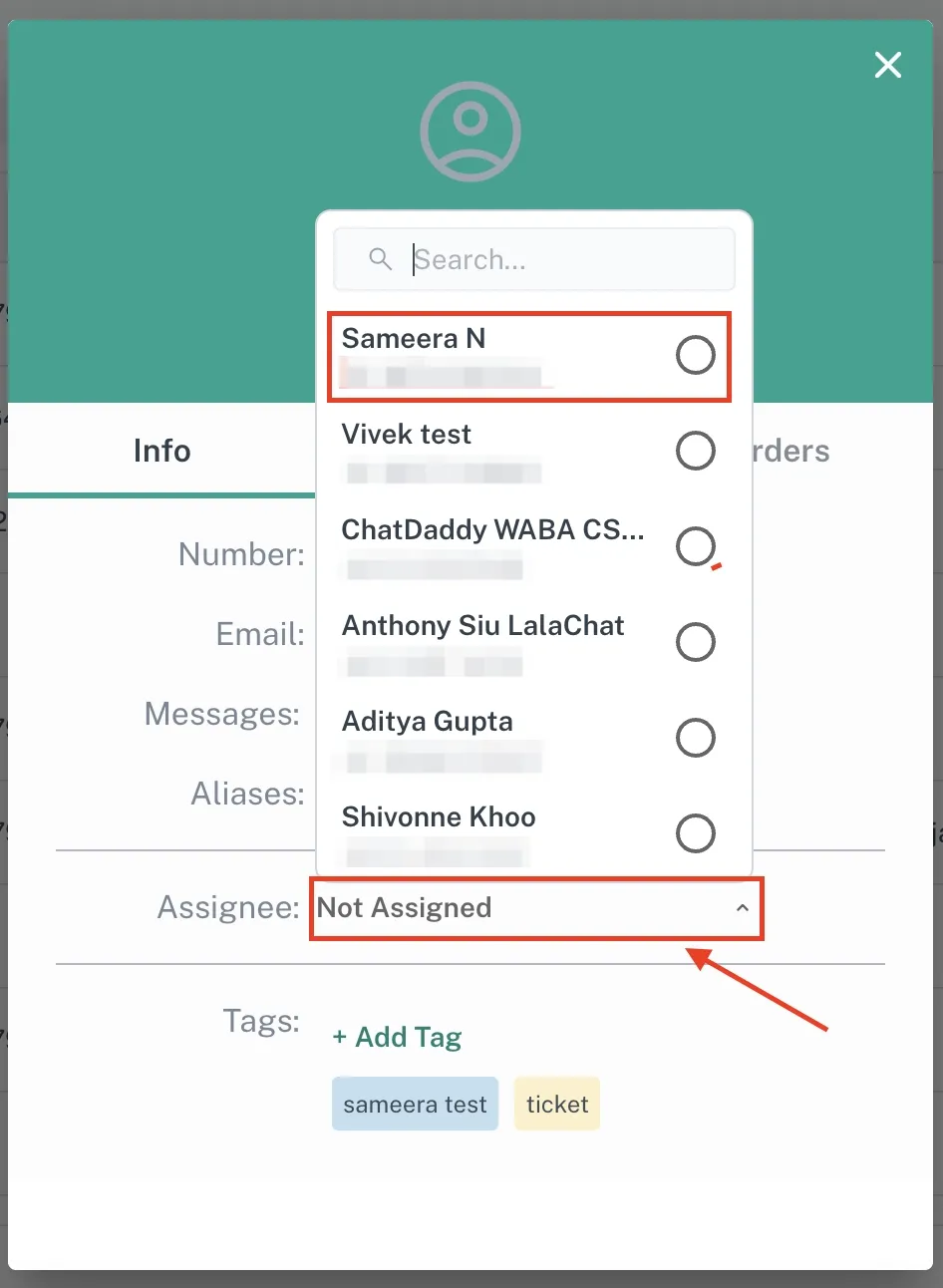
Navigate to Contacts: Go to the Contacts page and locate the desired contact.
-
Update Assignee: In the contact’s details, find the “Assignee” section and select a new teammate to reassign the contact.
Through Message Flows
-
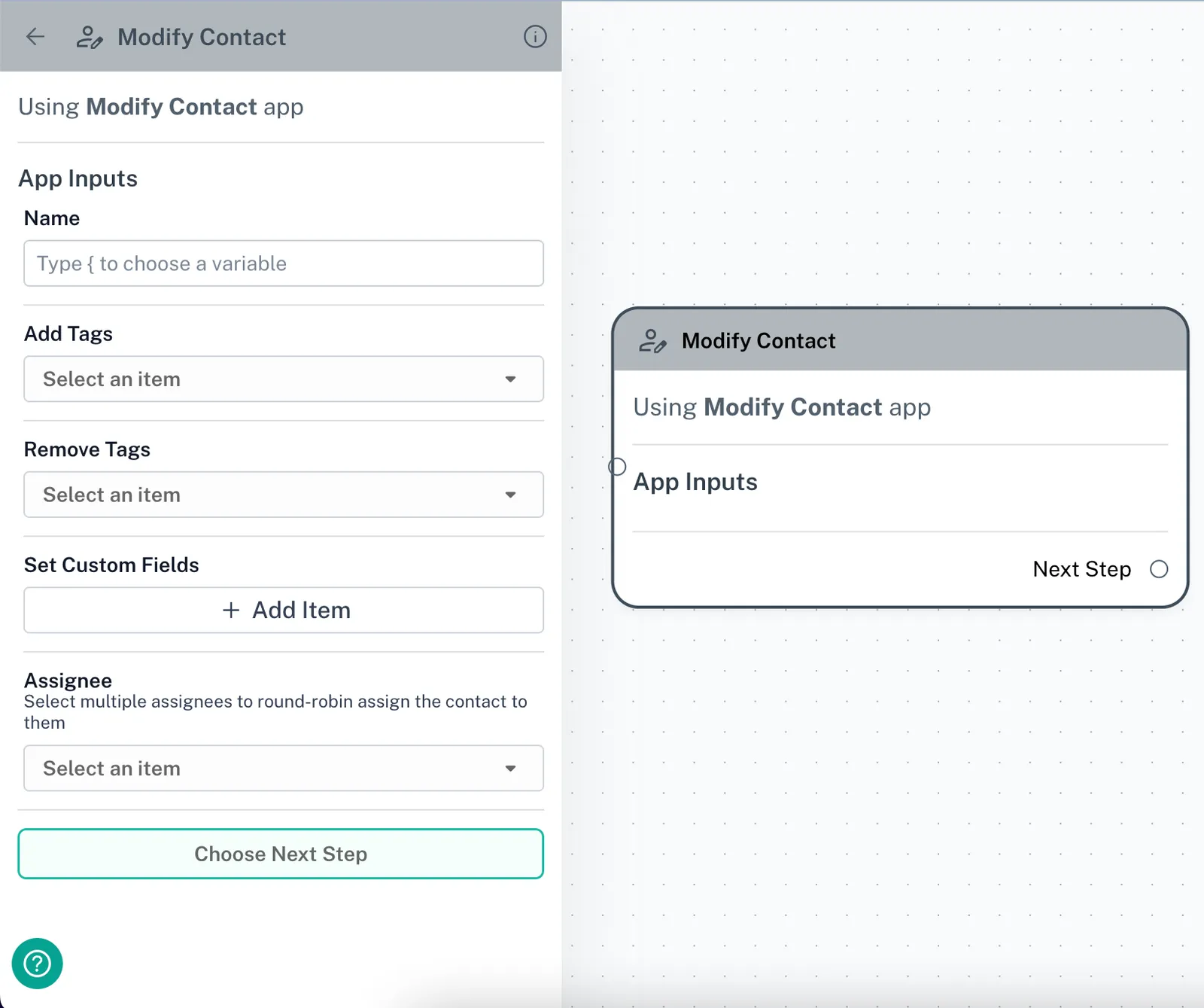
Automate Assignments: Use message flows to automatically reassign contacts.
-
Action Blocks: Add an “Action” or “Modify Contact” block within the flow to change the contact’s assignee based on predefined conditions.