
Inbox & Calls
How to send a Message in ChatDaddy?
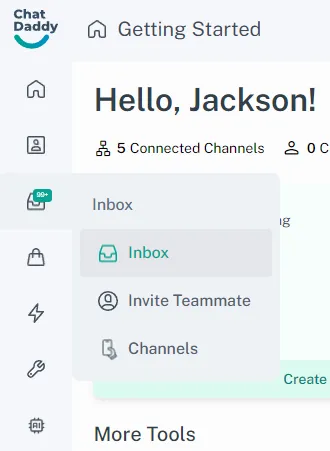
- On the ChatDaddy app, tap on the Inbox tab located on the left screen. !Image - If you manage multiple business channels , you might see a list of channels on the filter section.…
Updated Apr 15, 2026
Steps
Access Your Inbox
- On the ChatDaddy app, tap on the Inbox tab located on the left screen.
Select a Chat
- If you manage multiple business channels , you might see a list of channels on the filter section. In this case, tap on the desired channel and select a chat to start messaging with customers.
Start Interacting with Your Customers
- Once you've accessed the inbox or selected the appropriate channel, you can now compose and send messages to your customers directly.
Inbox Settings
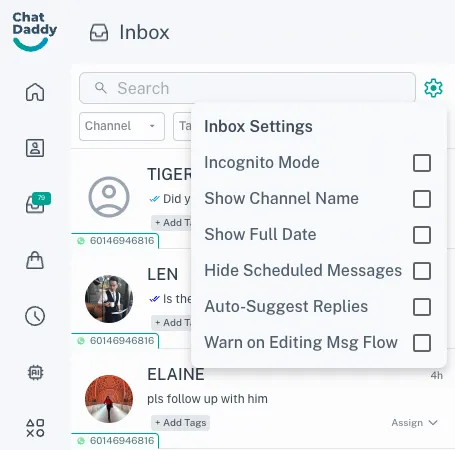
There are some settings which can tailor your experience of using the Shared Team Inbox. Read this article to find out the different settings that exist and what they do.
Features
Incognito Mode
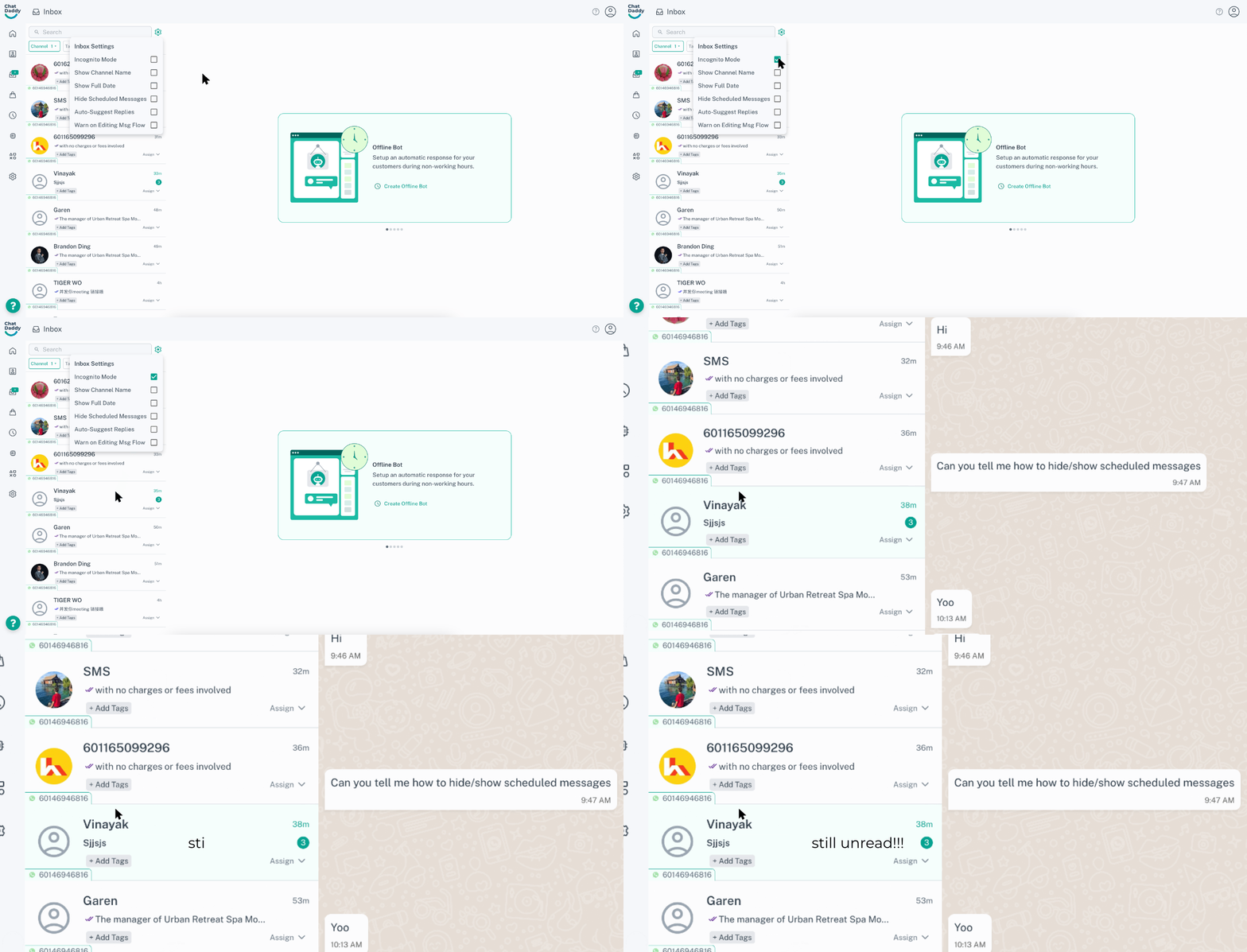
This feature allows you to view messages in chats without changing their status to 'read'. This is useful for team admins to go over chats without accidentally marking them as read.
Feedback
Was this article helpful?