
Inbox & Calls
WhatsApp Limitation - Message not available
These messages appear when WhatsApp cannot display the content you were supposed to receive. This usually happens because the message can’t be retrieved or decrypted at the moment.…
Updated Apr 15, 2026
📖 Help Guide: WhatsApp Error Messages – “This message is not available” & “Waiting for this message, This may take a while”
Overview
These messages appear when WhatsApp cannot display the content you were supposed to receive. This usually happens because the message can’t be retrieved or decrypted at the moment. The cause can be on your side, the sender’s side, or due to device syncing issues as it relies on your primary phone to sync messages.
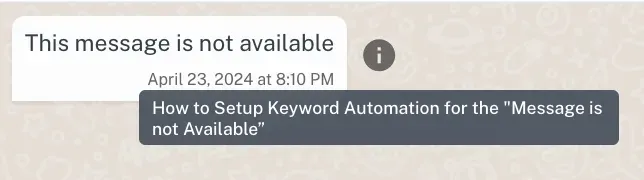
Example of “This Message is not Available”
Example of “Waiting for this Message”

Possible Reasons for the above scenarios.
- Encryption or Device Changes
-
The sender or receiver reinstalled WhatsApp or changed devices.
-
Encryption process changed, making older messages unreadable.
- Network or Delivery Problems
- Poor internet connection interrupted message delivery or download.
- Outdated App Versions
- One or both users are using an older version of WhatsApp that cannot process the message.
- Message Deleted or Expired
- The sender deleted the message or it expired if sent with disappearing messages.
- Unsupported or Corrupted Media
- WhatsApp can’t process the file type or the media download failed.
- Multi-Device Sync Issues (Web/Desktop)
- Your phone is offline or hasn’t passed the encryption keys to your linked device.
What Can You Do?
Feedback
Was this article helpful?