Handle Pending Messages Before Reconnecting to ChatDaddy
Pending messages occur when your WhatsApp channel is disconnected from ChatDaddy, stopping outgoing messages. If the disconnection lasts from a few hours to several days, these mes…
Pending messages occur when your WhatsApp channel is disconnected from ChatDaddy, stopping outgoing messages. If the disconnection lasts from a few hours to several days, these messages will pile up in a backlog.
To reduce the risk of being flagged or banned — especially after being unblocked by WhatsApp — we recommend clearing or gradually rescheduling pending messages before reconnecting your channel.
This guide also covers how to clear failed messages, which are messages that could not be delivered due to errors.
Handling Pending Messages Before Reconnecting
Follow these steps to handle pending messages:
-
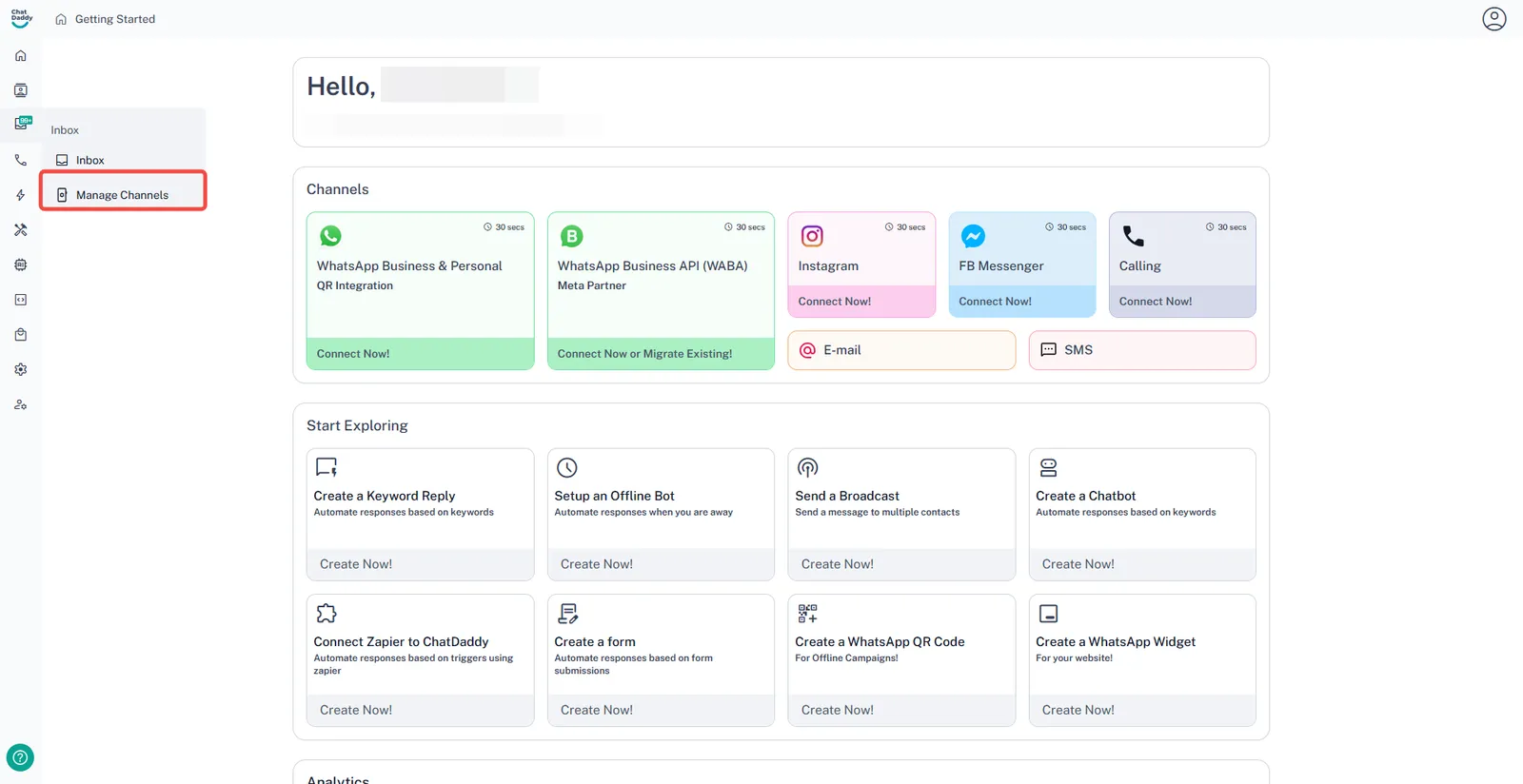
Click on the Left menu’s Inbox button in the **top-left module **and select Manage Channels.
-
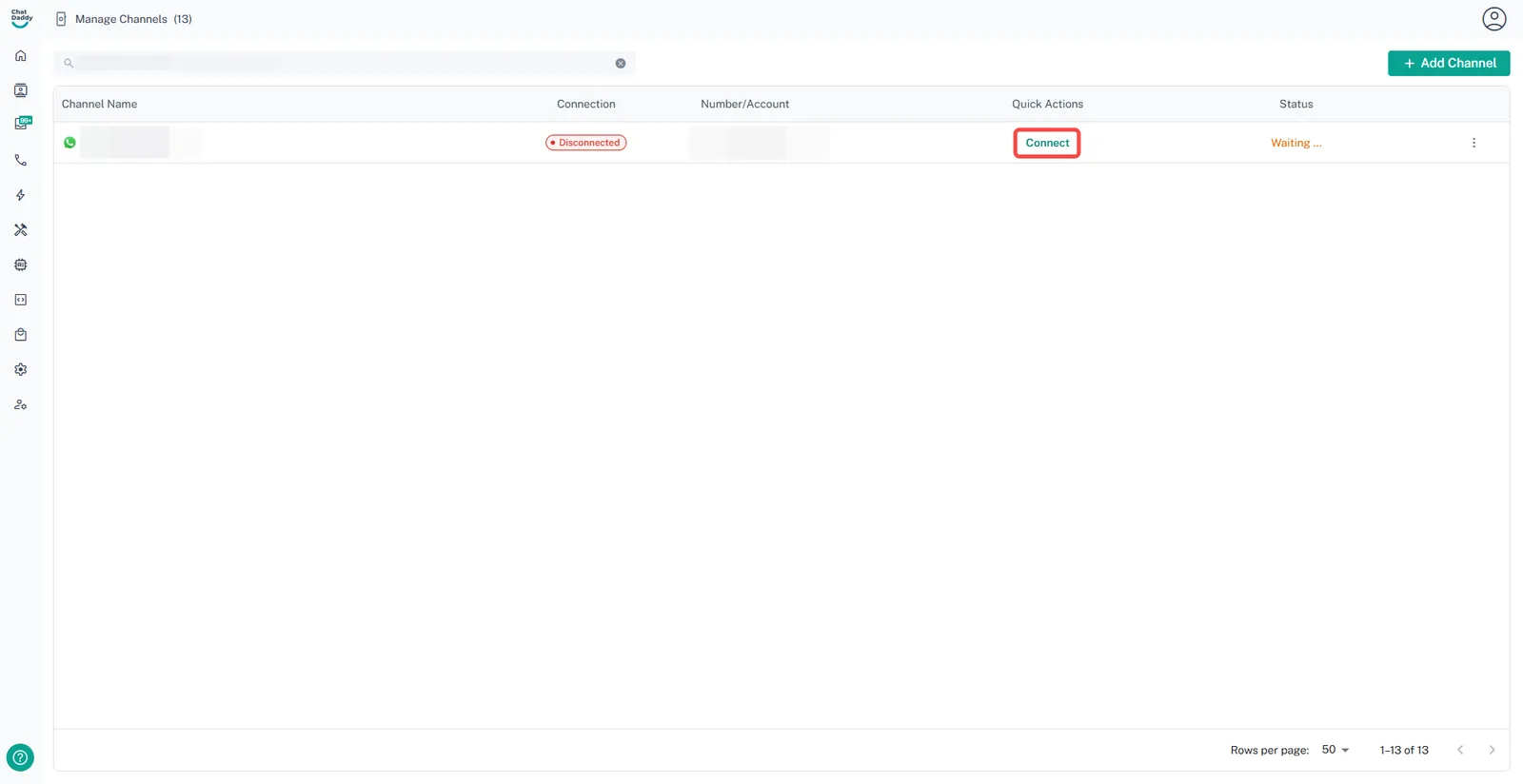
Select the channel and click Connect.
-
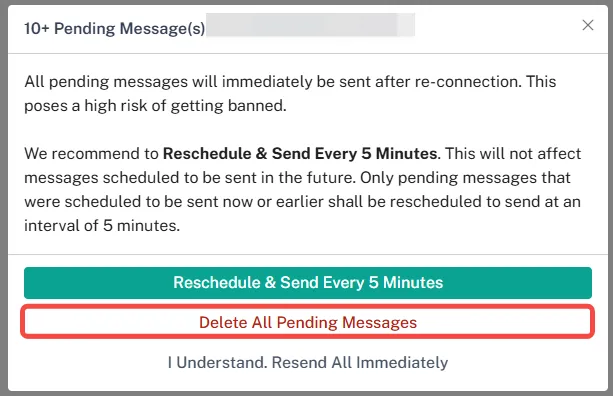
A pop-up will appear — choose Delete All Pending Messages and Reconnect