
CRM (Contacts / Tags / Fields)
How to add tag in conversation logs:
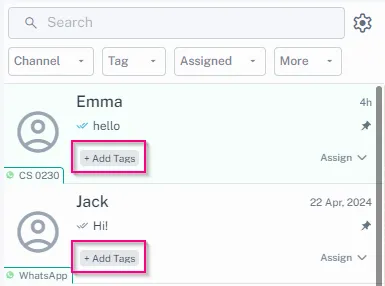
1. Go to your Inbox. 1. Open a specific conversation log. 1. Select "+ Add Tag" and choose the desired tag(s) to assign to the contact. !Image 1. Access your Inbox. 1. In the conve…
Updated Apr 15, 2026
-
Go to your Inbox.
-
Open a specific conversation log.
-
Select "+ Add Tag" and choose the desired tag(s) to assign to the contact.
How to add tag from Inbox Sidebar (Contact Info):
-
Access your Inbox.
-
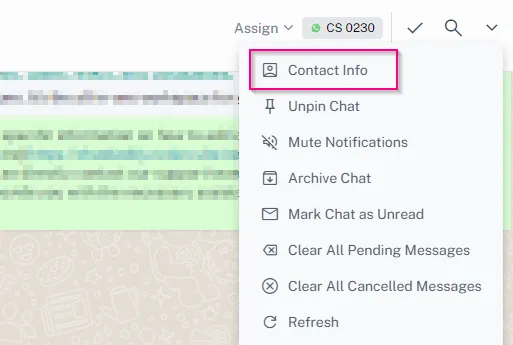
In the conversation list sidebar, locate the “arrow” to expand the menu and navigate to Contact Info.
-
Click on the contact information section to expand it.
-
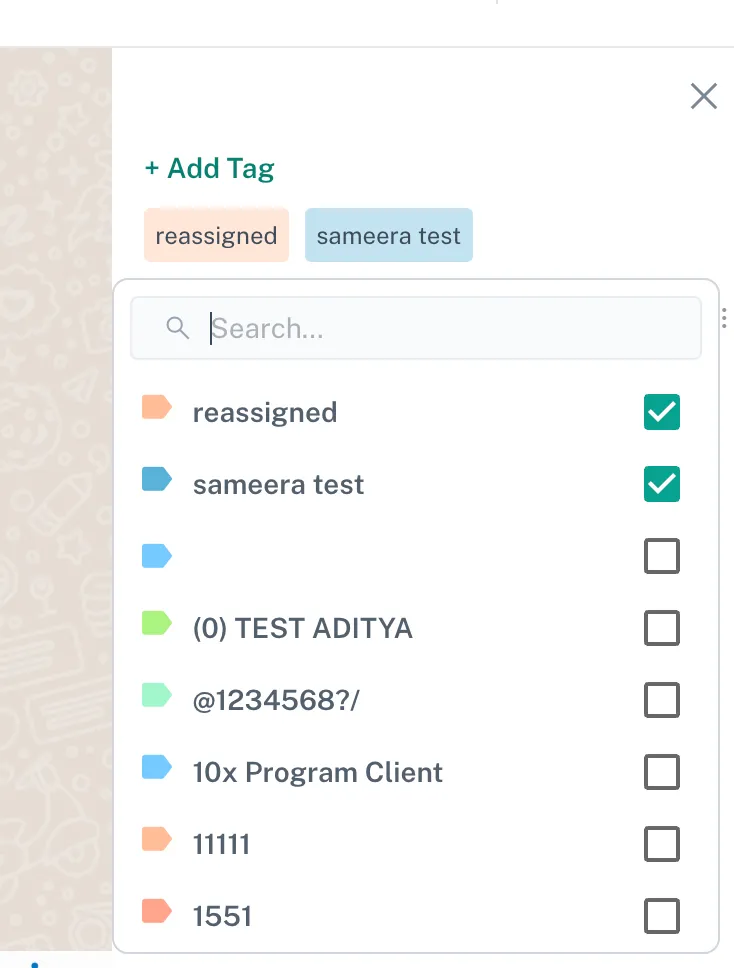
Within the contact details, find the "Tags" section.
-
Click "+ Add Tag" to assign a new tag or select an existing tag.
Feedback
Was this article helpful?