
How to bulk reassign contacts to a different teammate
Need to quickly move contacts from one teammate to another? ChatDaddy makes it easy to bulk reassign contacts so your team stays organized and efficient. Go to https://app.chatdadd…
Need to quickly move contacts from one teammate to another? ChatDaddy makes it easy to bulk reassign contacts so your team stays organized and efficient.
📍 Step 1: Log into ChatDaddy
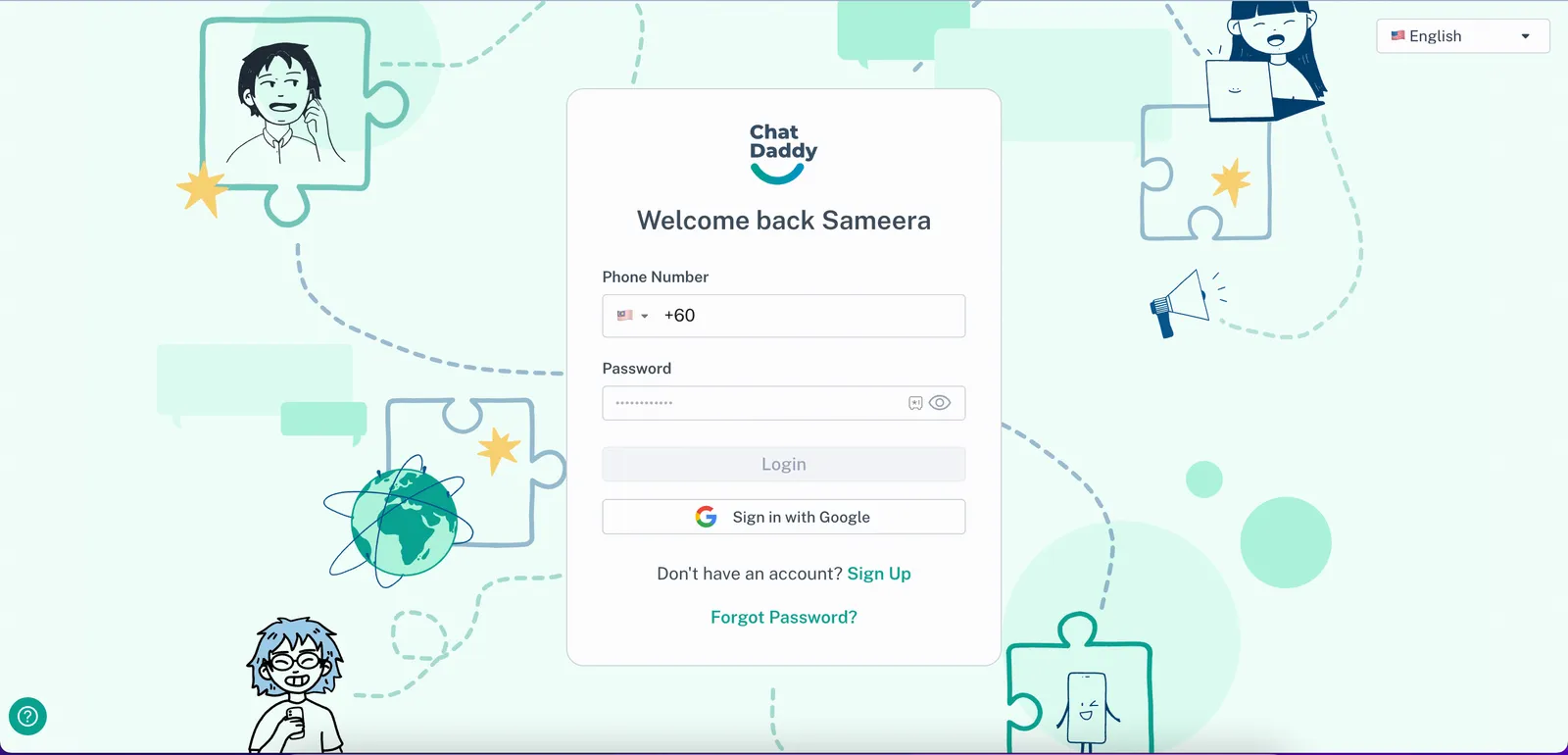
Go to https://app.chatdaddy.tech and log in with your account credentials.
👥 Step 2: Go to the Contacts page
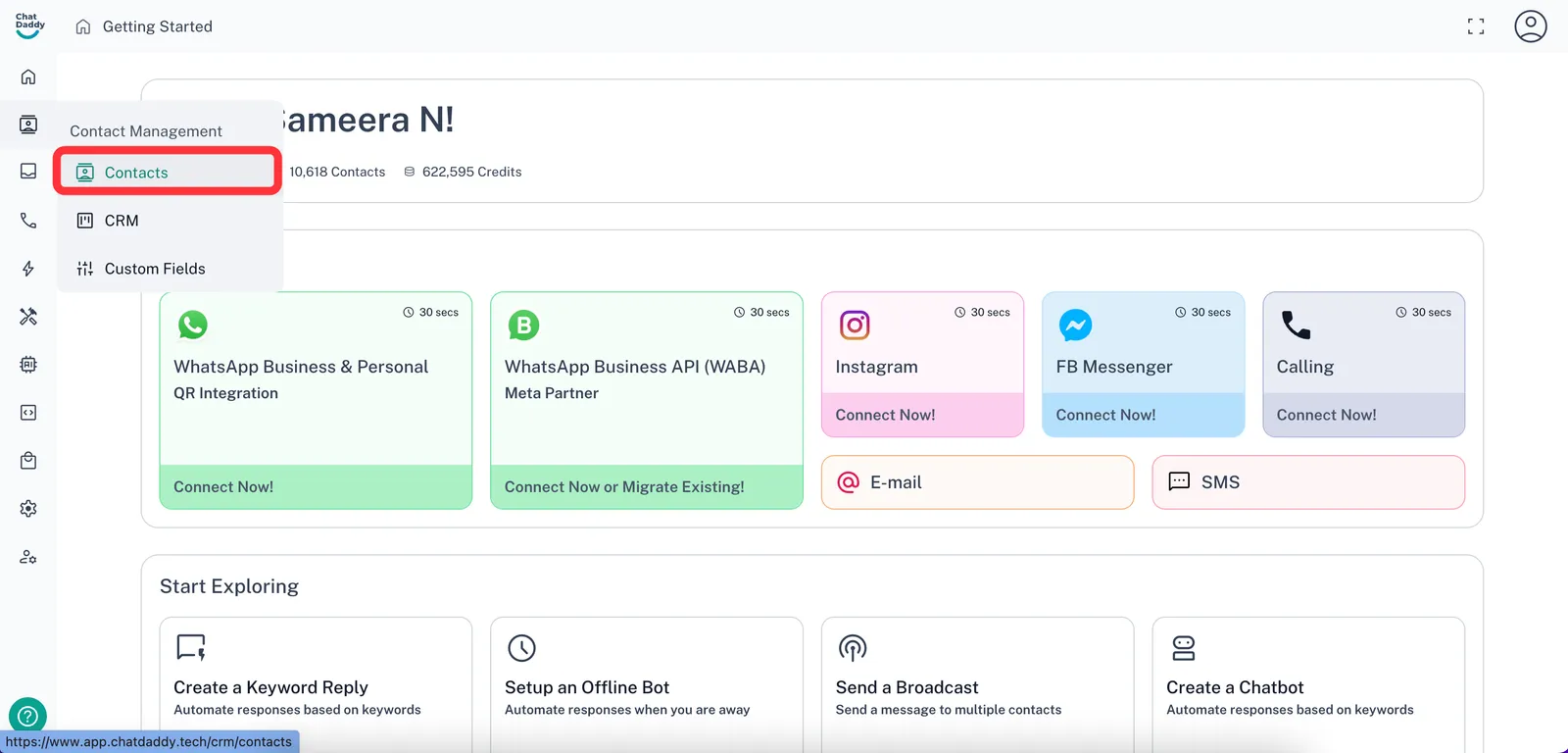
Hover over the left-hand sidebar and click on “Contacts”
✅ Step 3: Select Contacts
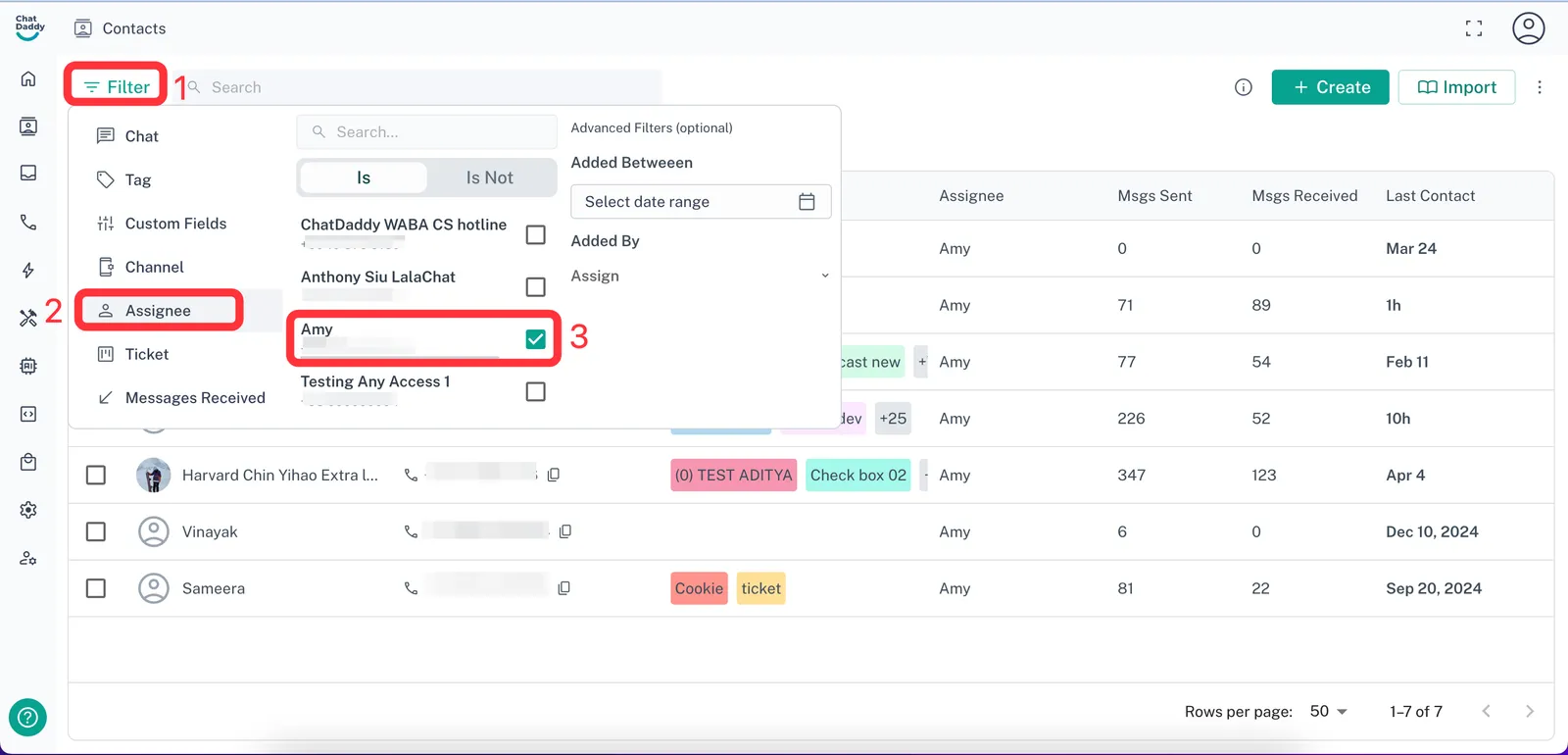
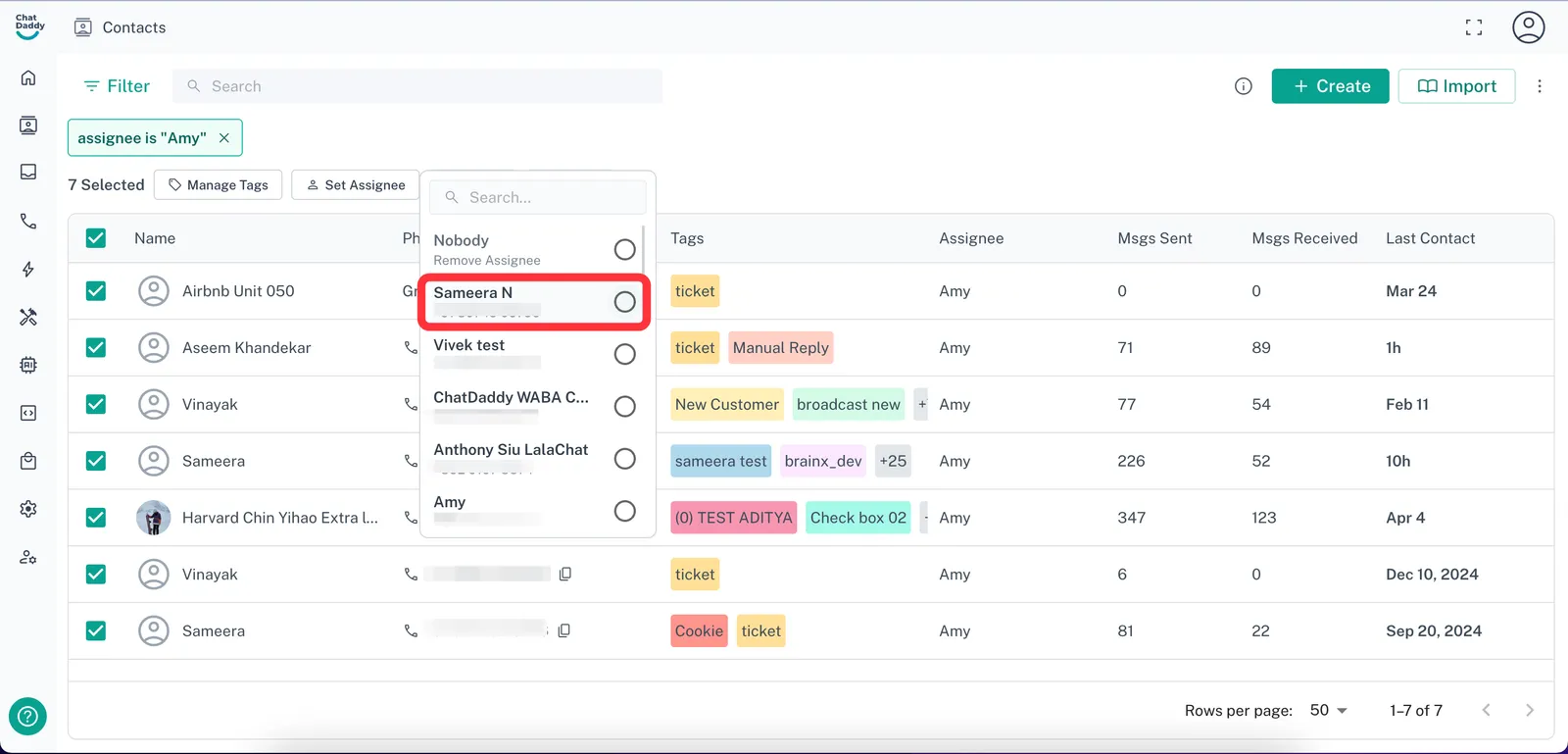
Use the filters on the Contacts page to get all the contacts that are assigned to your teammate.
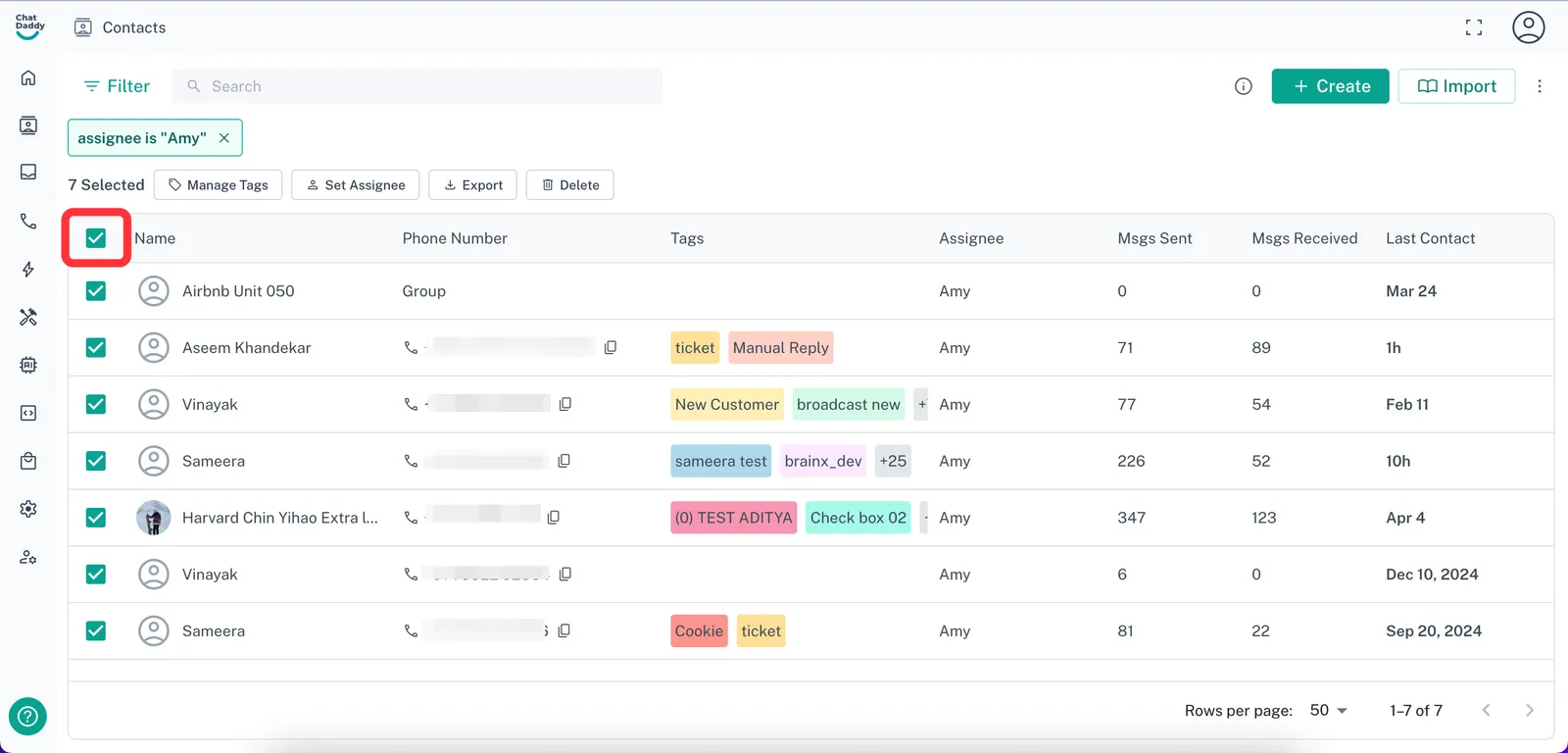
Then, click the topmost checkbox to bulk select all of them
💾 Step 3: Reassign the contacts
Click the “Set Assignee” button to re-assign all the selected contacts to a different teammate
📝 Notes
-
Only Admins and users with appropriate permissions can reassign contacts.
-
Reassigned contacts will reflect immediately in the new teammate’s Inbox.