
How to Change a Channel Name 📝
This feature allows you to update a channel name within ChatDaddy to improve internal identification and organization. The update is for internal reference only. You may use this f…
Feature Overview 🔍
This feature allows you to update a channel name within ChatDaddy to improve internal identification and organization.
The update is for internal reference only.
When to Use This Feature 🤔
You may use this feature when:
-
Managing multiple channels or phone numbers 📱
-
The existing channel name is unclear or outdated
-
Channels need to be labeled by team, branch, or purpose
Steps to Update the Channel Name 🔧
Please follow the steps below:
1️⃣ Go to Inbox
2️⃣ Select Manage Channels
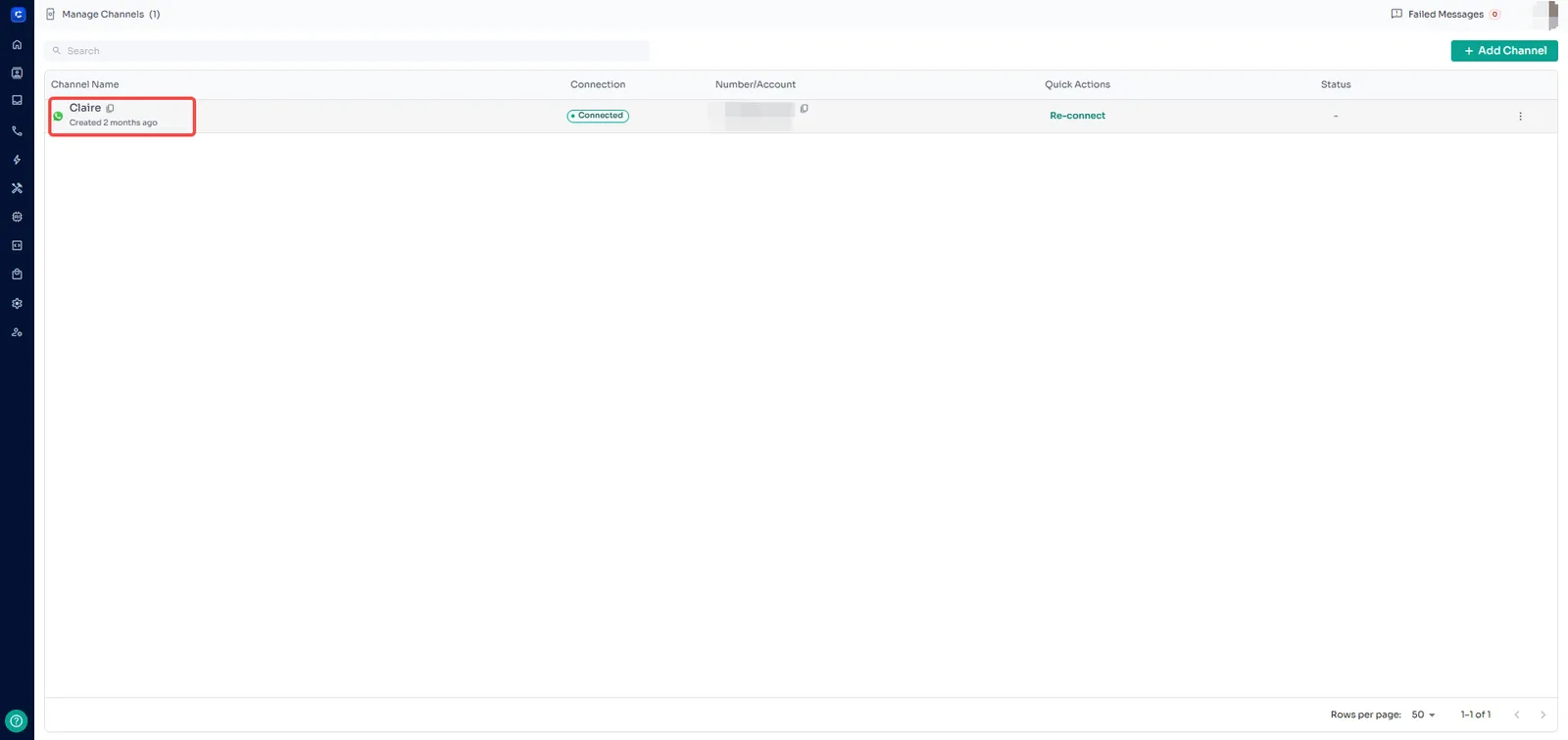
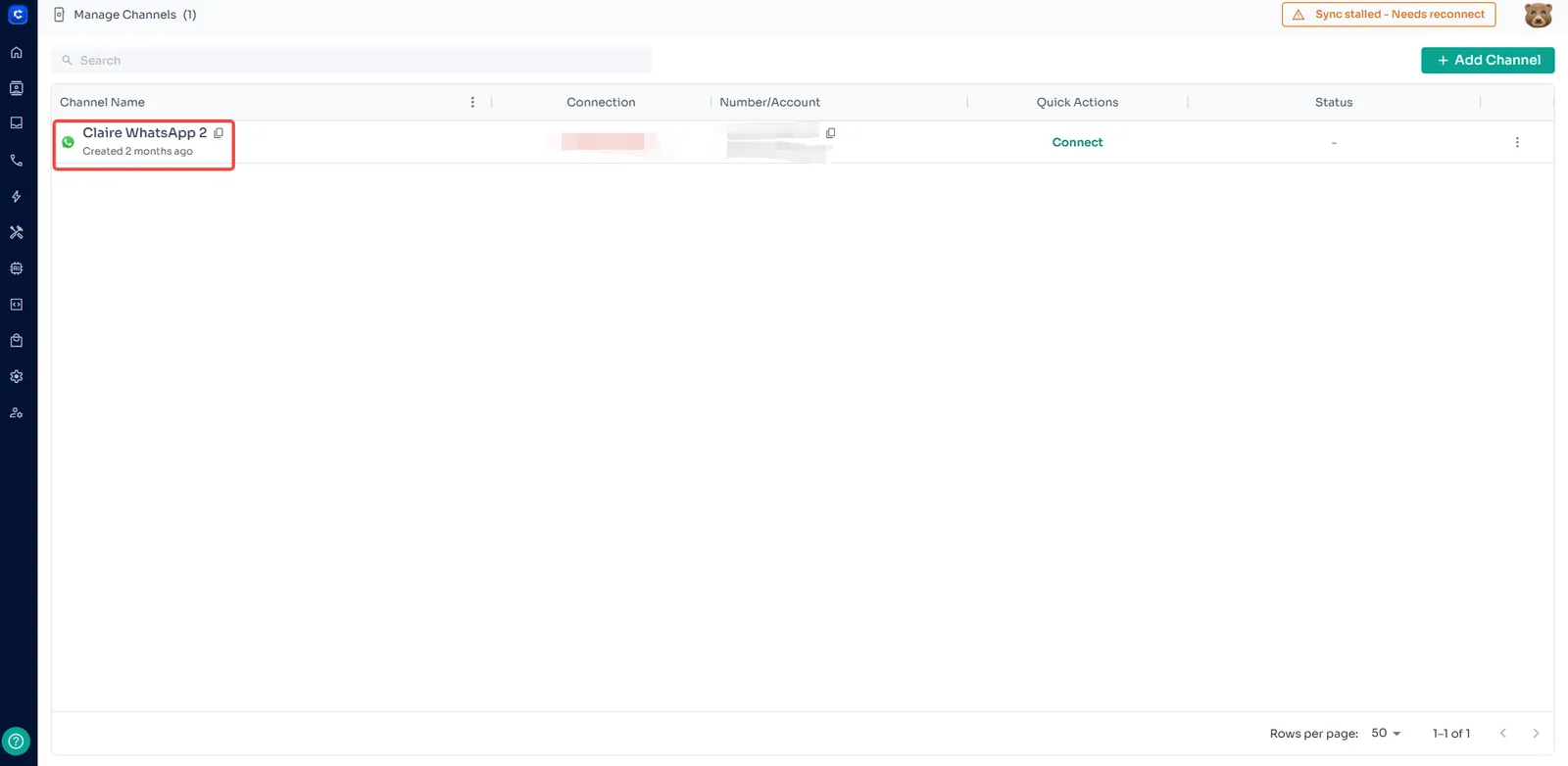
3️⃣ Locate the channel you want to update
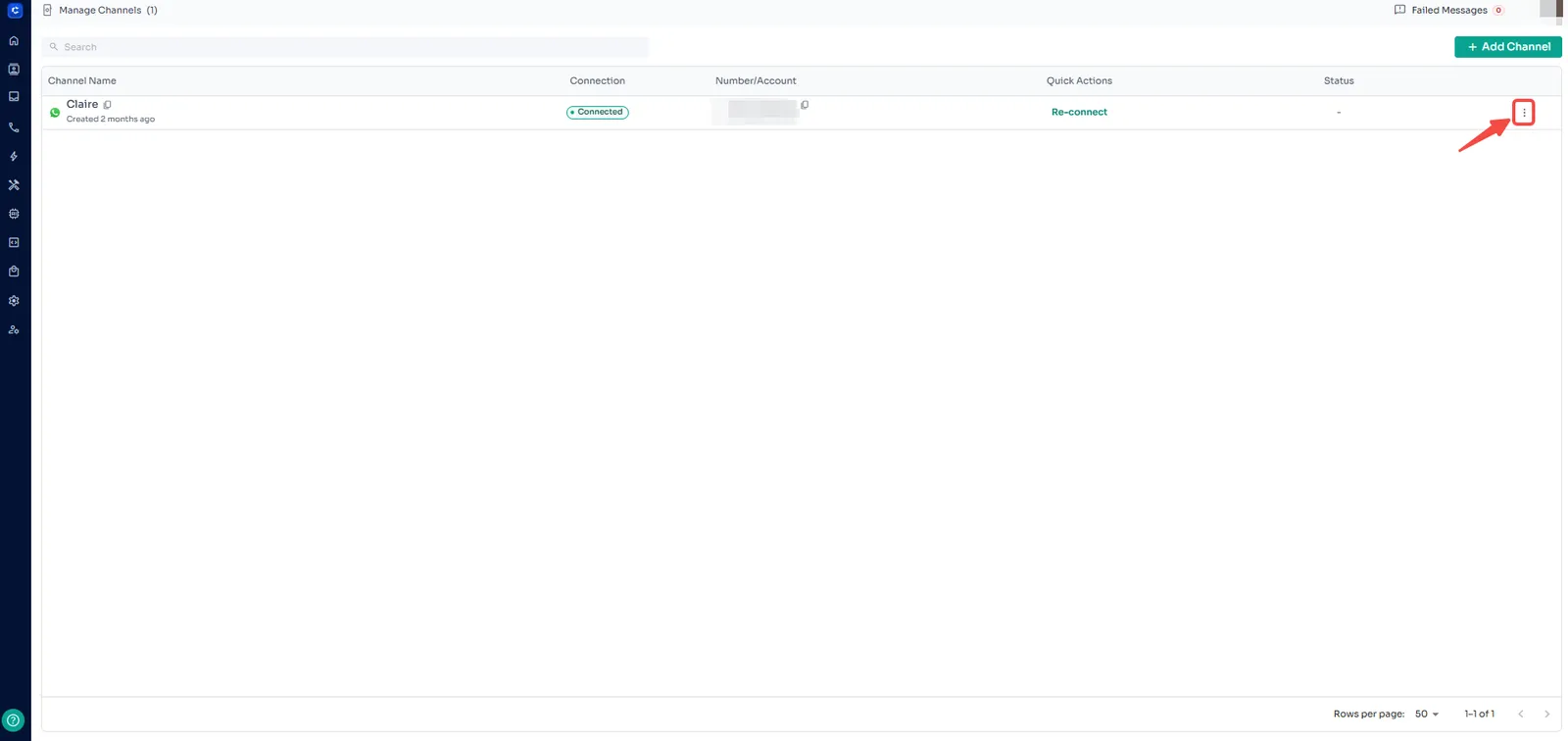
4️⃣ Click the three dots (⋮) on the right
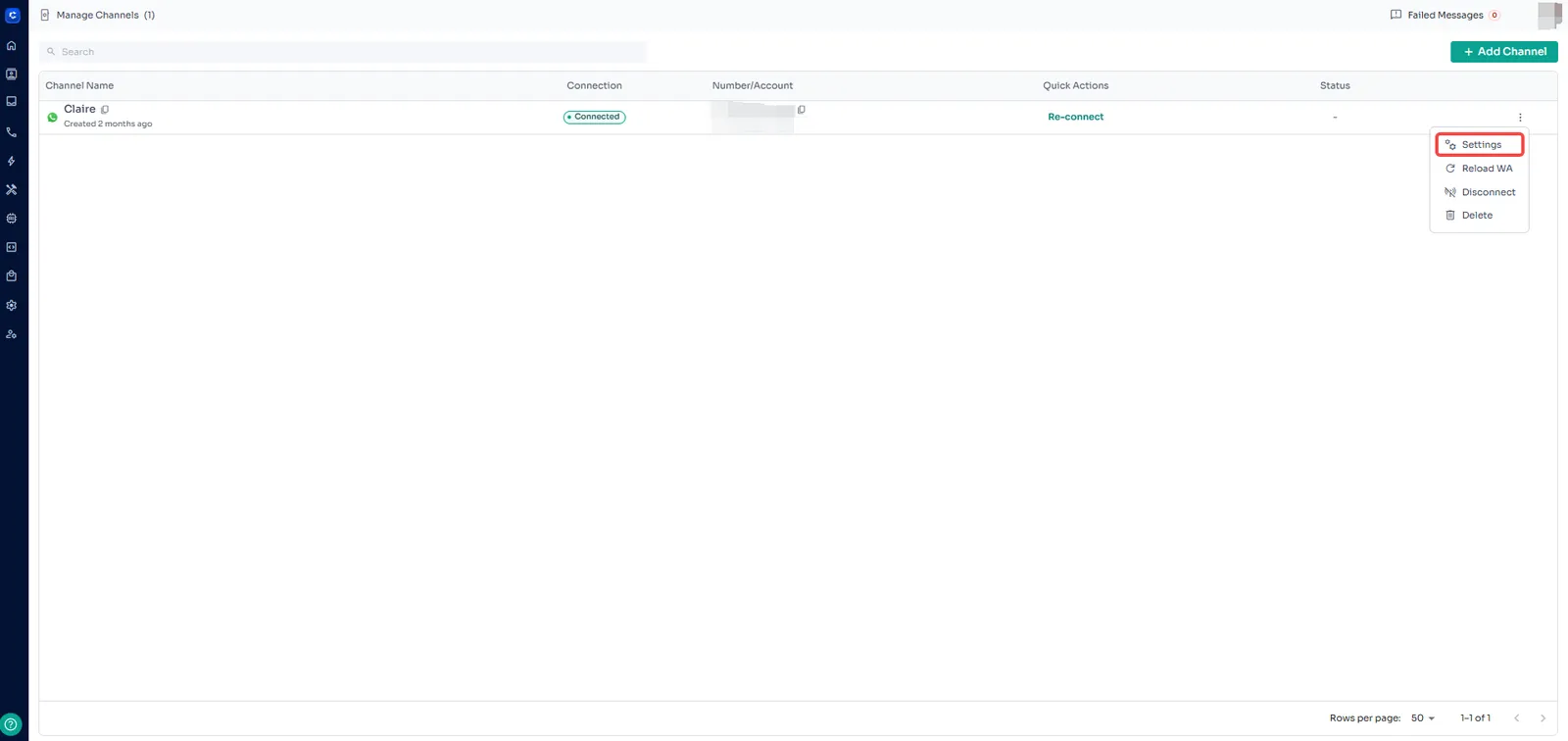
5️⃣ Choose Settings
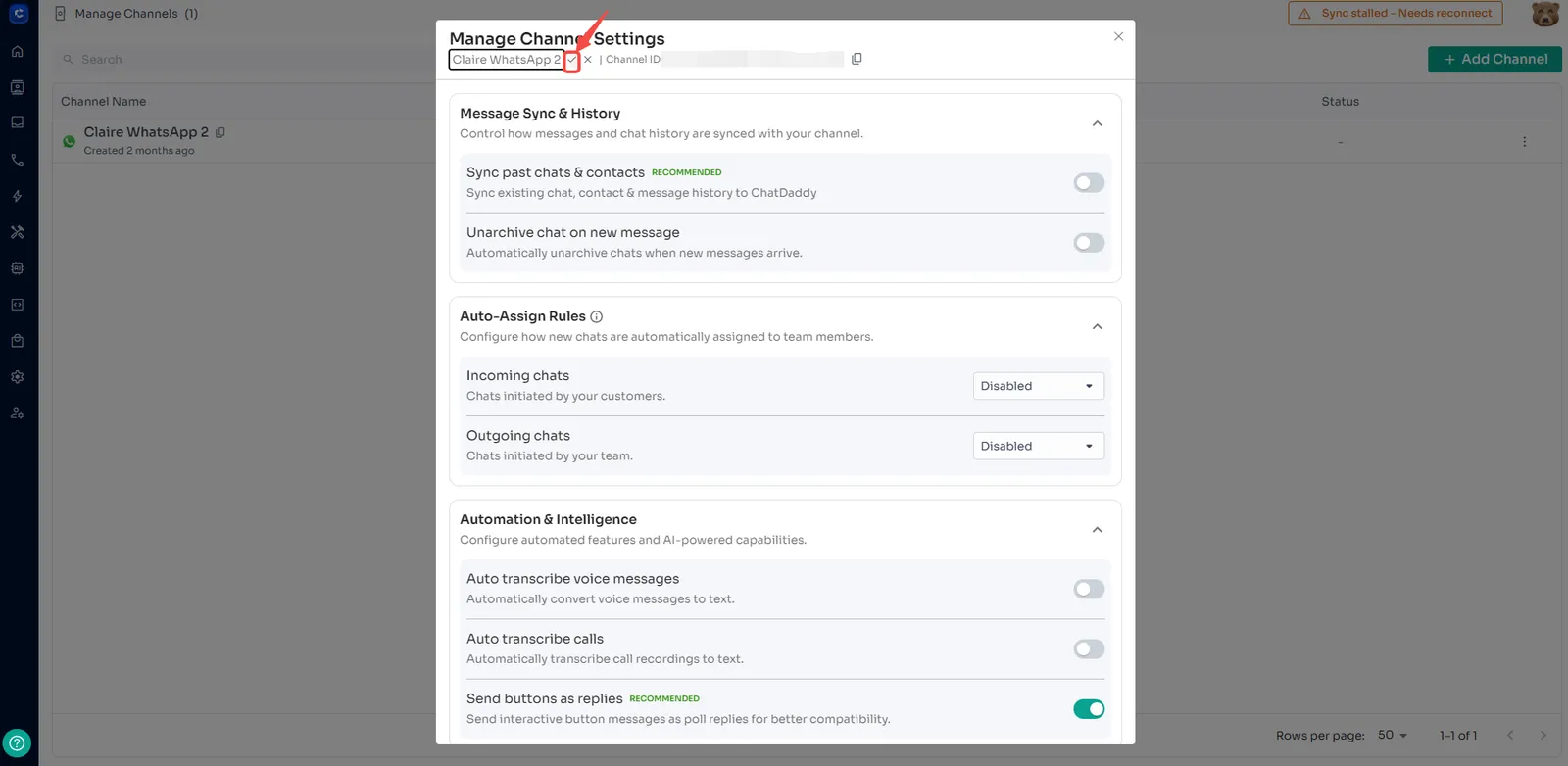
6️⃣ Hover over the channel name
7️⃣ Click the pencil ✏️ icon
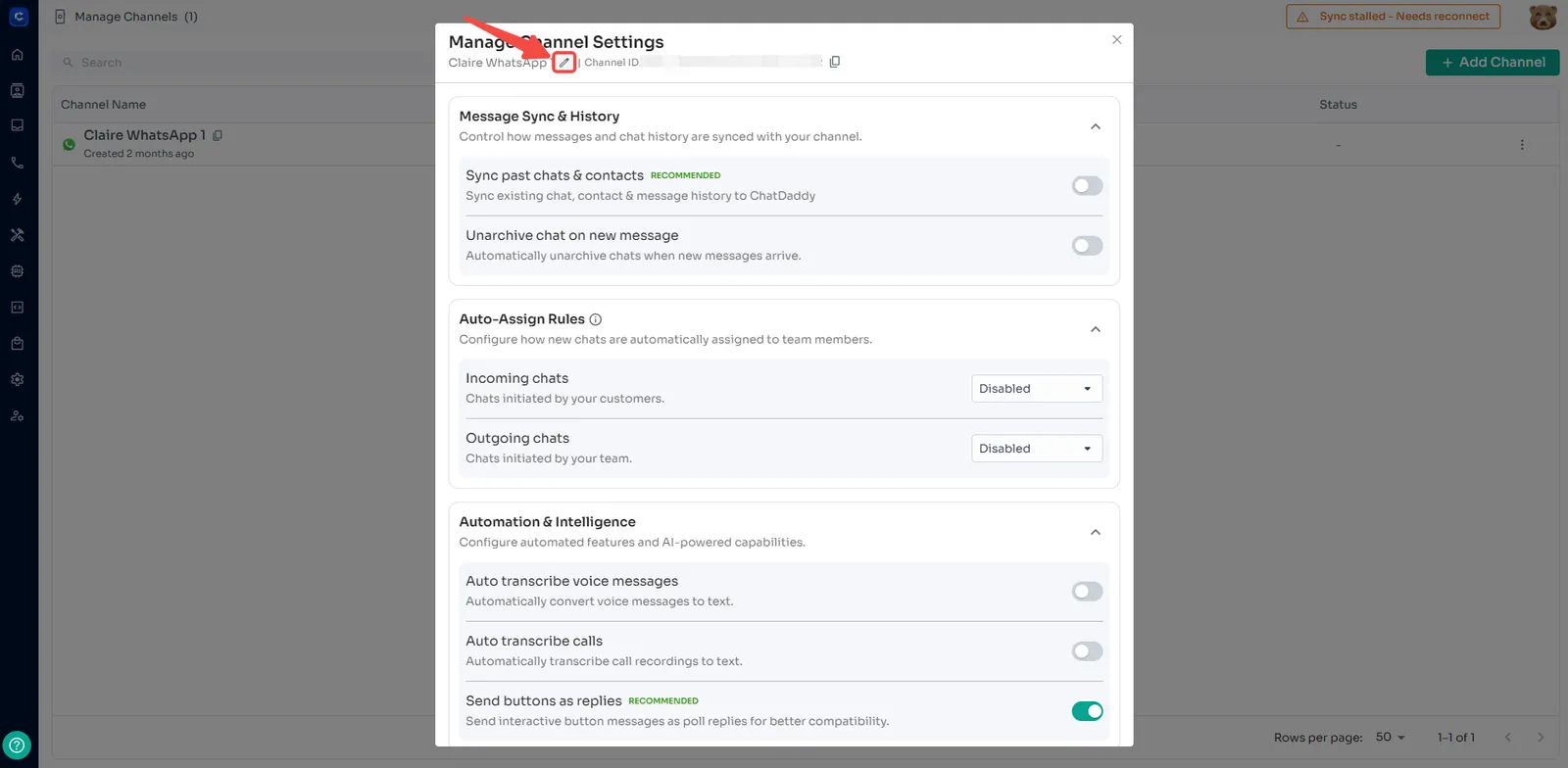
8️⃣ Update the name and click the check
Important Notes ⚠️
-
Channel name updates are only visible within ChatDaddy
-
This does not change the WhatsApp profile name
-
Customers will continue to see the original WhatsApp name or number
-
Channel names can be updated at any time