
Channels (WhatsApp / IG / FB)
How to Delete a Channel?
Having trouble deleting a channel? Don’t worry — this is not a bug, but a designed system limitation. 1. Go to the user icon on the top right corner, then click Manage Channels. !I…
Updated Apr 15, 2026
Having trouble deleting a channel? Don’t worry — this is not a bug, but a designed system limitation.
Steps
❗ Note: You can only delete channels if you have an admin role and the channel has never been connected before. Channels that have the “DISCONNECTED” indicator cannot be deleted
❗ Note: If you wish to delete a channel, please reach out to our customer support team (60164516816)
❗ Note: Deleting a channel will remove all contacts, messages, chats, notes, and assignees related to that channel. This cannot be undone
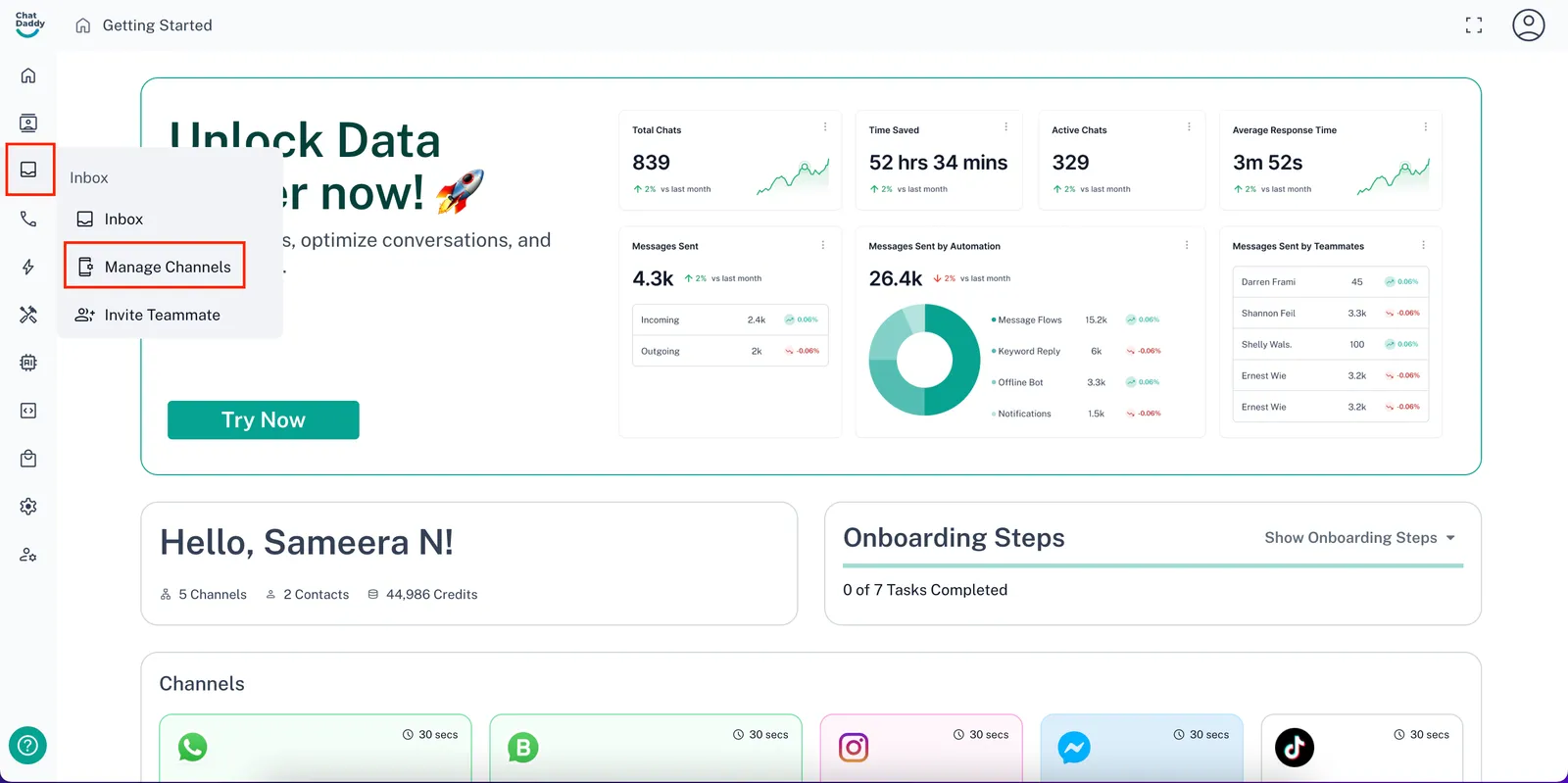
- Go to the** user icon **on the top right corner, then click Manage Channels.
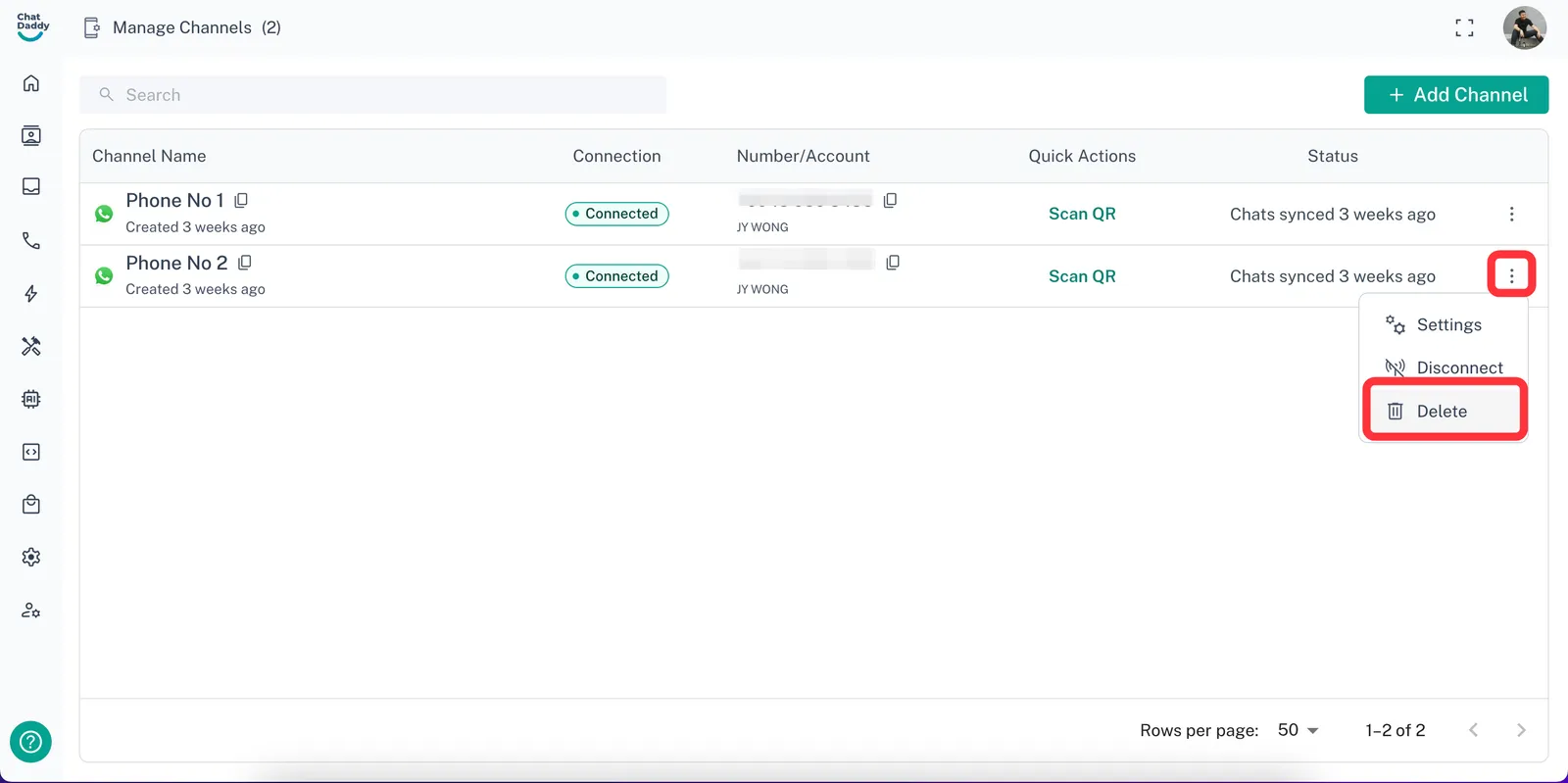
- Click on the 3 dots on the channel you wish to delete, and click Delete.
Feedback
Was this article helpful?