
Channels (WhatsApp / IG / FB)
How to Disconnect a Channel?
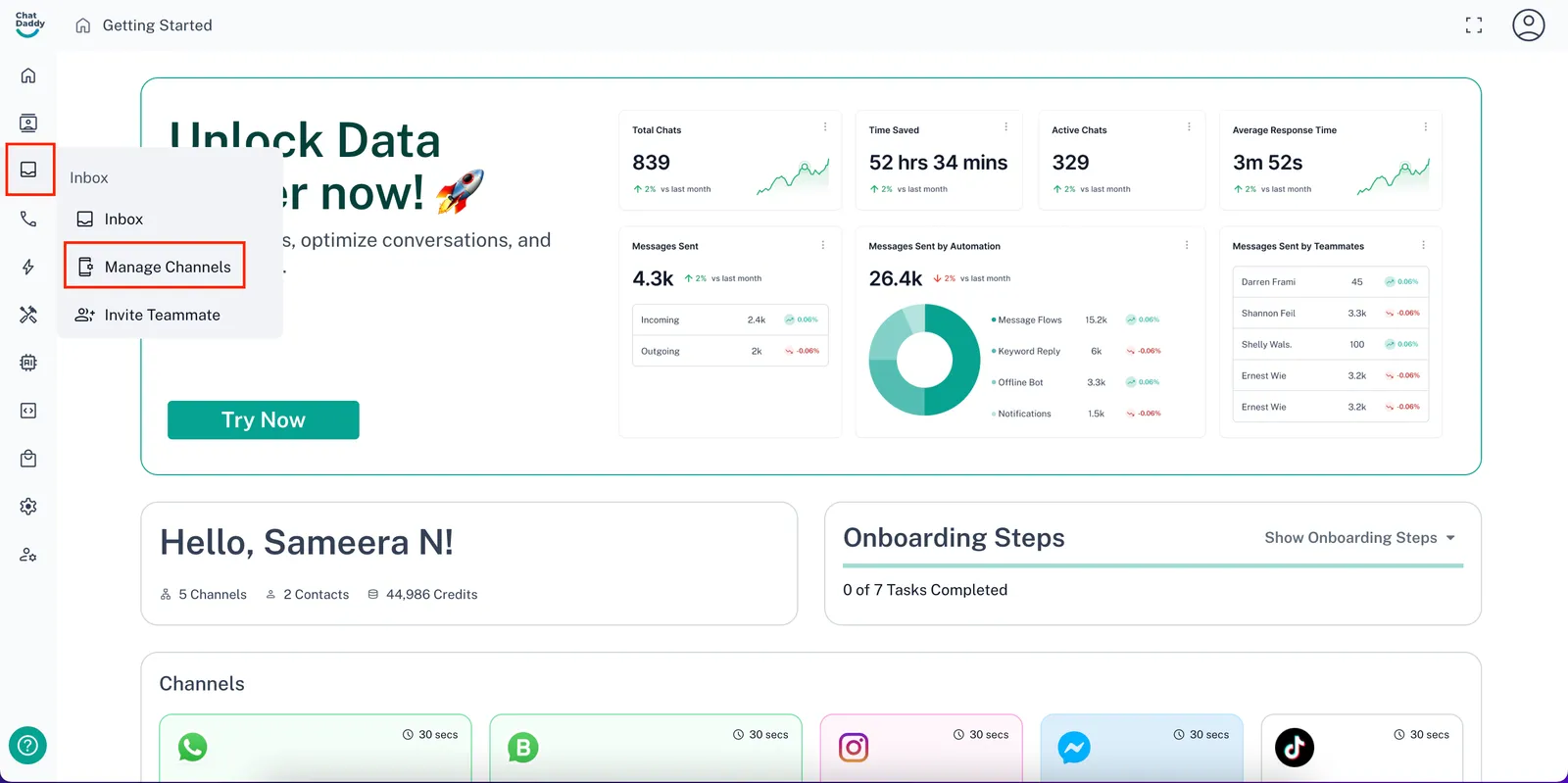
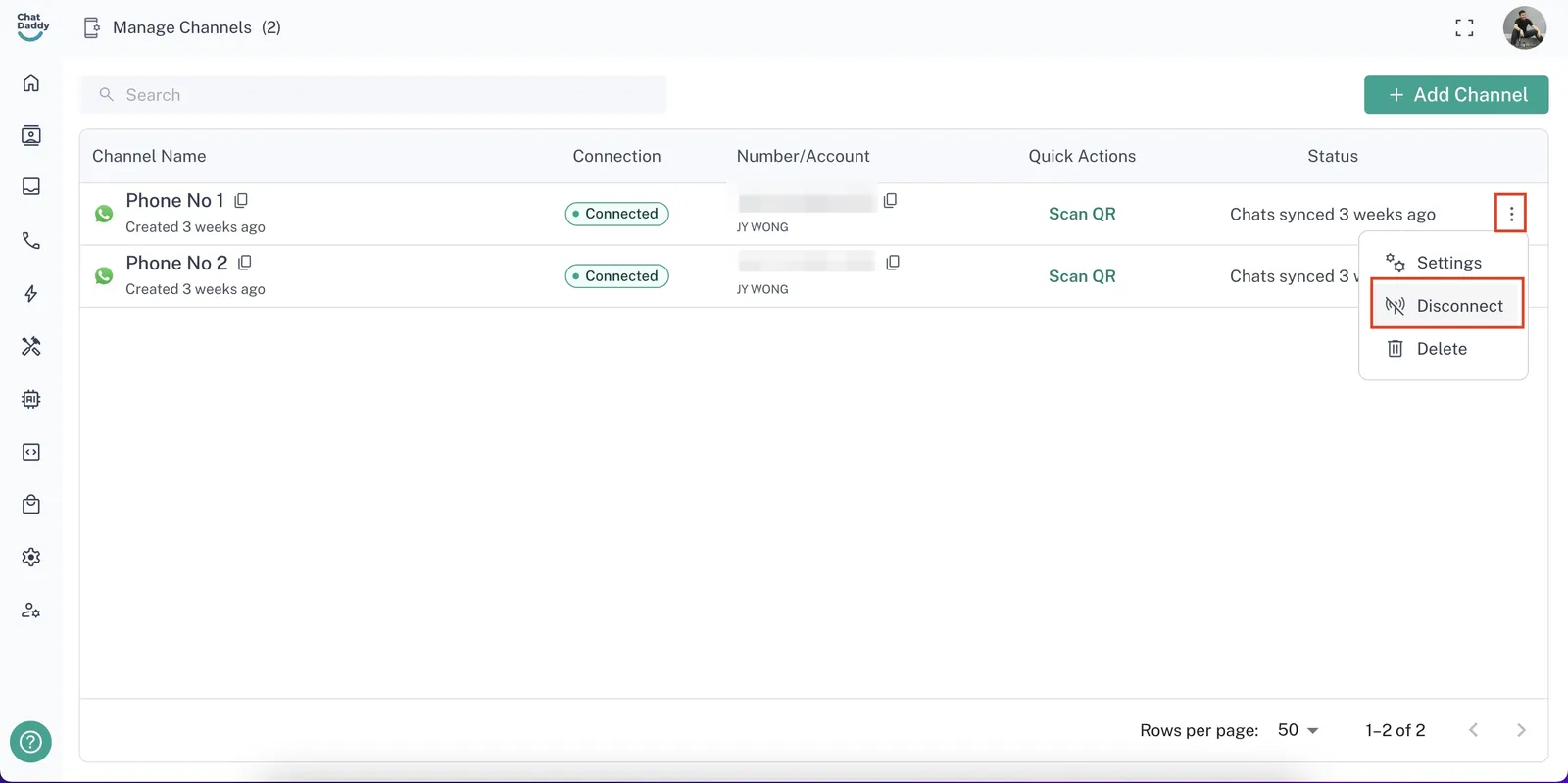
Video Step 1: Click on your user icon in the top right corner of the ChatDaddy dashboard or head over to inbox from the side panel. Then, select “Manage Channels” !Image Step 2: Cl…
Updated Apr 15, 2026
‼️ Note: If you disconnect a channel, you will not be able to send or receive any messages till you re-connect it again
Step 1: Click on your user icon in the top right corner of the ChatDaddy dashboard or head over to inbox from the side panel. Then, select “Manage Channels”
Step 2: Click the three dot menu on the top right of the channel you wish to disconnect and then select “Disconnect”
Feedback
Was this article helpful?