
Channels (WhatsApp / IG / FB)
🔄 How to Disconnect WhatsApp Business App from Meta Inbox (to Link with ChatDaddy)
If your WhatsApp Business app is currently linked to Meta Inbox (Business Platform), it must be disconnected before linking with ChatDaddy. Follow the steps below to proceed: 1. Op…
Updated Apr 15, 2026
If your WhatsApp Business app is currently linked to Meta Inbox (Business Platform), it must be disconnected before linking with ChatDaddy. Follow the steps below to proceed:
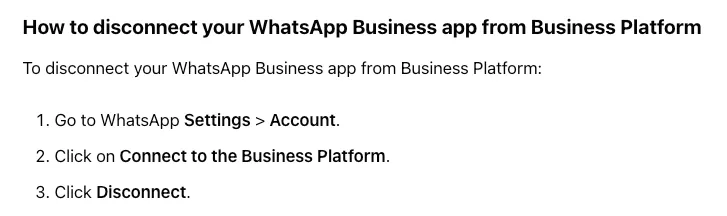
✅ Steps to Disconnect from Business Platform:
-
Open WhatsApp on your phone.
-
Navigate to Settings > Account.
-
Tap Business Platform.
-
Select Connect to the Business Platform.
-
Tap Disconnect.
📄 Official WhatsApp Guide: How to disconnect WhatsApp Business from Business Platform
**🔗 Now, Link WhatsApp with ChatDaddy: **https://help.chatdaddy.tech/getting-started/922MY2B1hVzdtQHBsTicEx/how-to-connect-your-whatsapp-to-chatdaddy-qr-integration/fyVU9Xf1mJf6GQbbJGyqfh
Feedback
Was this article helpful?