
✅ Step-by-Step Guide to Check Rejection Reason
In this article, we will be guiding you on how to check the template message rejection reason in your business manager. This will help you to rectify your templates when you resubm…
In this article, we will be guiding you on how to check the template message rejection reason in your business manager. This will help you to rectify your templates when you resubmit them.
Step 1:
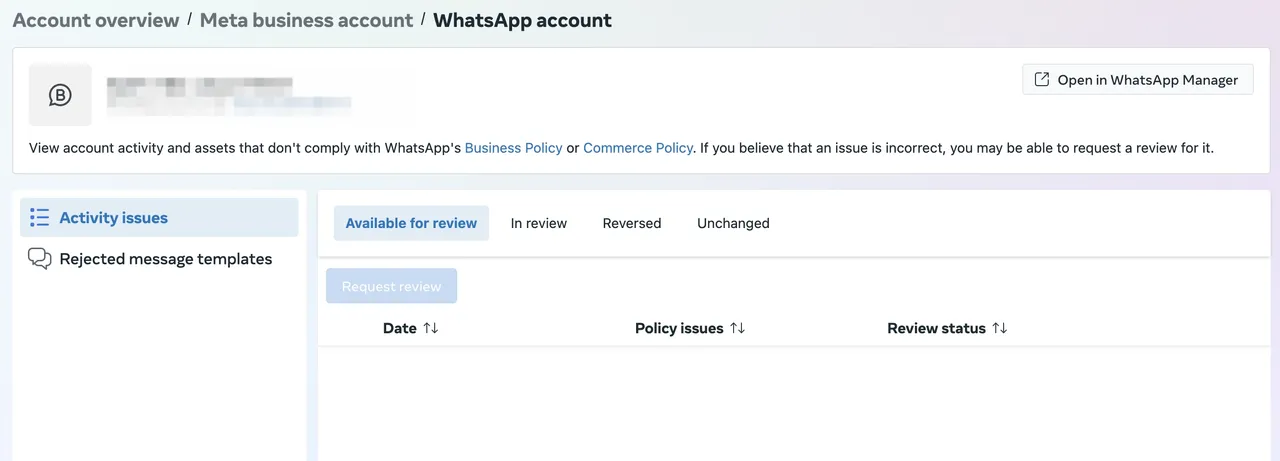
Go to your "Business Support Home" in your meta business account. From there, navigate to the WhatsApp Account where the rejected template was submitted. 📍 Make sure you're using the correct Business Account.
Step 2:
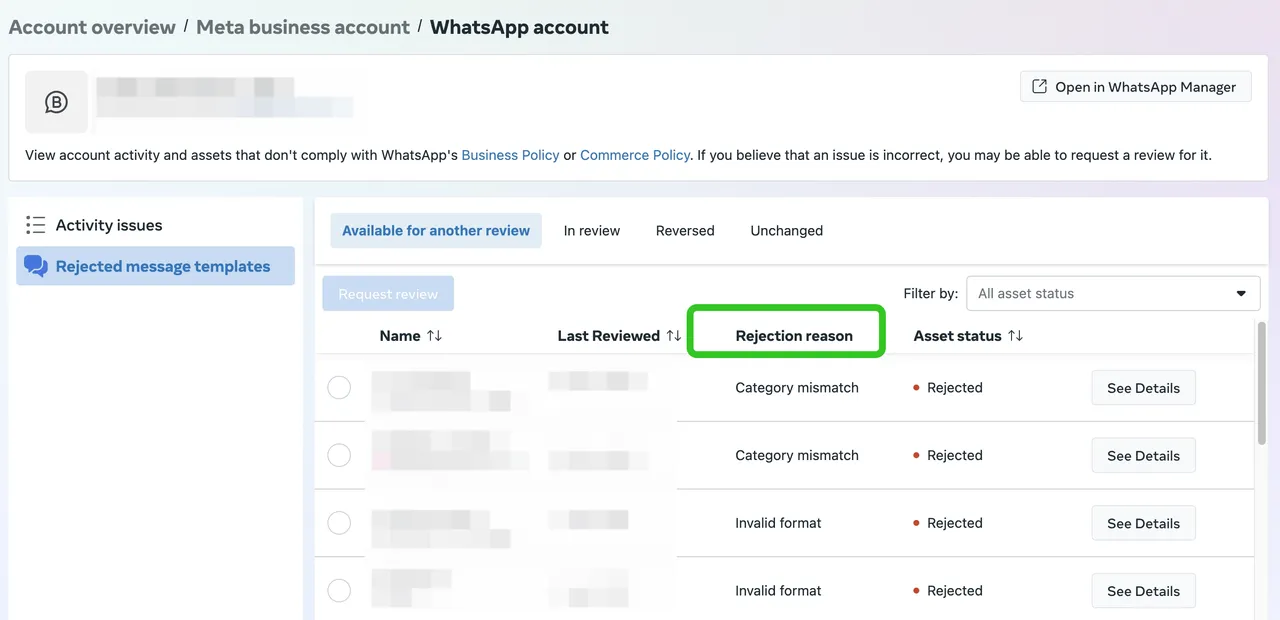
Click on "Rejected template messages" in the left-hand panel.
Step 3:
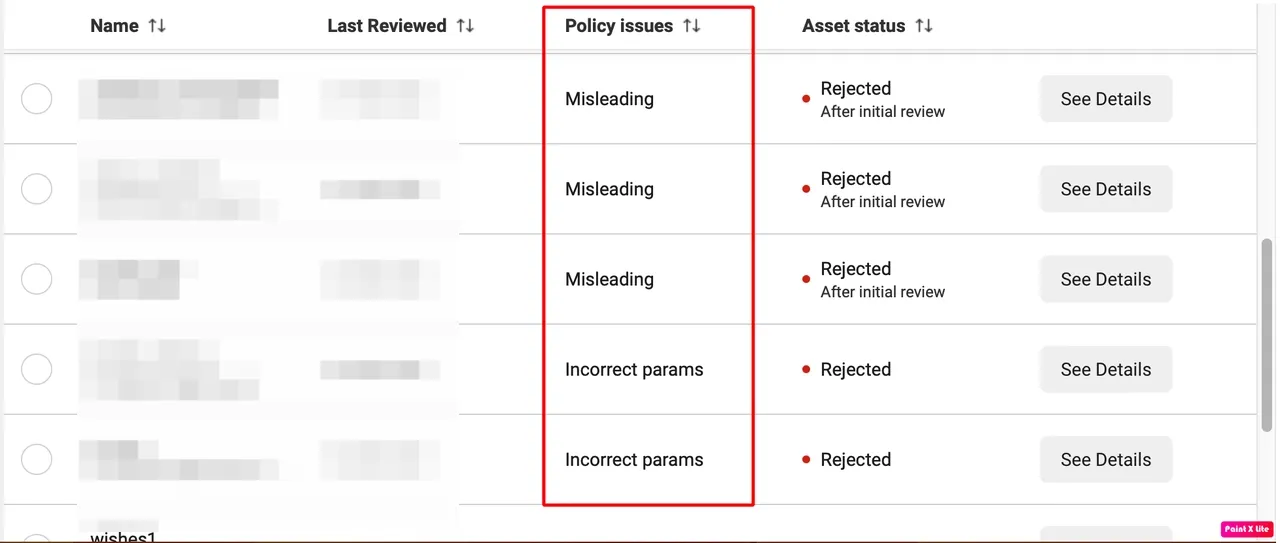
You'll now see a list of all rejected templates along with the policy issue that caused the rejection.
Examples of policy issues might include:
-
Content violates WhatsApp’s commerce or business policy
-
Use of promotional or misleading language
-
Missing required variables or placeholders
🔁 What to Do After Seeing the Rejection Reason
Once you identify the issue, follow these steps to fix and resubmit:
| Policy Issue | Action required |
|---|---|
| Duplicate template | Make sure that the template you submitted is not a duplicate of an already approved template. However, if you did add/edit some new elements to your template, you can request a review. Read below to learn how to request a review. |
| Category mismatch | Please check Template Category Guidelines for more details. If you think that you have selected the correct category, you can still request a review or you can resubmit the template under the suggested category. |
| Shortened URL | Refrain from using a URL shortener for your links. |
| Incorrect test template | The correct test template format is template name=test; content= Hello {{VariableName}} |
| Media template without sample | You need to either change this format or add a sample. For documents the only accepted format is .pdf |
| Floating params | Make sure you provide a sample for each parameter used. |
| Misleading | This can be related to: |
| 1. Multi-level marketingPenny auctions | |
| 2. ICOs and binary options | |
| 3. Payday loans, pay cheque advances, P2P lending, debt collection and bail bonds | |
| 4. Diet, weight loss or other health-related products that imply or attempt to generate negative self-perception | |
| Gambling, Alcohol, Real, virtual or fake currency | Make sure your template follows WhatsApp Commerce Policy and does not promote, trade, or offer any prohibited items. |
| Missing variables | Ensure all placeholders (e.g., {{1}}) are properly defined |
| Policy violation | Review Meta Business & Commerce Policies |
| Poor formatting | Ensure proper grammar, punctuation, and clear intent |