
Understanding WhatsApp Read/Unread Sync Limitations
!Image !Image We've noticed some instances where your messages in ChatDaddy might not perfectly sync their "read" or "unread" status with WhatsApp. This is due to technical limitat…
Understanding the Issue
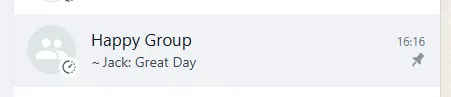
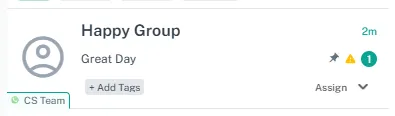
We've noticed some instances where your messages in ChatDaddy might not perfectly sync their "read" or "unread" status with WhatsApp. This is due to technical limitations on WhatsApp's end that prevent us from always getting the correct action information. Essentially, you might occasionally see a message marked as "read" in ChatDaddy but still showing as "unread" in WhatsApp, or vice versa.
Solution
To ensure accurate Read and Unread status management within ChatDaddy, we recommend disabling the "Chat Action Sync" feature. When disabled, ChatDaddy will handle the read/unread status independently, providing a more reliable experience.
Here's how to disable Chat Action Sync
-
Navigate to the "Manage Channels" > Select Your WhatsApp Channel > 3-dot menu > Disconnect the Channel
-
Click on the 3**-dot menu** next to the channel name and select "Show Advanced Settings."
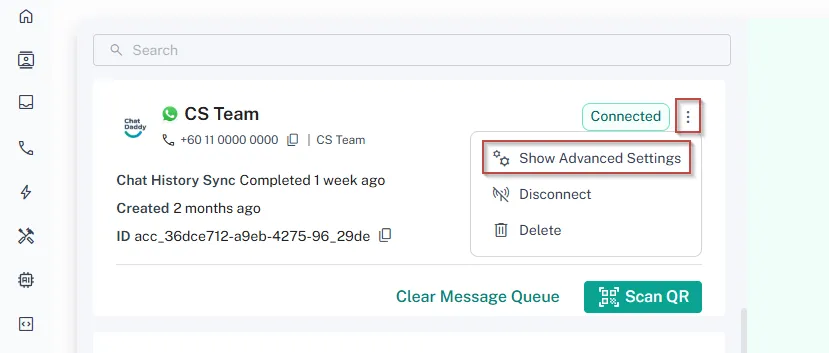
- Disable Chat Action Sync: Locate the "Enable Chat Action Sync" option and uncheck the box.

What you can expect
-
Reliable read/unread status within ChatDaddy: You can trust that the read/unread status of your messages within our app is accurate.
-
Possible minor discrepancies with WhatsApp: While we strive for consistency, there might be occasional differences in read/unread status between ChatDaddy and WhatsApp due to the limitations mentioned above.