
Why are my messages not syncing?
If your messages are not synced as expected between Whatsapp and ChatDaddy, these might be some potential reasons: 1. Your channel is not Connected 1. If your Chat history sync sta…
💡 Note: C
hatDaddy retrieves data from Whatsapp Web. If Whatsapp Web does not have the specific information you're seeking, ChatDaddy won't be able to provide it either. For example, features like the ~~~~poll button message~~~~ and ~~~~voice notes~~~~ may be visible in ChatDaddy but not on Whatsapp
If your messages are not synced as expected between Whatsapp and ChatDaddy, these might be some potential reasons:
-
Your channel is not Connected
-
If your Chat history sync status is "waiting", that means that your chats are still being synced. Please wait for all your chats to be imported from Whatsapp
-
ChatDaddy and Whatsapp are separate platforms. As a result, there may be synchronisation delays between them. Depending on the number of messages in your chats, it can take a few minutes to hours for your message history to appear on linked devices.~~ If you are still not able to view the history as expected, you can try to backup chat on your WhatsApp phone and see if the contact's conversation reappears. If not, you can report it to WhatsApp's official customer support~~
-
If your message sent appears to be incomplete when viewed on Whatsapp Web, this is a syncing issue on Whatsapp’s end. Please be assured that your recipient has received the whole message on their mobile phones, but WhatsApp is not able to display is correctly
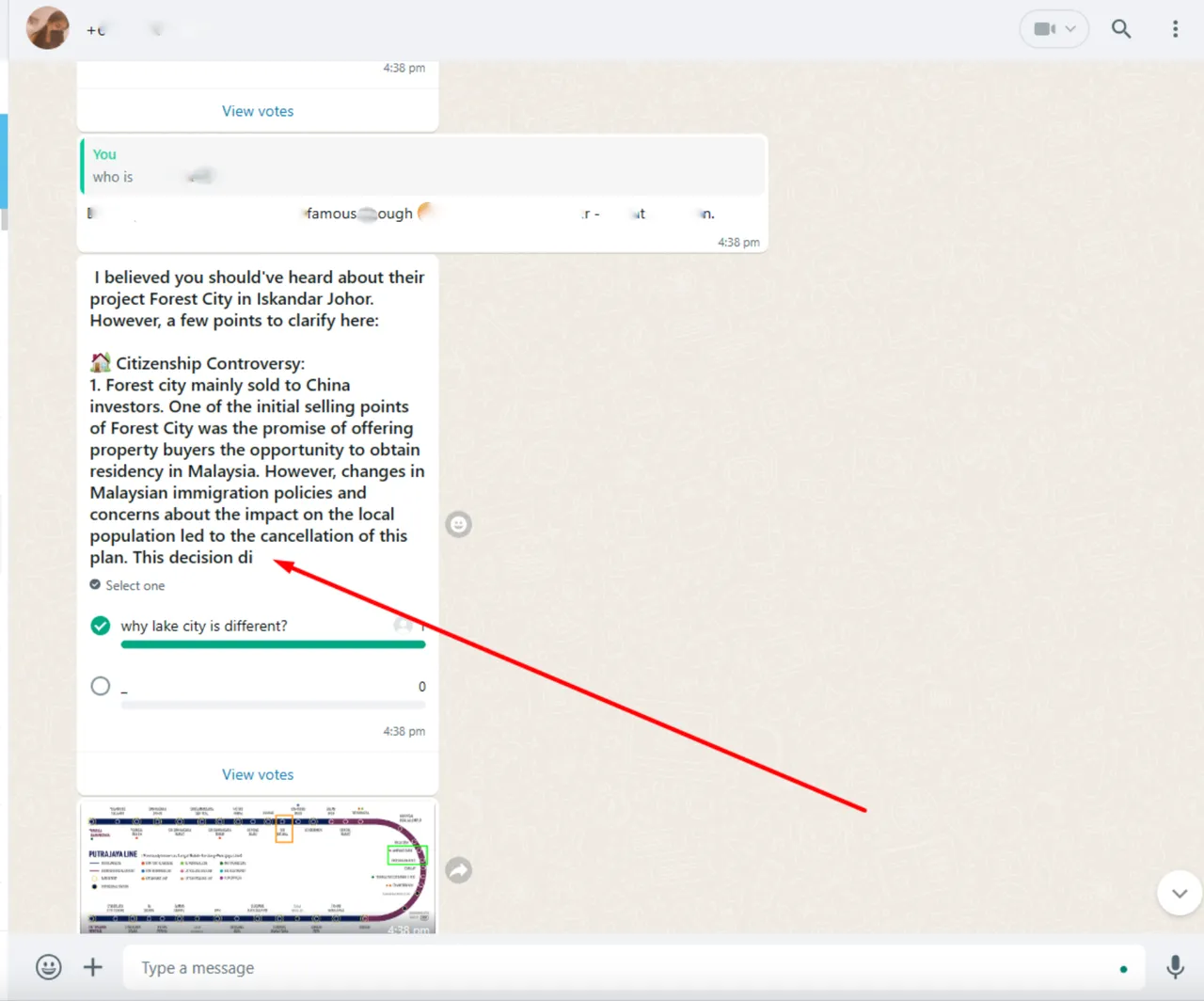
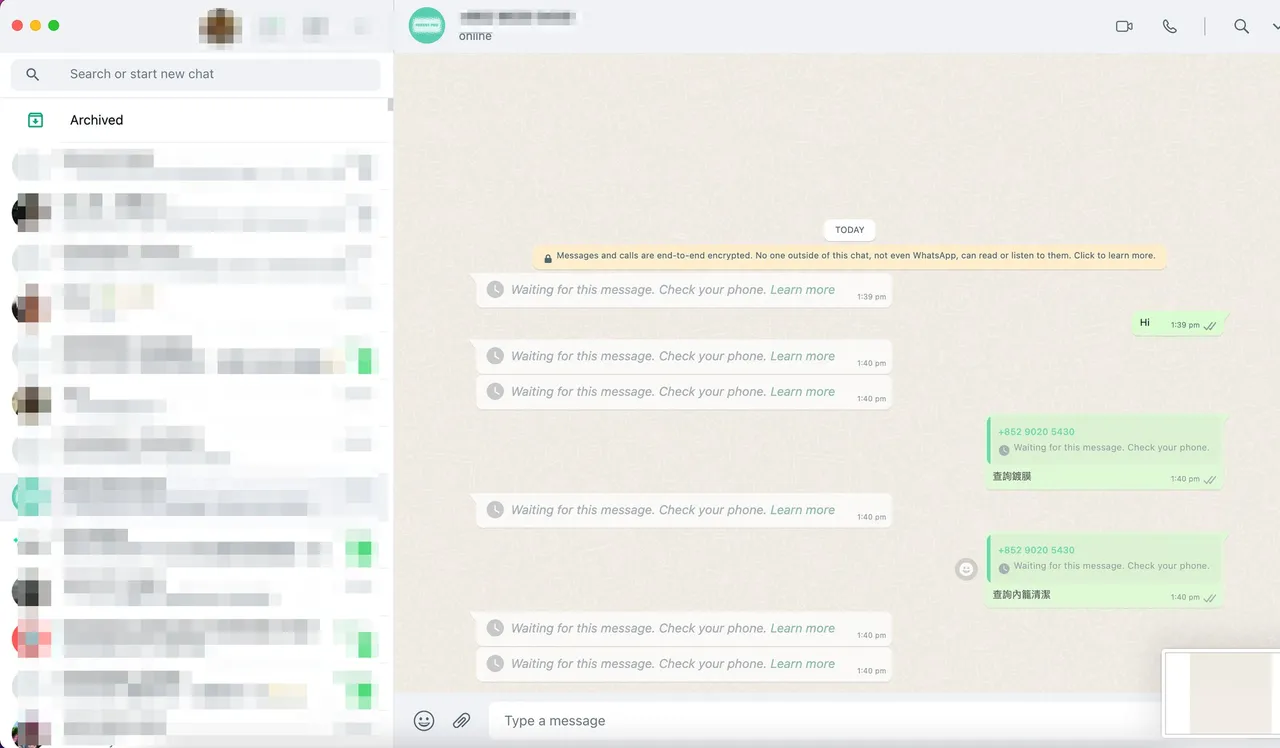
- Sometimes when you send the first message through ChatDaddy, Whatsapp web may not be able to display this information and show “waiting for this message”. WhatsApp will auto-correct error within an unknown period of time(usually under 24 hours)
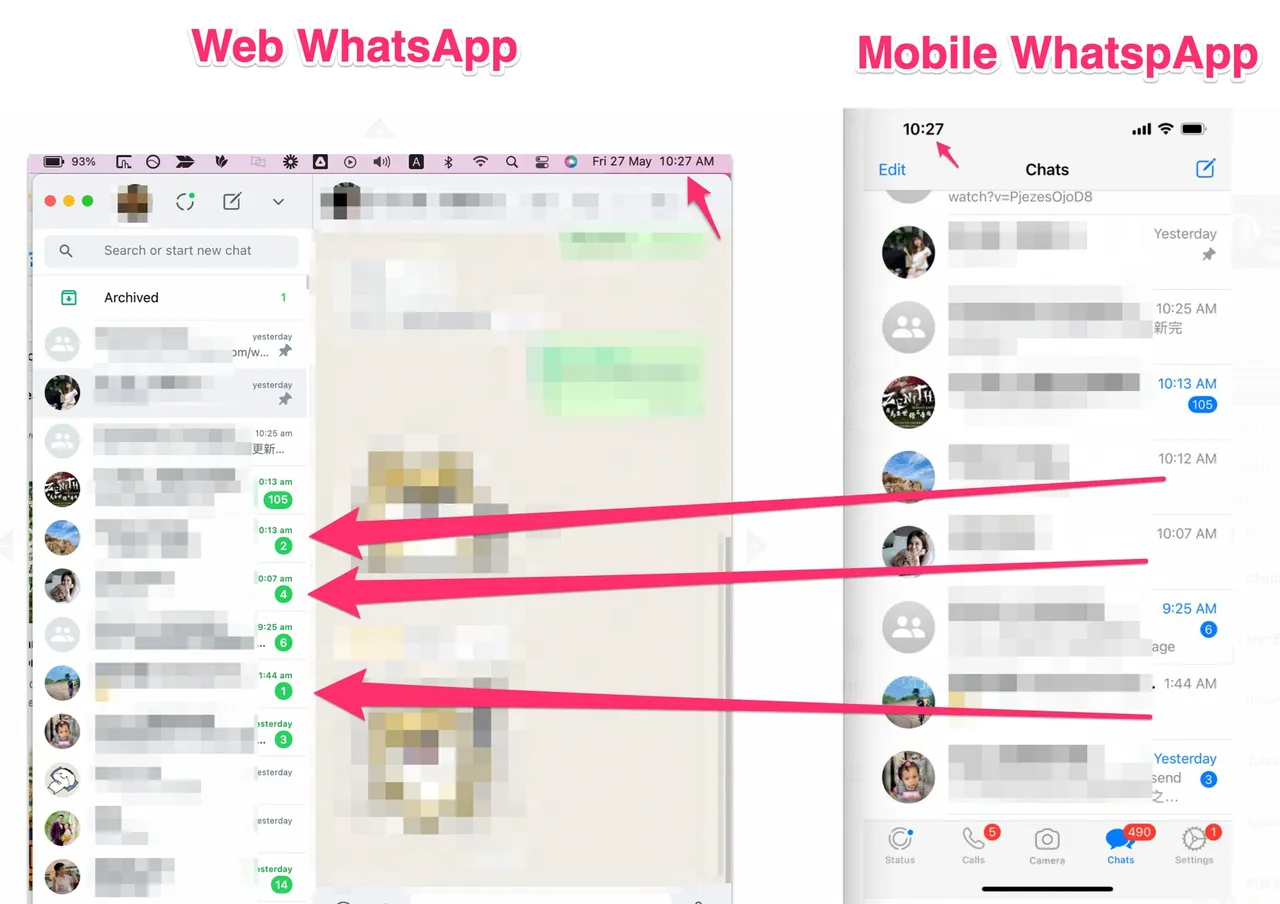
Full message history not present~~~~ - The entire message history for multi-device connection is not supported by WhatsApp. Some chats may have more history than other chats, Whatsapp Web may have more or less history for some chats — it’s very flaky
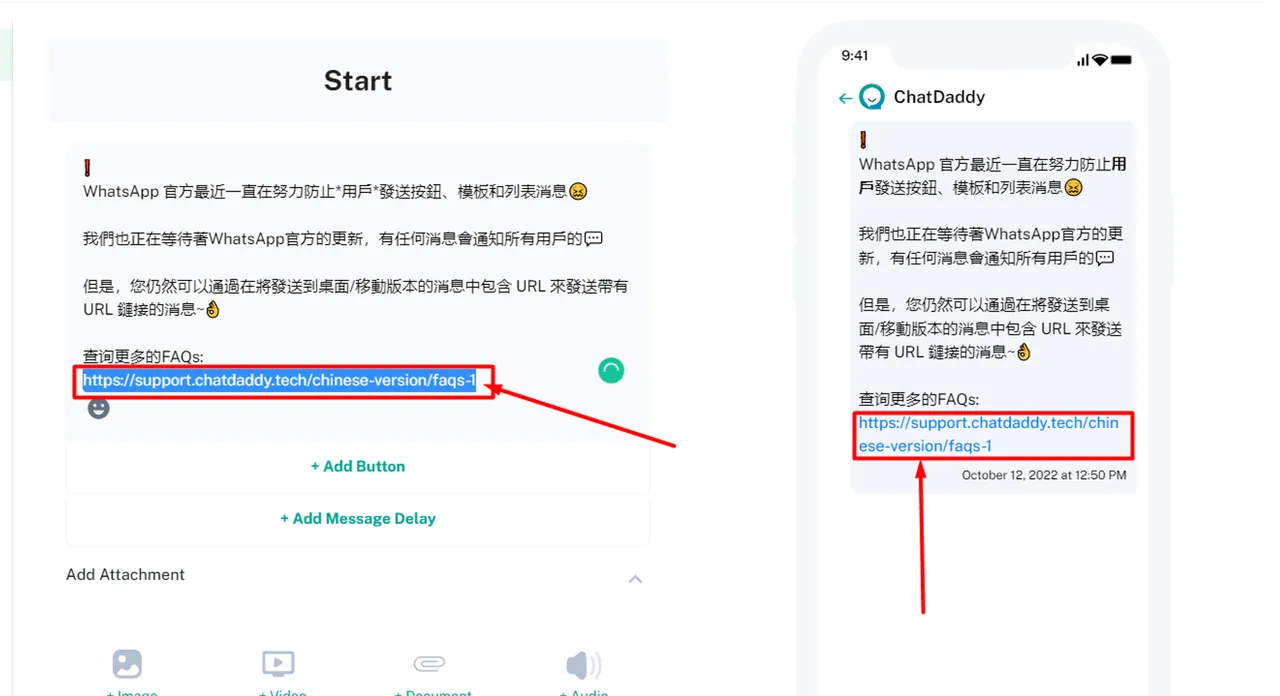
Users may send a message that contains ~~~~buttons with URL~~~~ that is not able to be received by some Android/iPhone users. In such cases, you can paste the link into the message flow/template and you’ll be able to send it out to recipients successfully
-
Contact names updated in Whatsapp will not necessarily be auto-updated in ChatDaddy. You will need to change the contact name manually -
Some messages may be shown as failed to send on ChatDaddy due to being rejected by the recipients themselves. This means that some people may have marked you as spam or you may have sent broadcast messages to too many new people too quickly. This is usually temporary and gets resolved on its own in a few hours. However, the failed messages will not be auto-sent