
Account & Settings
How to Check Payment Transactions in ChatDaddy 💳
- Open ChatDaddy and log in with your account credentials. - Click Settings ⚙️ in the left-hand menu. !Image - Select Billing. !Image !Image - Shows your subscription plans billed…
Updated Apr 15, 2026
1️⃣ Login to ChatDaddy
- Open ChatDaddy and log in with your account credentials.
2️⃣ Go to Billing
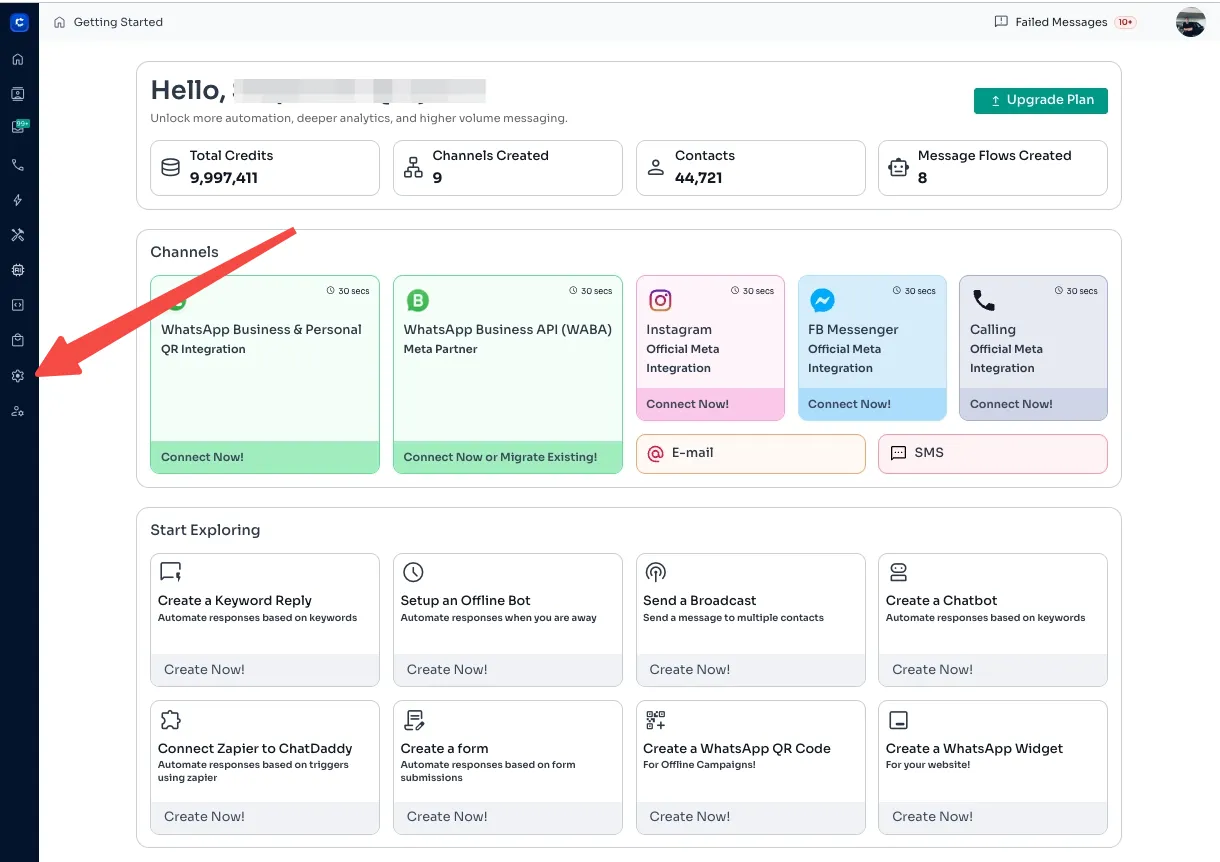
- Click Settings ⚙️ in the left-hand menu.
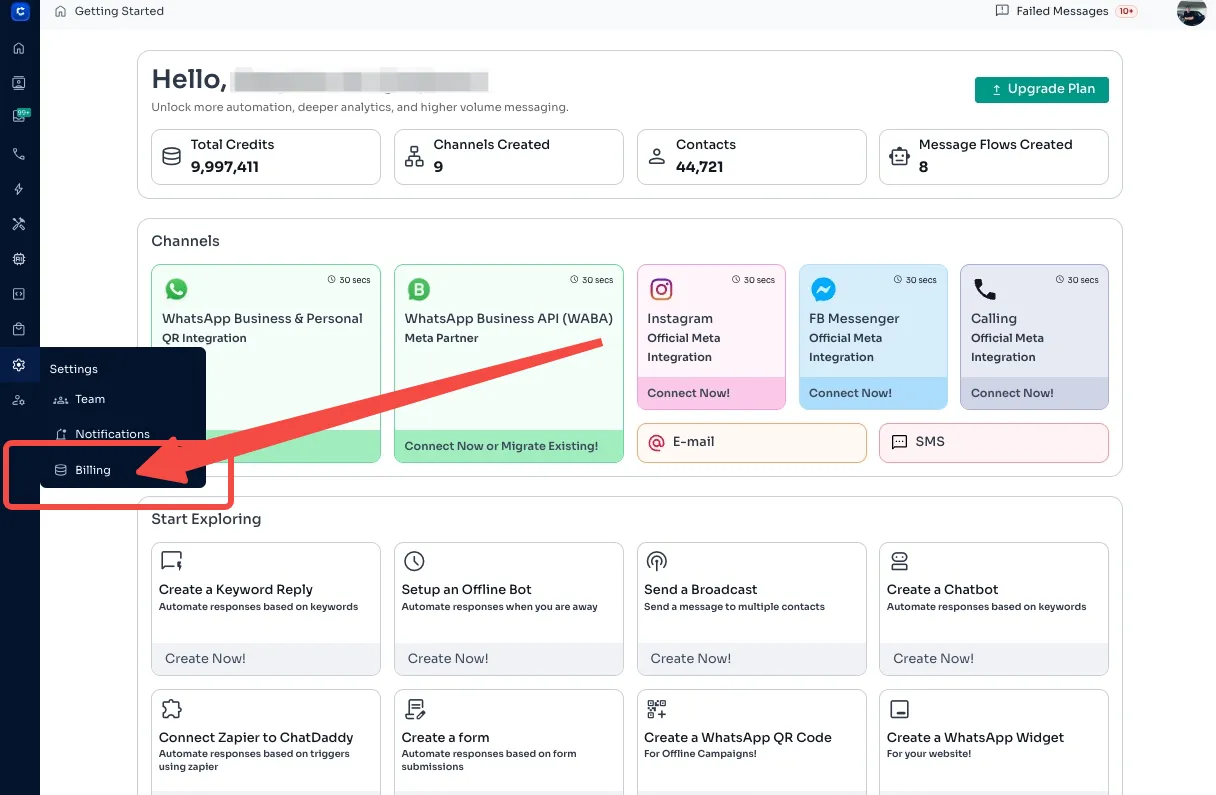
- Select Billing.
3️⃣ Explore the 3 Payment Transaction Tabs

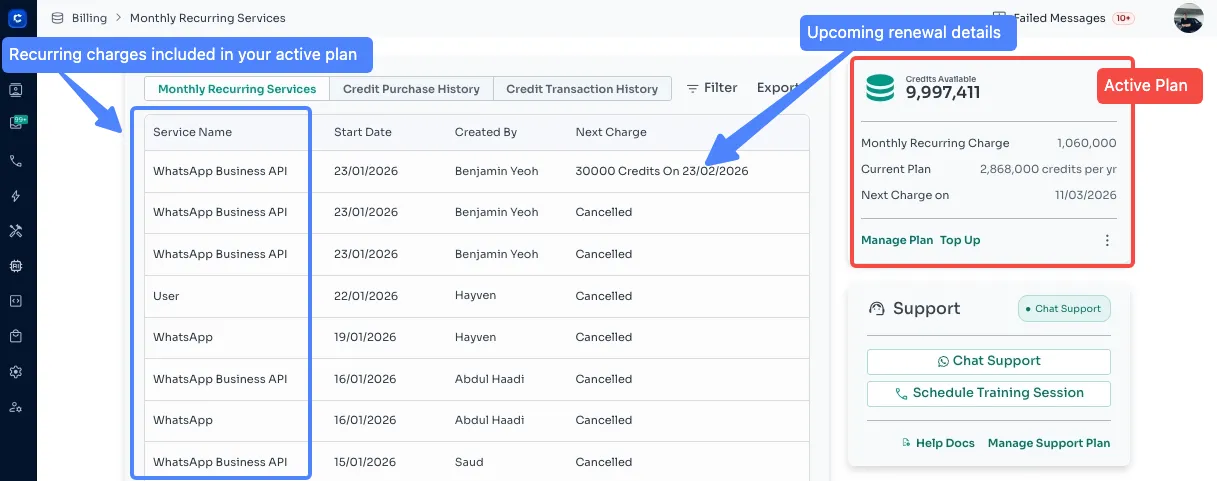
🗓️ Monthly Recurring Services
-
Shows your subscription plans billed on a recurring basis.
-
You can check:
-
Subscription start & expiry dates
-
Recurring charges
-
Upcoming renewal details
-
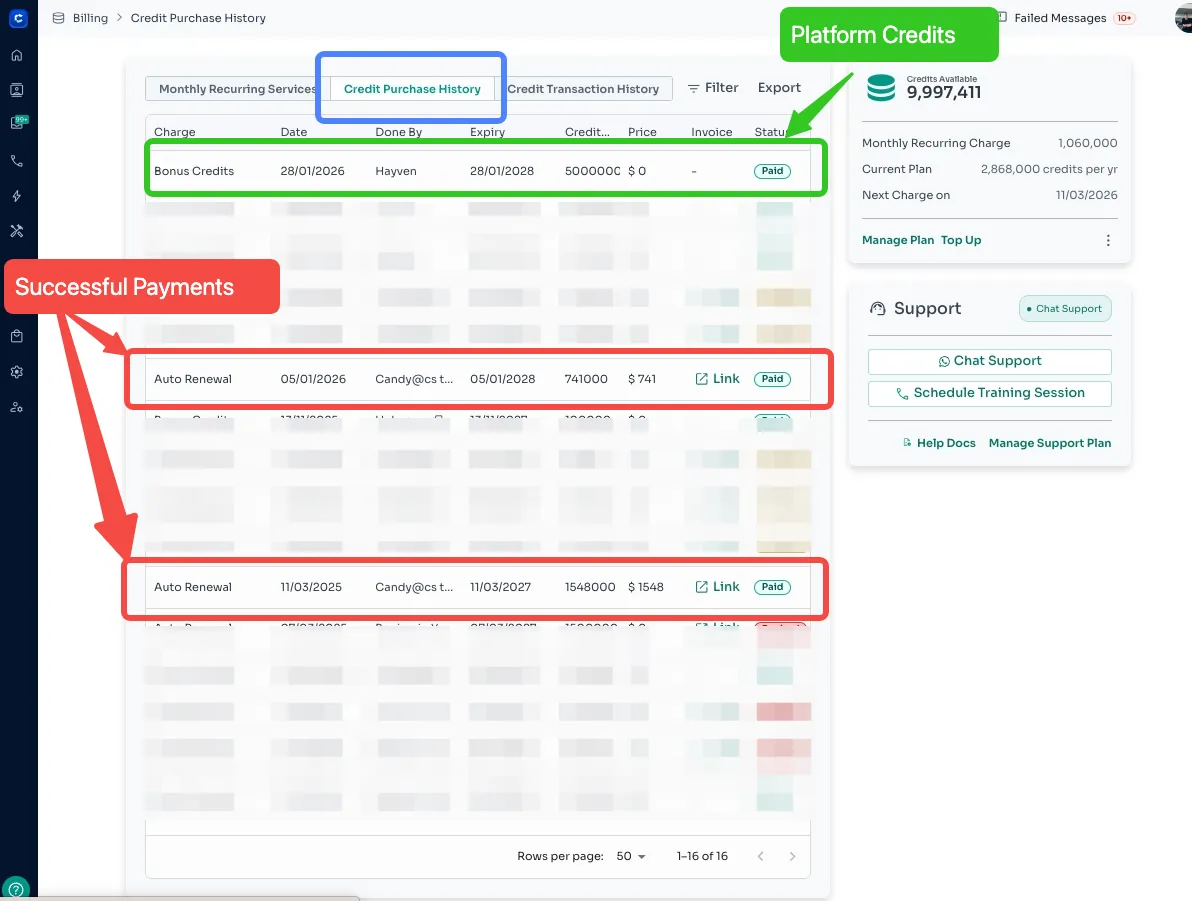
💰 Credit Purchase History
-
Displays all purchases of ChatDaddy credits.
-
You can check:
-
Date of credit purchase
-
Amount of credits purchased
-
Payment method
-
Invoice or receipt
-
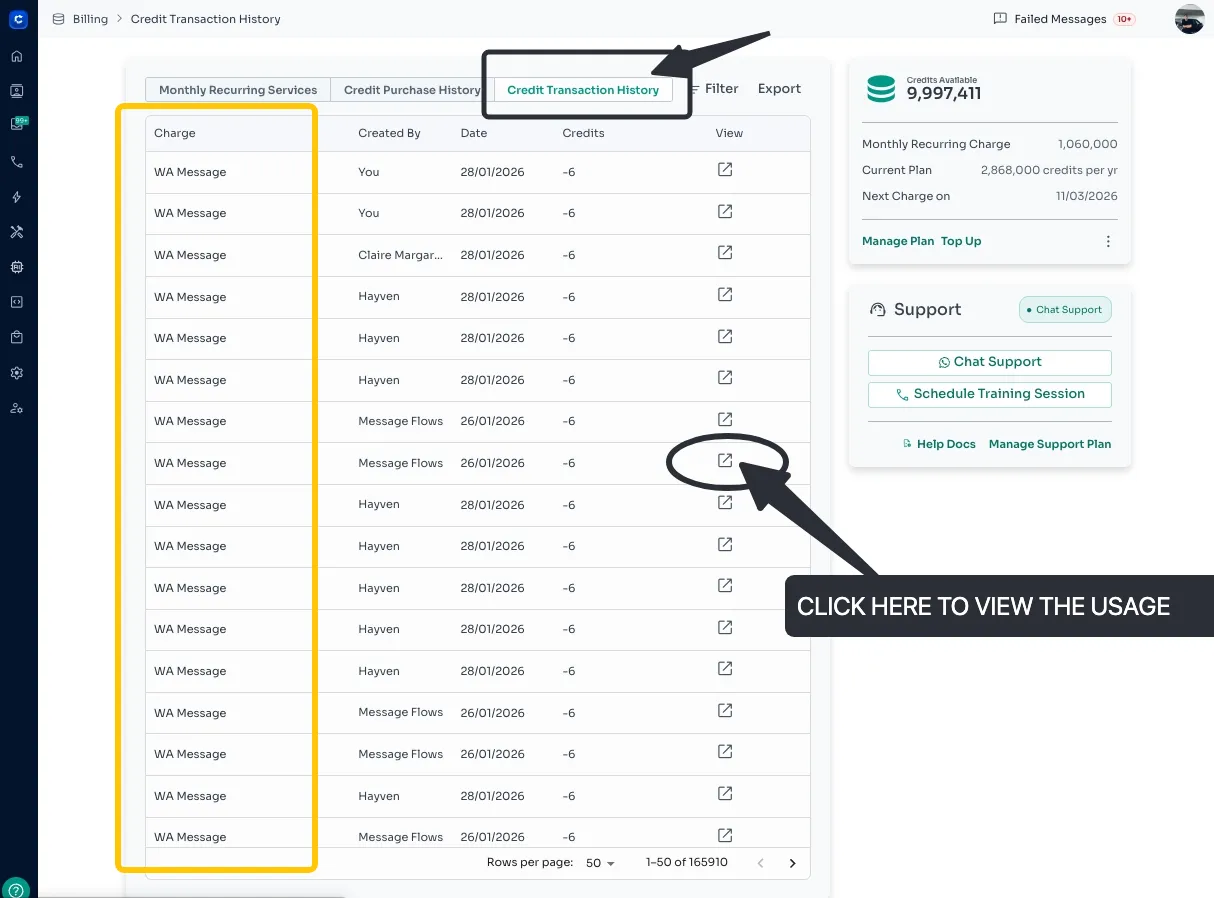
📄 Credit Transaction History
-
Tracks how your credits are used in the platform.
-
You can check:
-
Sent messages deducted from your credits
-
Date and time of each usage
-
✅ Pro Tip: Regularly review these tabs to monitor credit usage and subscription status, so you never run out of credits unexpectedly!
Feedback
Was this article helpful?