
How to hide client’s phone numbers, emails & usernames from teammates
To ensure privacy and security, ChatDaddy allows you to mask sensitive client details like phone numbers, emails, and usernames from specific teammates. Here’s how you can set it u…
To ensure privacy and security, ChatDaddy allows you to mask sensitive client details like phone numbers, emails, and usernames from specific teammates.
Here’s how you can set it up:
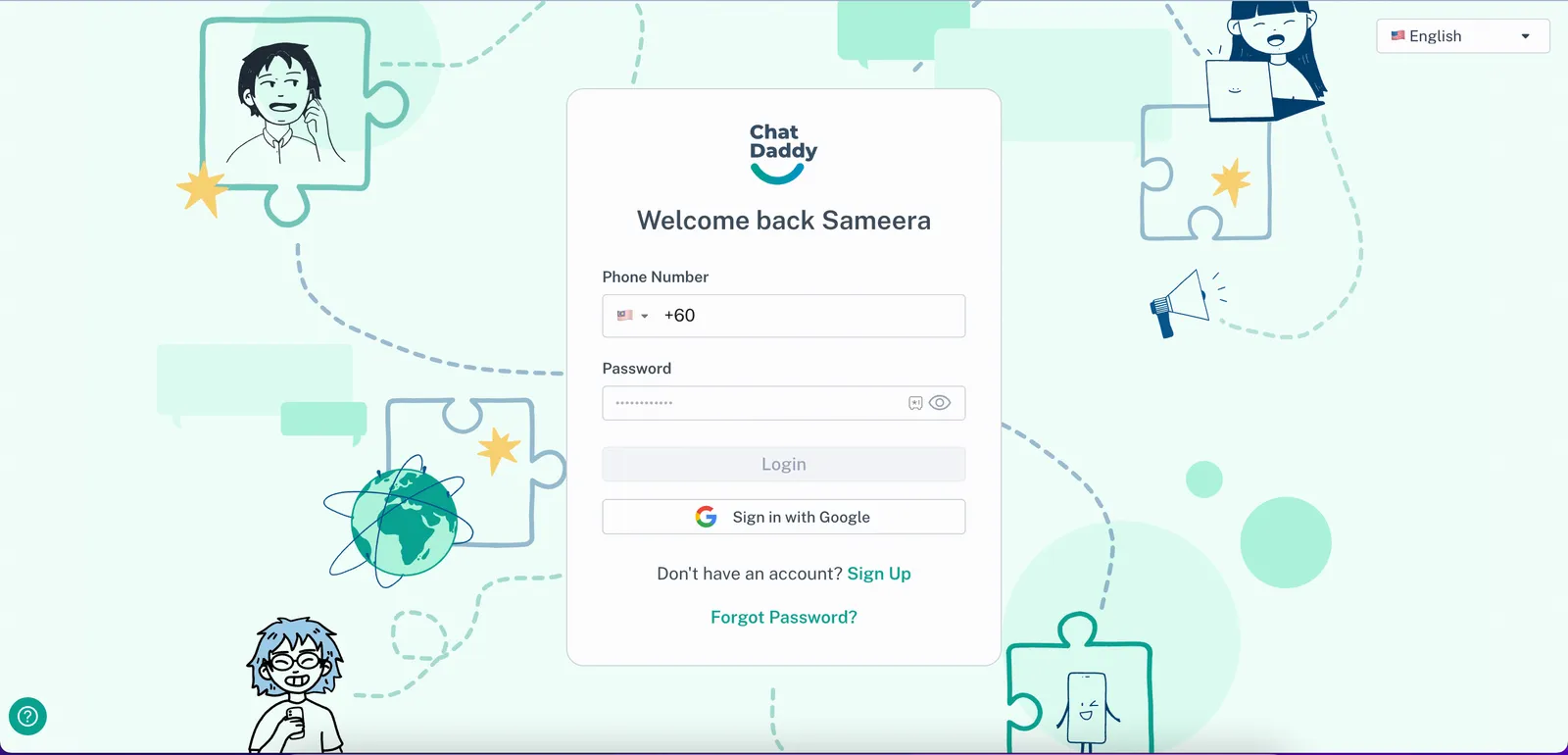
📍 Step 1: Log into ChatDaddy
Go to https://app.chatdaddy.tech and log in with your account credentials.
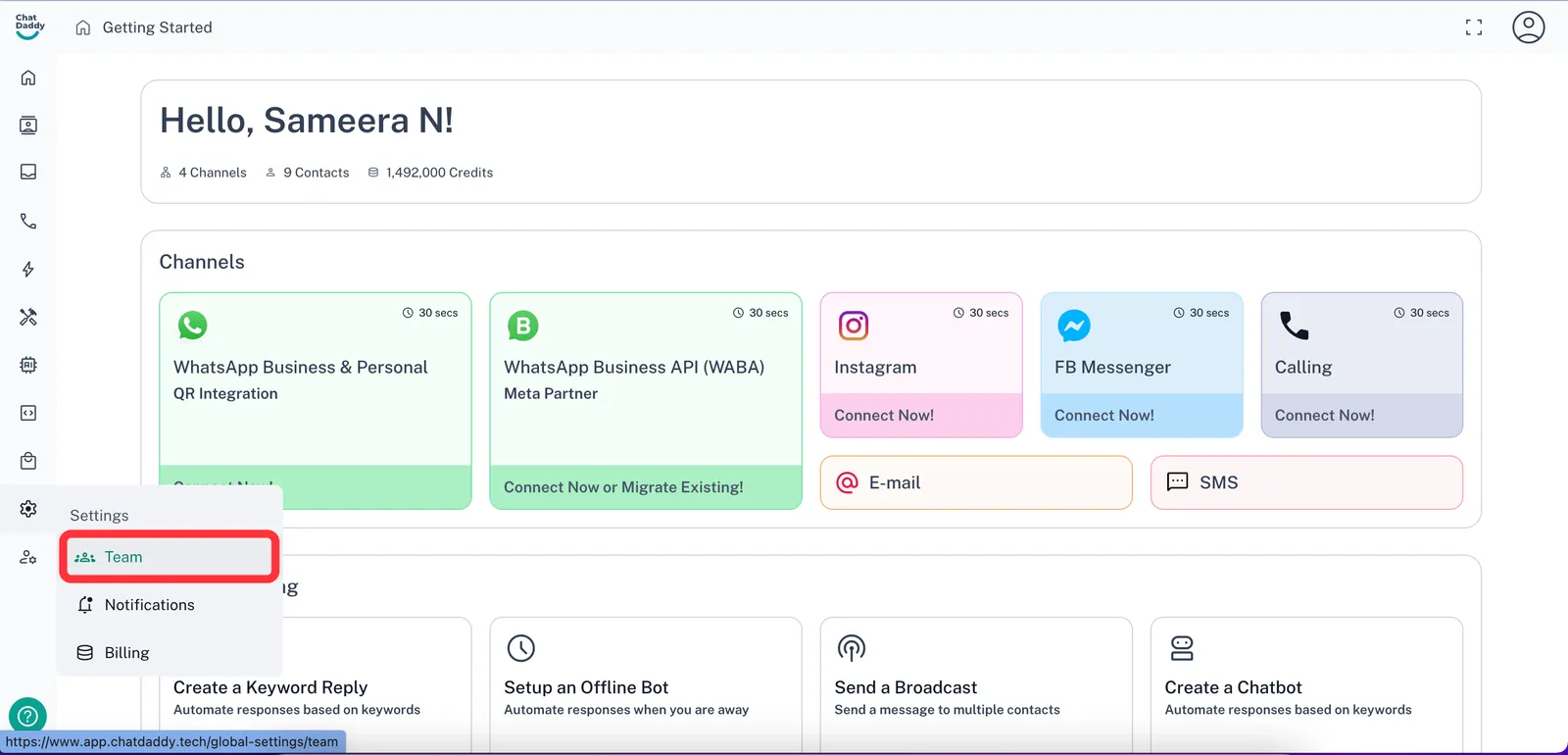
👥 Step 2: Open the “Team” Tab
Hover over the settings icon on the left-hand sidebar and click on “Team”
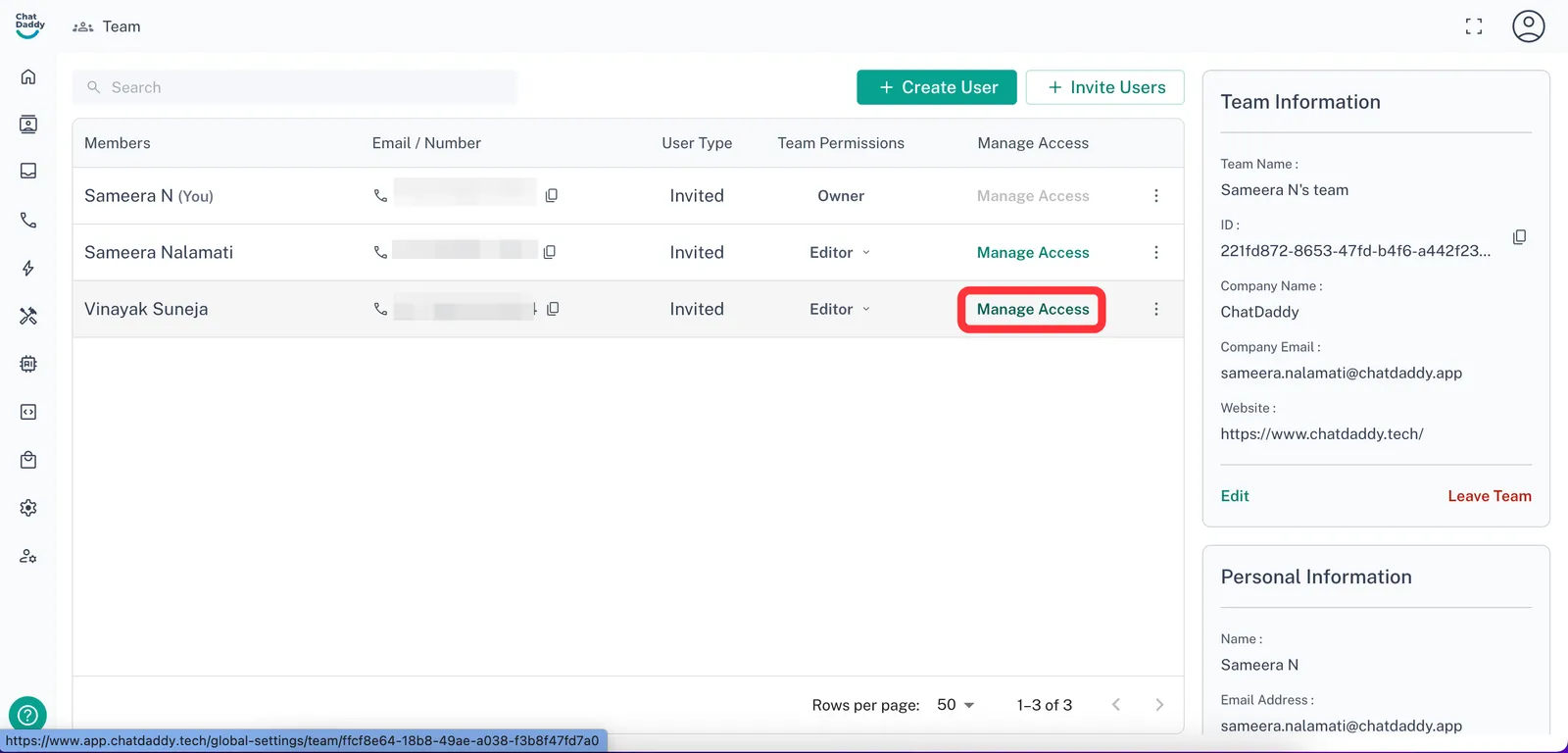
🕵️ Step 3: Set Privacy Rules for a Member
Select **“Manage Access” **next to the teammate you want to restrict
❌ Step 4: Toggle off the Personal Information setting
Within the “Manage Access” tab, click Expand on the “Contact” section and turn off the setting titled “Access Contact's Personal Information”
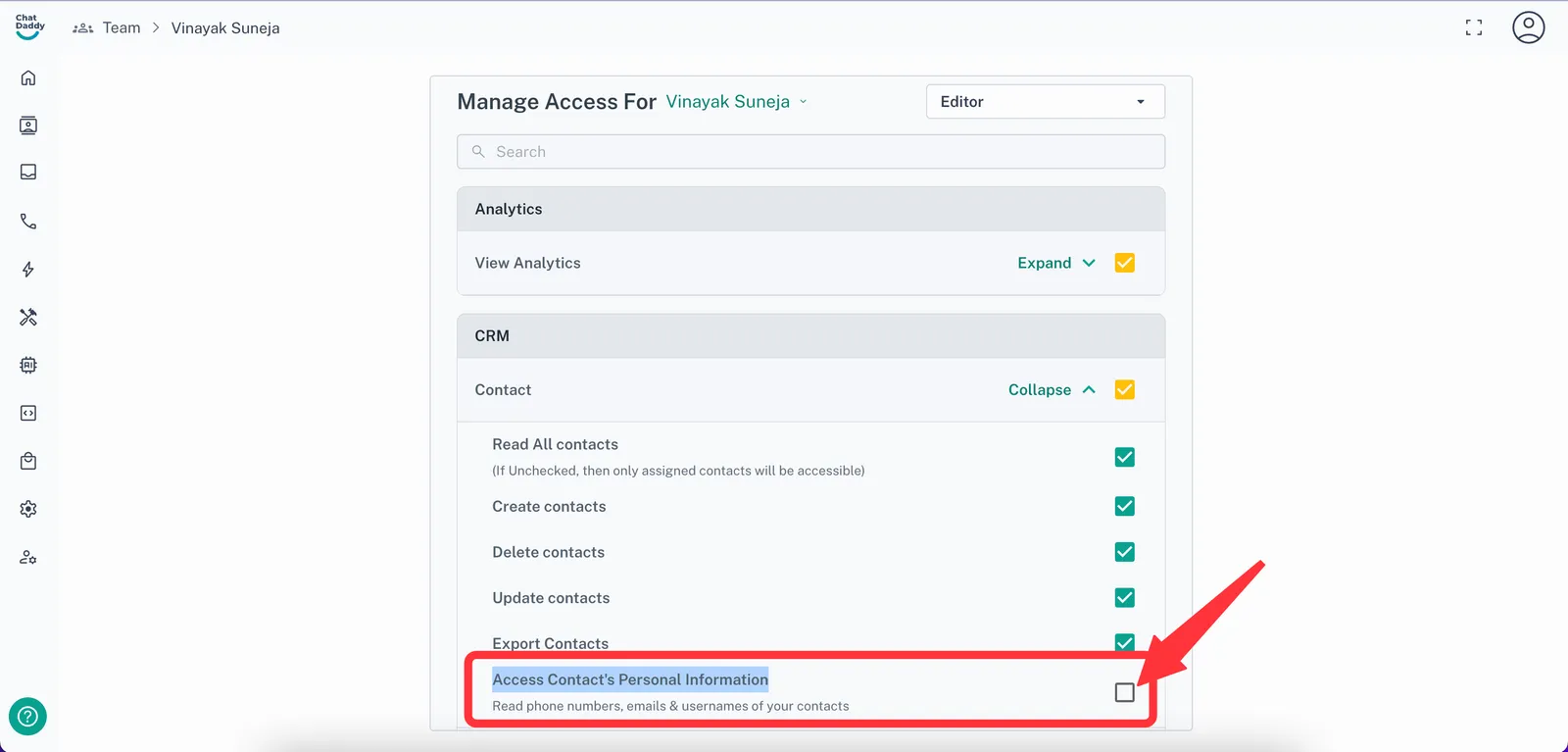
The teammate will now see anonymized or partially masked client information (e.g., +60****89 or e***@gmail.com).