
Automation & Message Flows
How to export Broadcast contacts and details
Follow these steps to export contacts who received your broadcast. - Navigate to the Broadcast section within your ChatDaddy Dashboard. - Find the specific broadcast you want to ex…
Updated Apr 15, 2026
Follow these steps to export contacts who received your broadcast.
Steps to Export Contacts
1. Locate Your Broadcast
- Navigate to the Broadcast section within your ChatDaddy Dashboard.
2. Identify the Target Broadcast
- Find the specific broadcast you want to export contacts from.
3. Access Broadcast Recipients
-
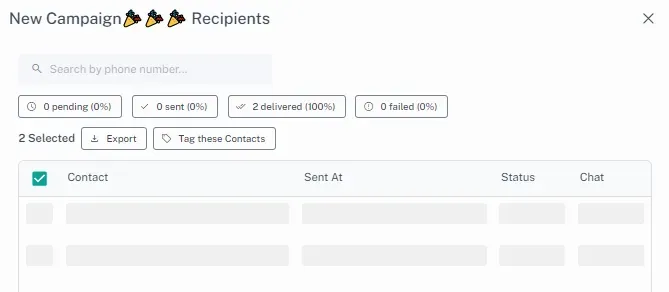
Click on the progress bar of the chosen broadcast.
-
This will open a detailed view of the broadcast's status.
Feedback
Was this article helpful?