
Automation & Message Flows
How to view Broadcast details
Follow these simple steps to navigate to and view detailed information about a specific broadcast. - On the left Navigation Bar, hover over Automation. - Click on Broadcasts. !Imag…
Updated Apr 15, 2026
Follow these simple steps to navigate to and view detailed information about a specific broadcast.
Step 1: Open Broadcast Section
-
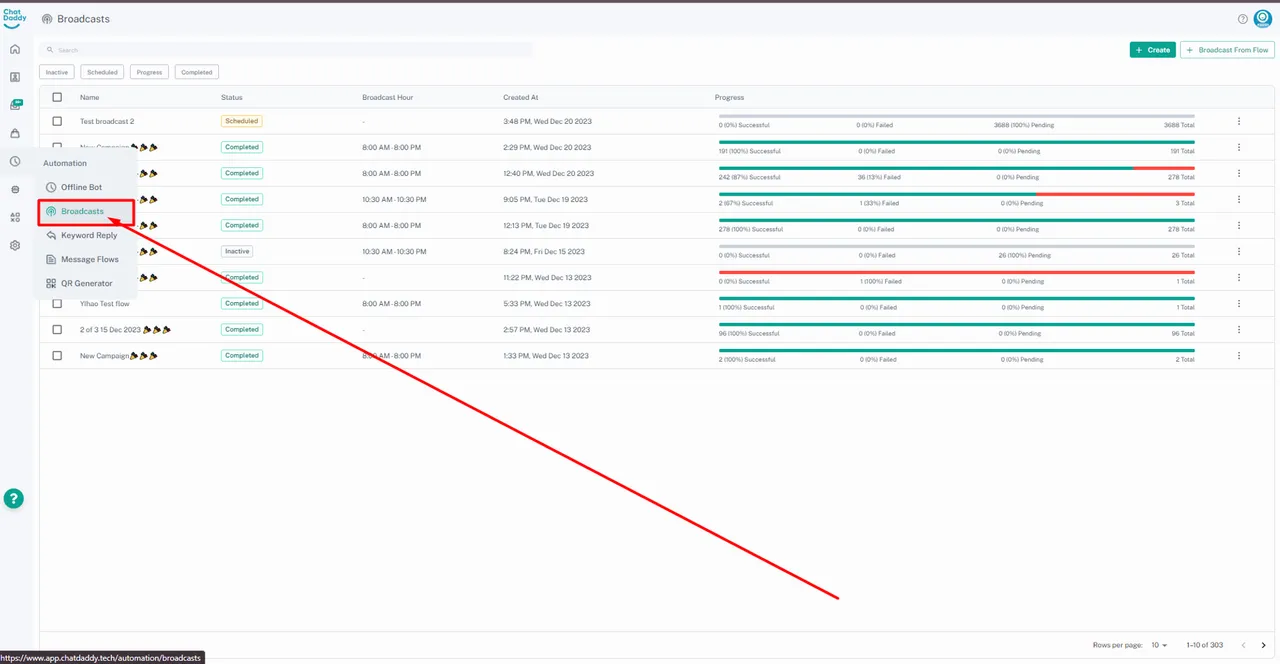
On the left Navigation Bar, hover over Automation.
-
Click on Broadcasts.
Step 2: Select a Broadcast
-
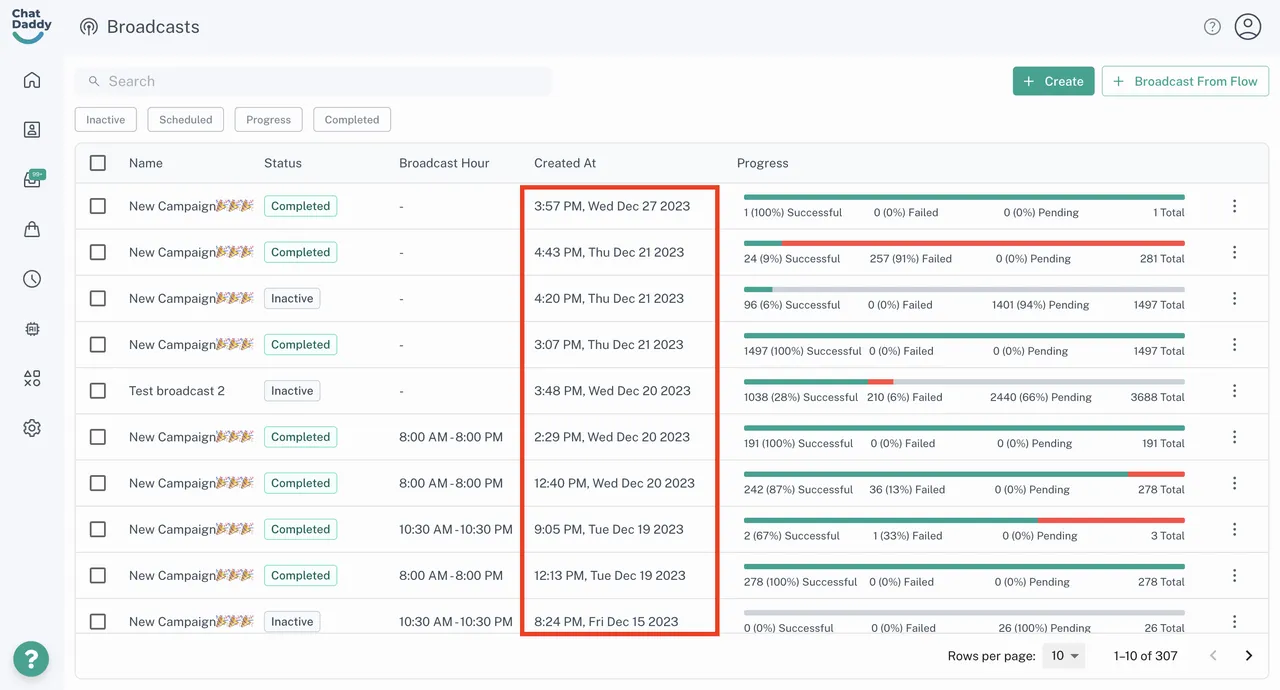
Identify the broadcast you want to view.
-
Click on its Created At date and time to open the details page.
Step 3: View Broadcast Settings
-
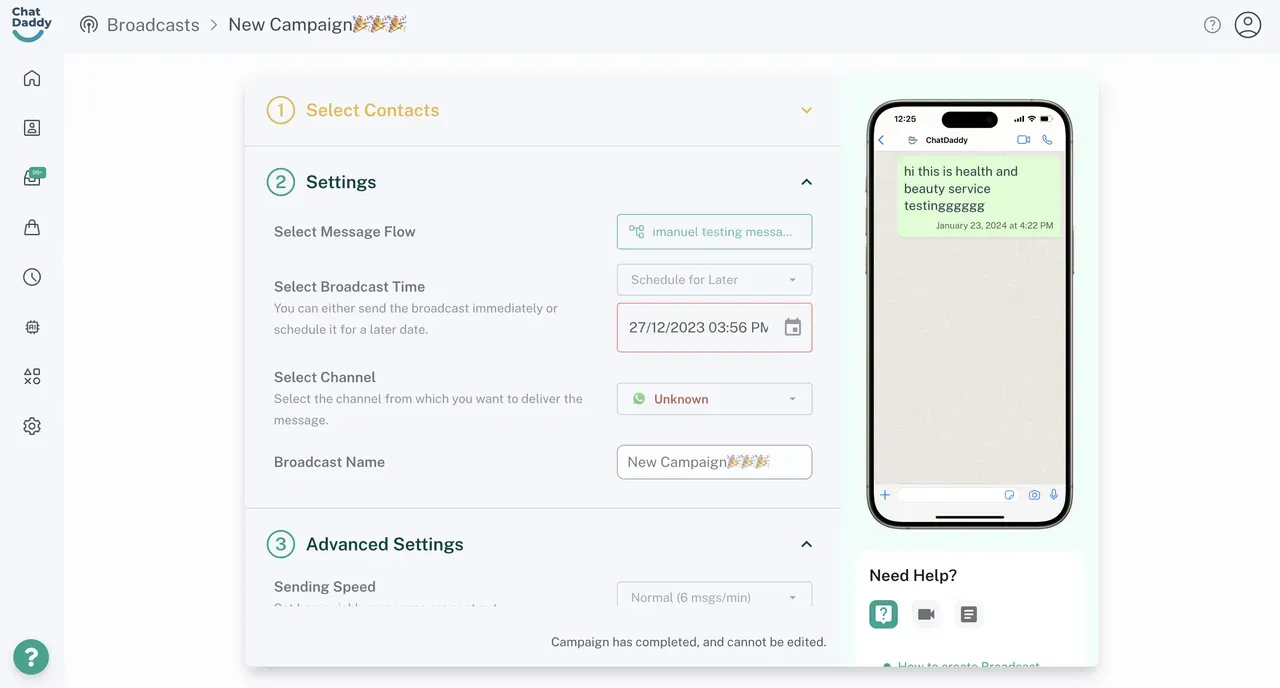
On the Details Page, you can view the settings configured when sending the broadcast, such as:
-
Selected Recipients
-
Delivery Channels
-
Message Content
-
Scheduled Time
-
Advanced Settings Applied
-
Feedback
Was this article helpful?