
Getting Started
How to get your Team ID?
Go to https://app.chatdaddy.tech and log in with your account credentials. !Image Once you're inside the dashboard, click on your profile icon on the top right corner of your scree…
Updated Apr 15, 2026
💡 Note: Your Team ID is a unique identifier used for support, integration, and billing purposes. Here’s a step-by-step guide to help you find it:
📍 Step 1: Log into ChatDaddy
Go to https://app.chatdaddy.tech and log in with your account credentials.

🧑🤝🧑 Step 2: Access Team Settings
Once you're inside the dashboard, click on your profile icon on the top right corner of your screen
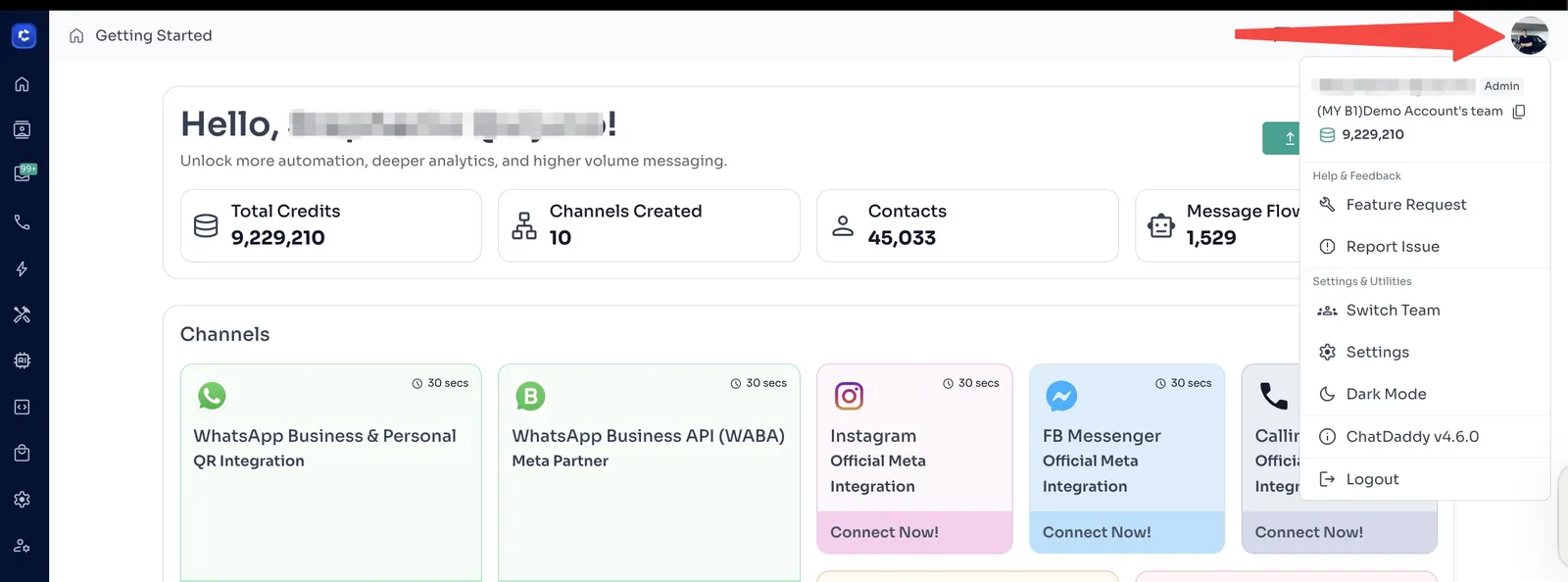
🆔 Step 3: Find Your Team ID
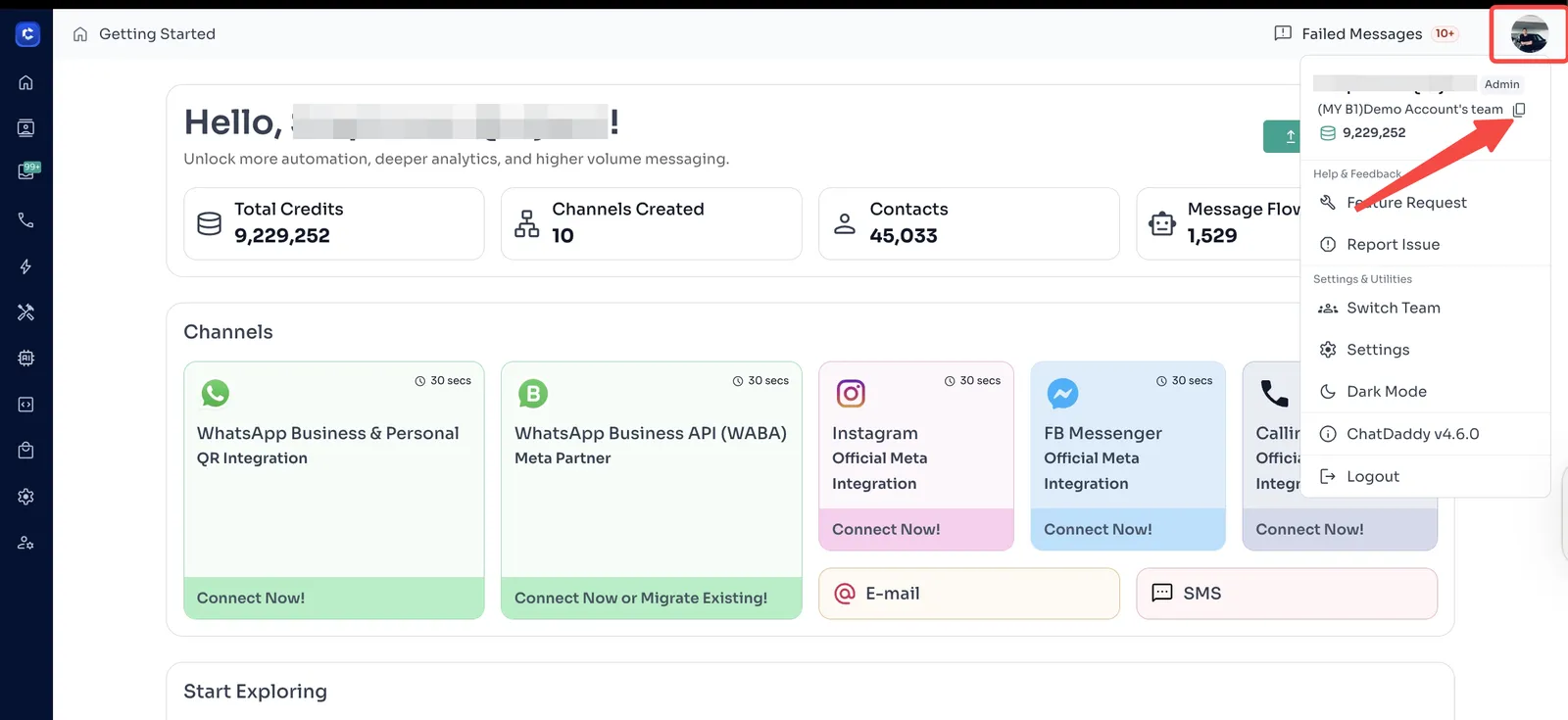
Once you click on your profile icon, you will your team name with a “copy” icon beside it. Click this icon to copy your Team ID
It usually looks something like this: b9d807926-0e2d-40c7-a1fa-0a74bc4fac93.
Feedback
Was this article helpful?