
Automation & Message Flows
How to install Boutir
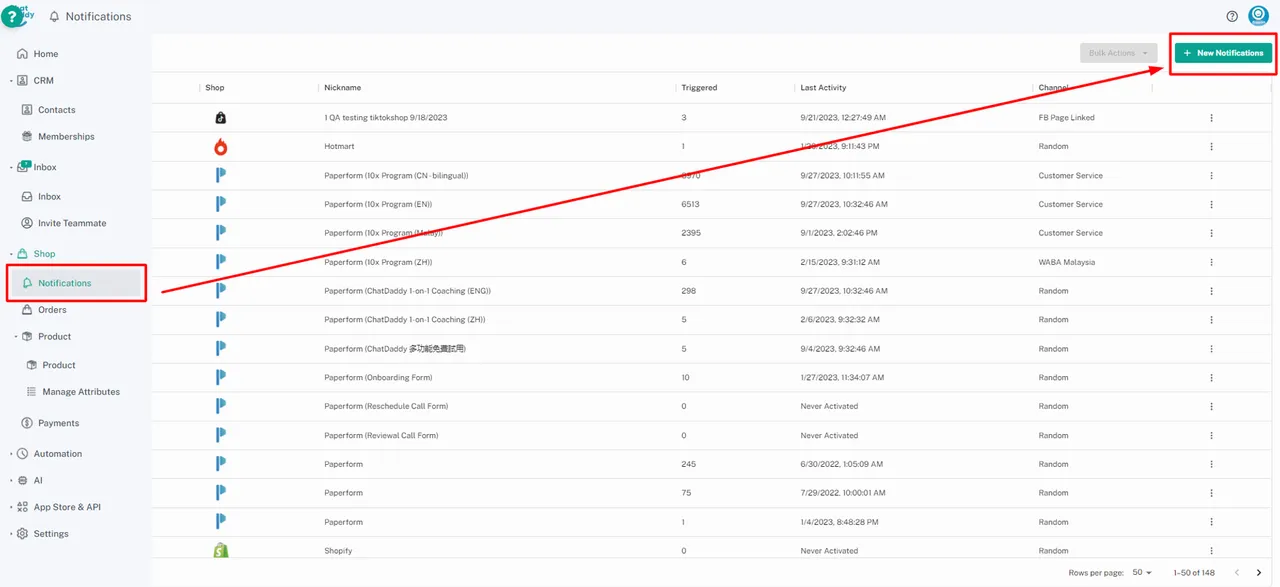
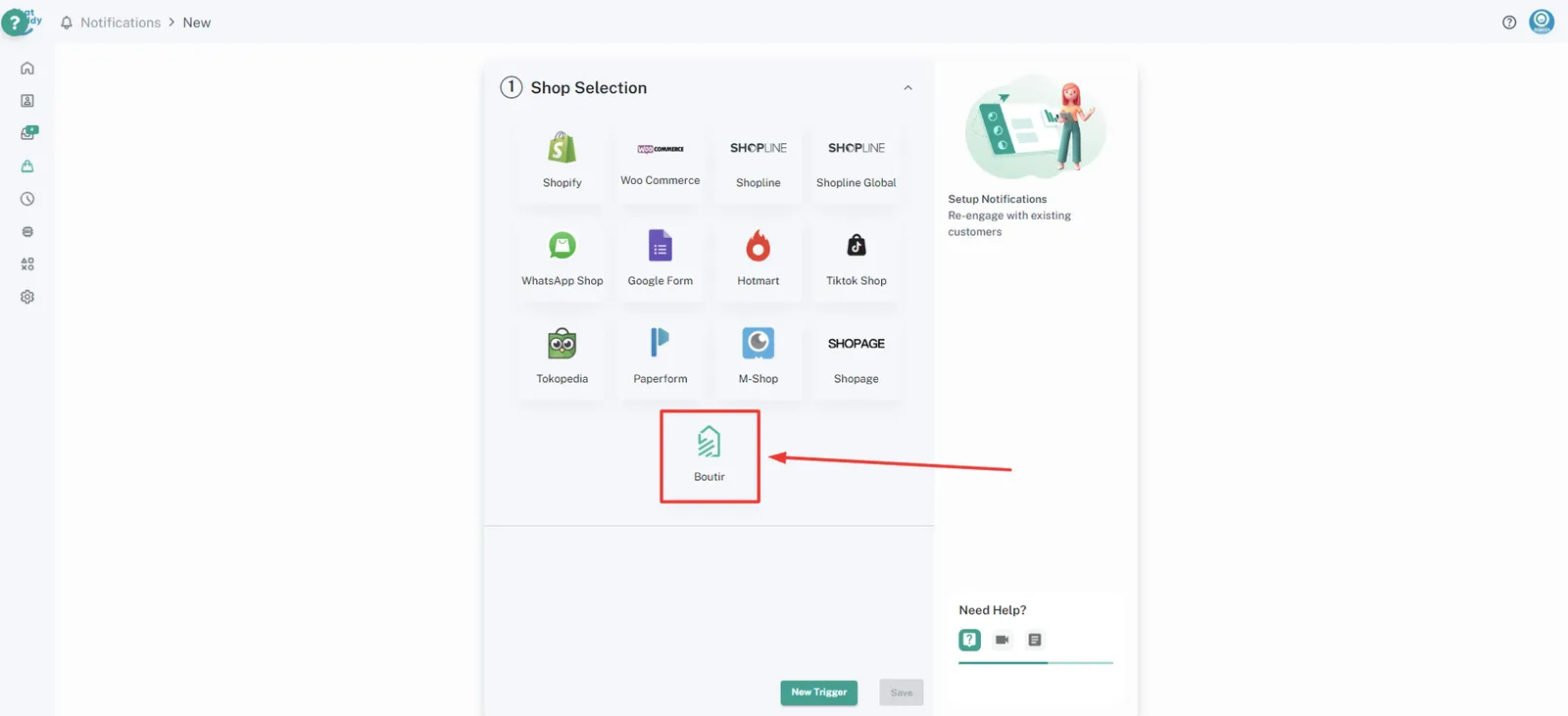
Step 1: 1. Go to ChatDaddy notifications, then click on “+New Notifications” on the top right part of your ChatDaddy page. !Image click "Boutir" !Image Step 2: Enter your credentia…
Updated Apr 15, 2026
Step 1:
- Go to ChatDaddy notifications, then click on “+New Notifications” on the top right part of your ChatDaddy page.
click "Boutir"
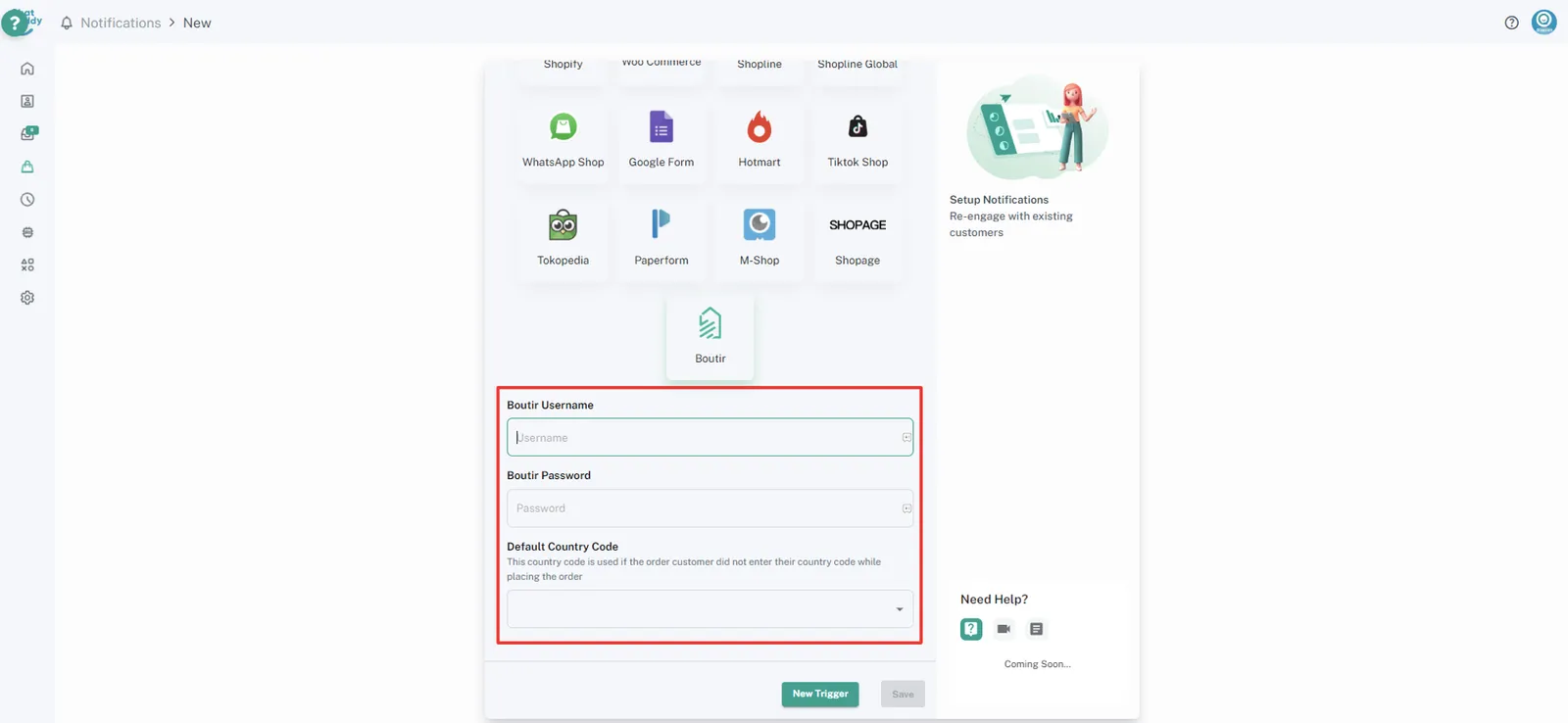
Step 2:
Enter your credentials
Boutir login username (email)
Boutir login password
Notice: If you change your Boutir username and password later, you'll need to integrate it again
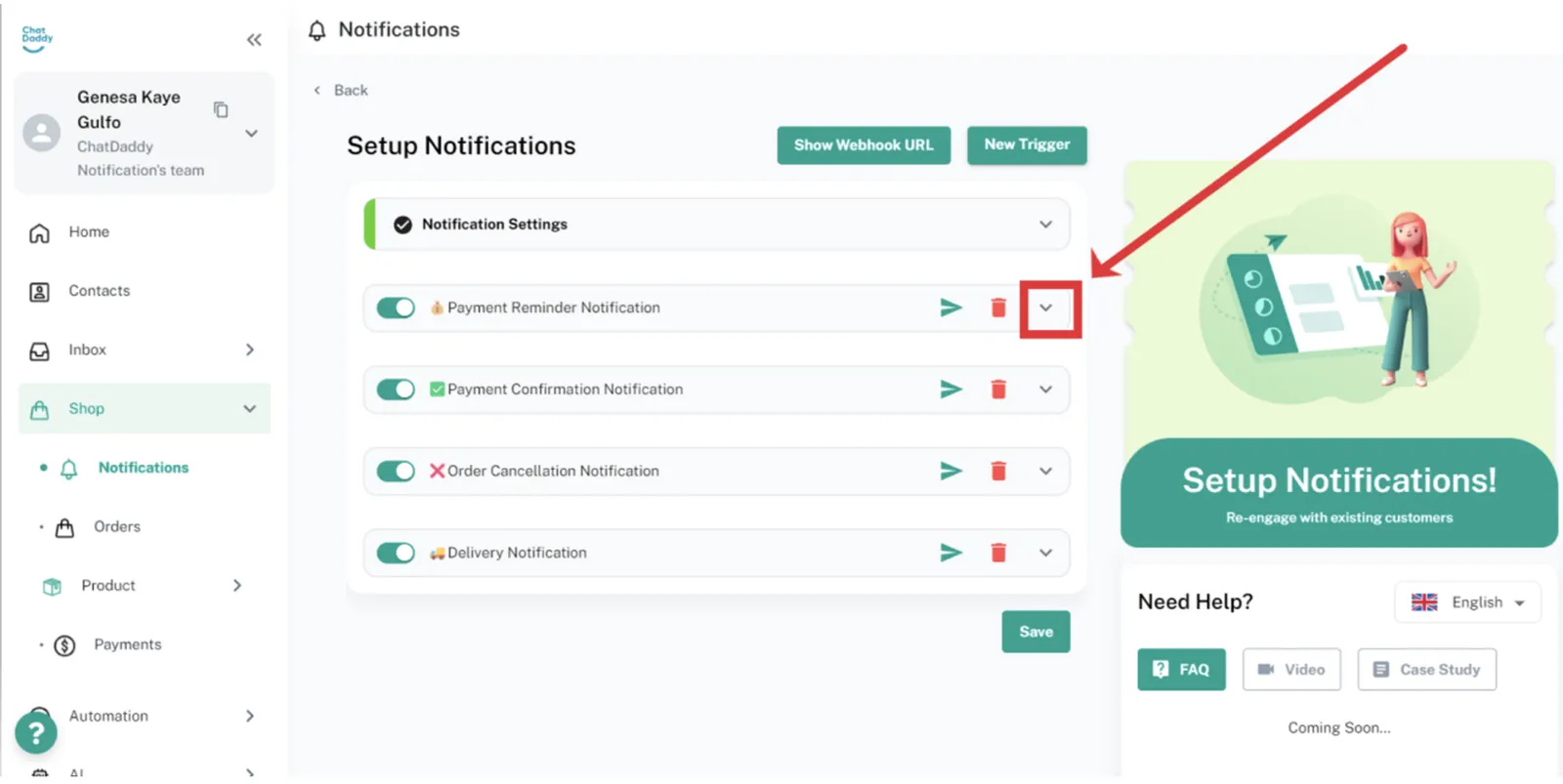
Step 3:
You may click the arrow next to each type of notification to check your trigger settings
Feedback
Was this article helpful?