
Automation & Message Flows
How to install Paperform
This guide explains how to connect Paperform, a form-building tool, with ChatDaddy to automate workflows (e.g., capturing leads, syncing form responses, or triggering messages). 1.…
Updated Apr 15, 2026
Overview
This guide explains how to connect Paperform, a form-building tool, with ChatDaddy to automate workflows (e.g., capturing leads, syncing form responses, or triggering messages).
What do you need before setup?
-
An active ChatDaddy account with integration access enabled.
-
A Paperform account and a form you want to integrate.
Step-by-Step Installation
Prepare Your Paperform Form
Create or Edit Your Form:
-
Log in to Paperform and either create a new form or edit an existing one.
-
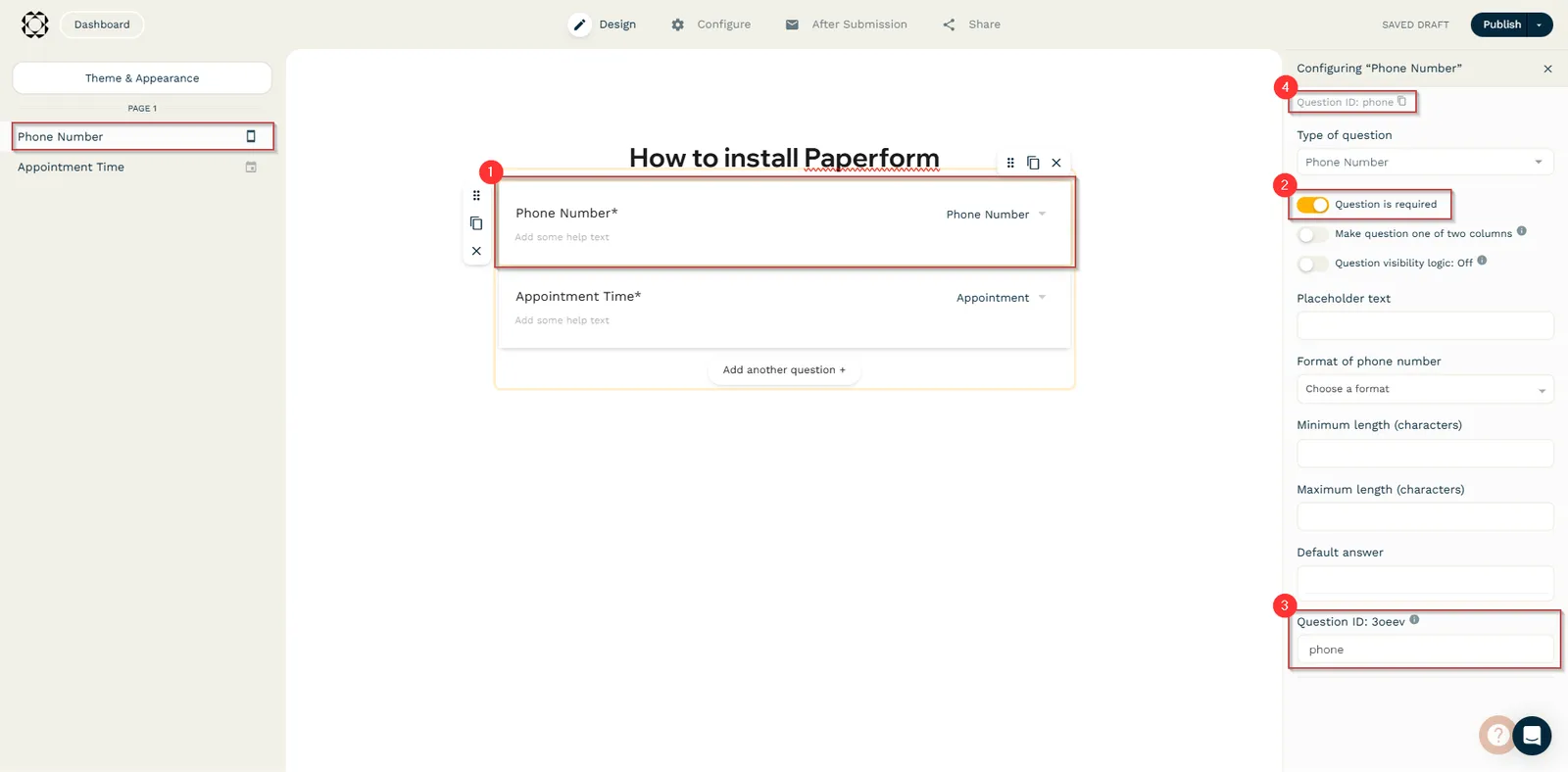
Add the necessary questions. In this case, ensure you have:
- A phone number field (with the Question ID set to
phone).
- A phone number field (with the Question ID set to
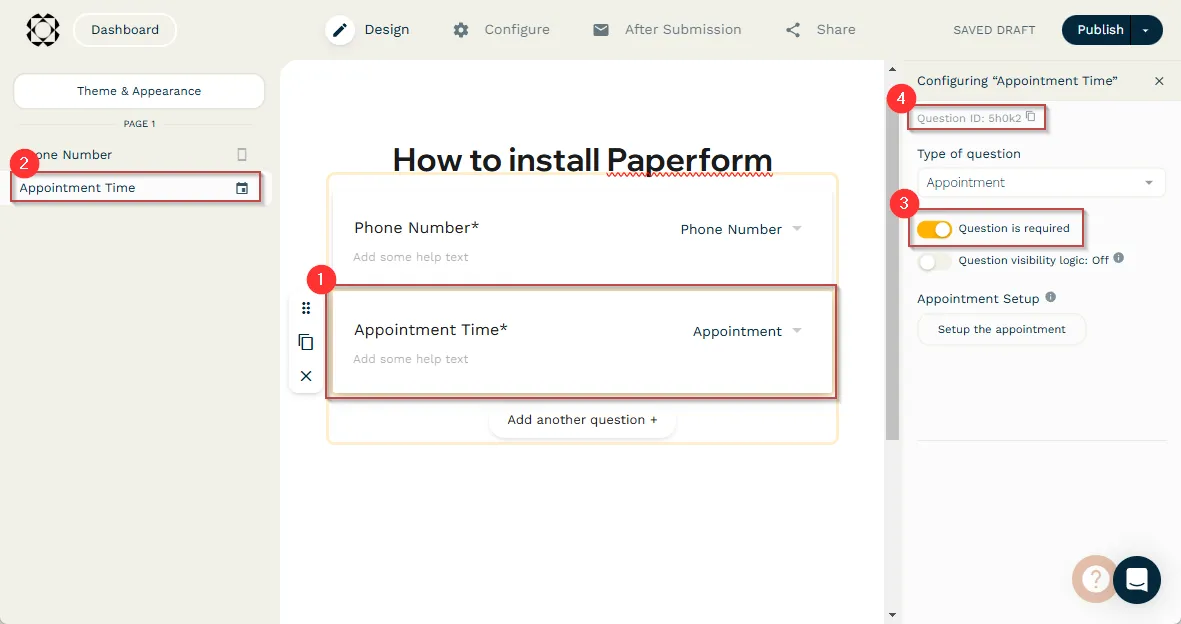
- An appointment field. Copy this appointment time Question ID, as you will need it later.
Feedback
Was this article helpful?