
Account & Settings
How to Manage Billing
On the left navigation bar, hover over “Settings”, then click on “Billing”. !Image Hover to the top right and click on the triple dots. Select “Payment Settings” !Image Here, you c…
Updated Apr 15, 2026
Keeping your payment details up to date is quick and easy, so you never have to worry about interruptions to your service. In just a few clicks, you can update your payment method, check your billing info, and see all your past invoices in one place.
Here’s how to do it:
Step 1:
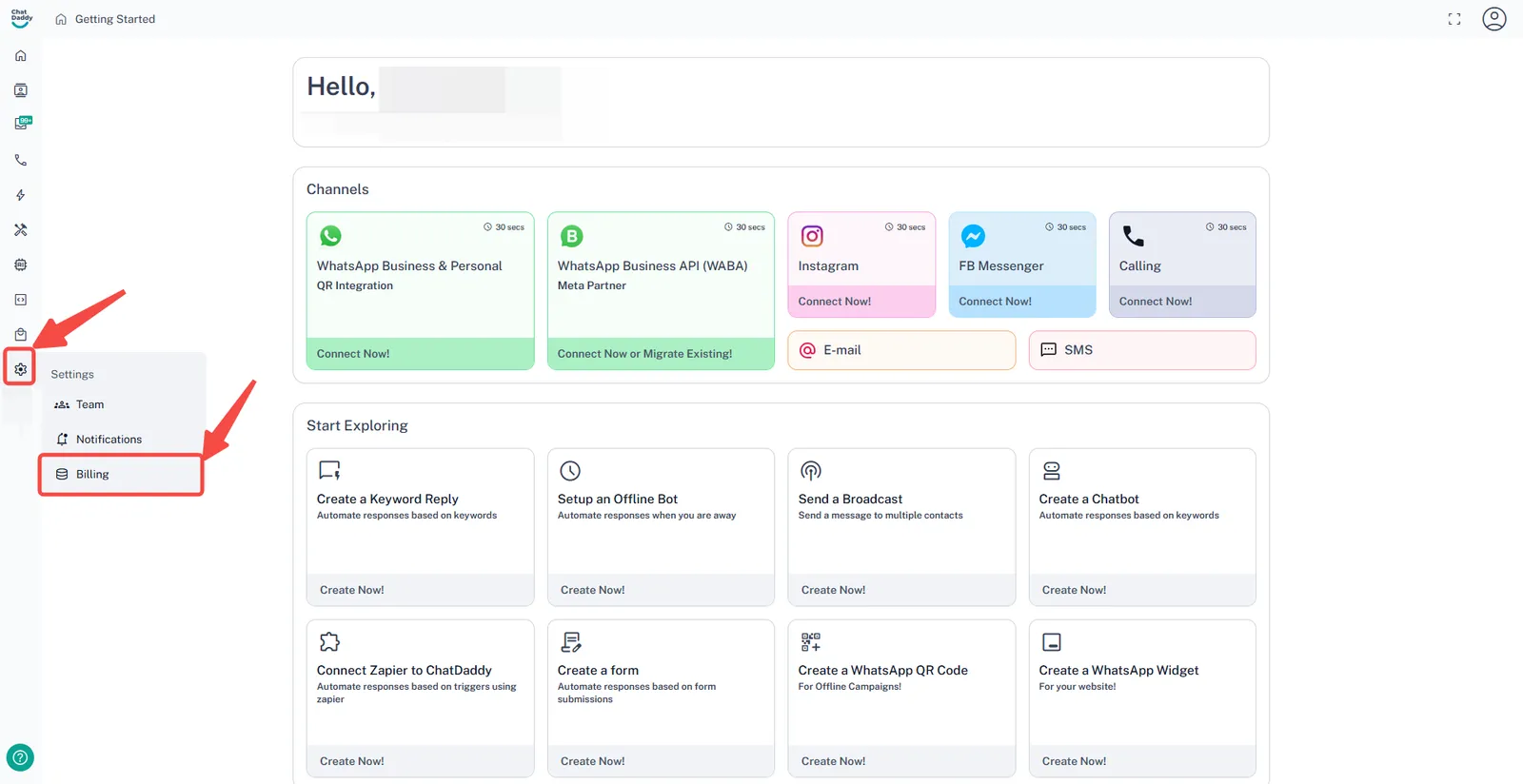
On the left navigation bar, hover over “Settings”, then click on “Billing”.
Step 2:
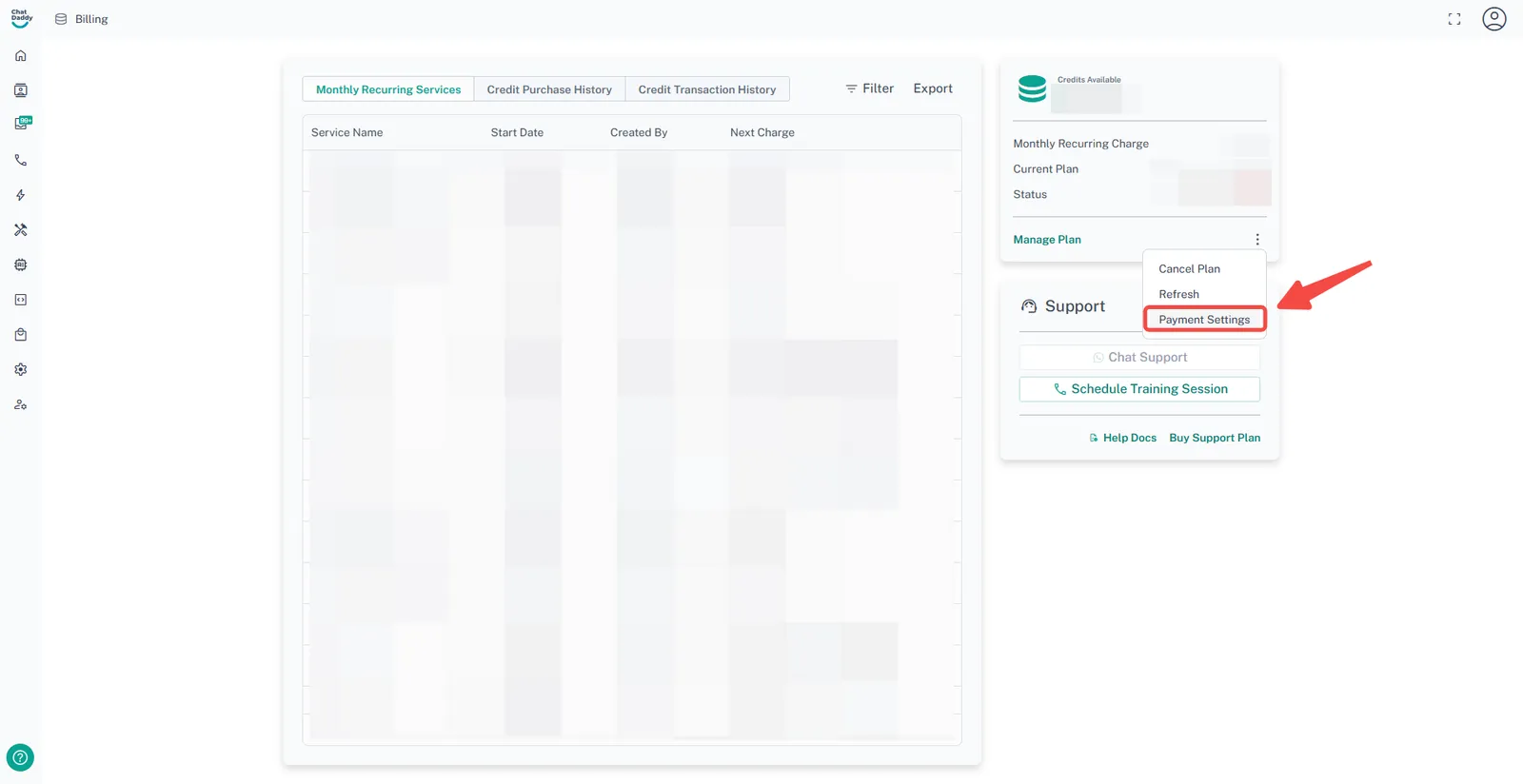
Hover to the top right and click on the triple dots. Select “Payment Settings”
Step 3:
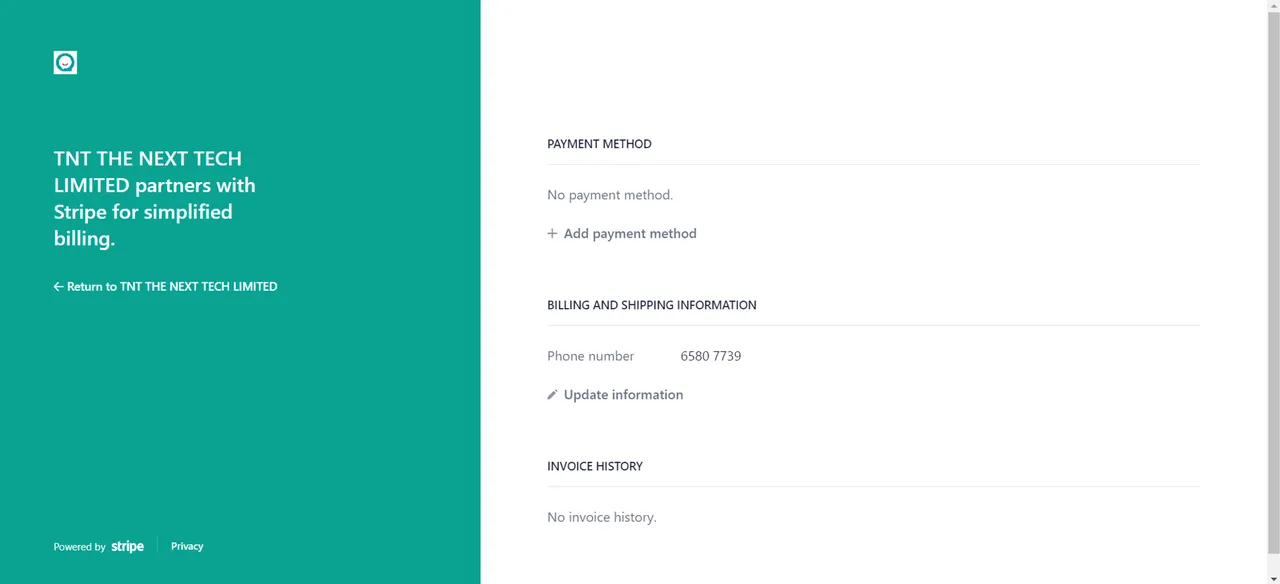
Here, you can view and update your Payment Method, Billing & Shipping Information, and check your Invoice History anytime.
Step 4:
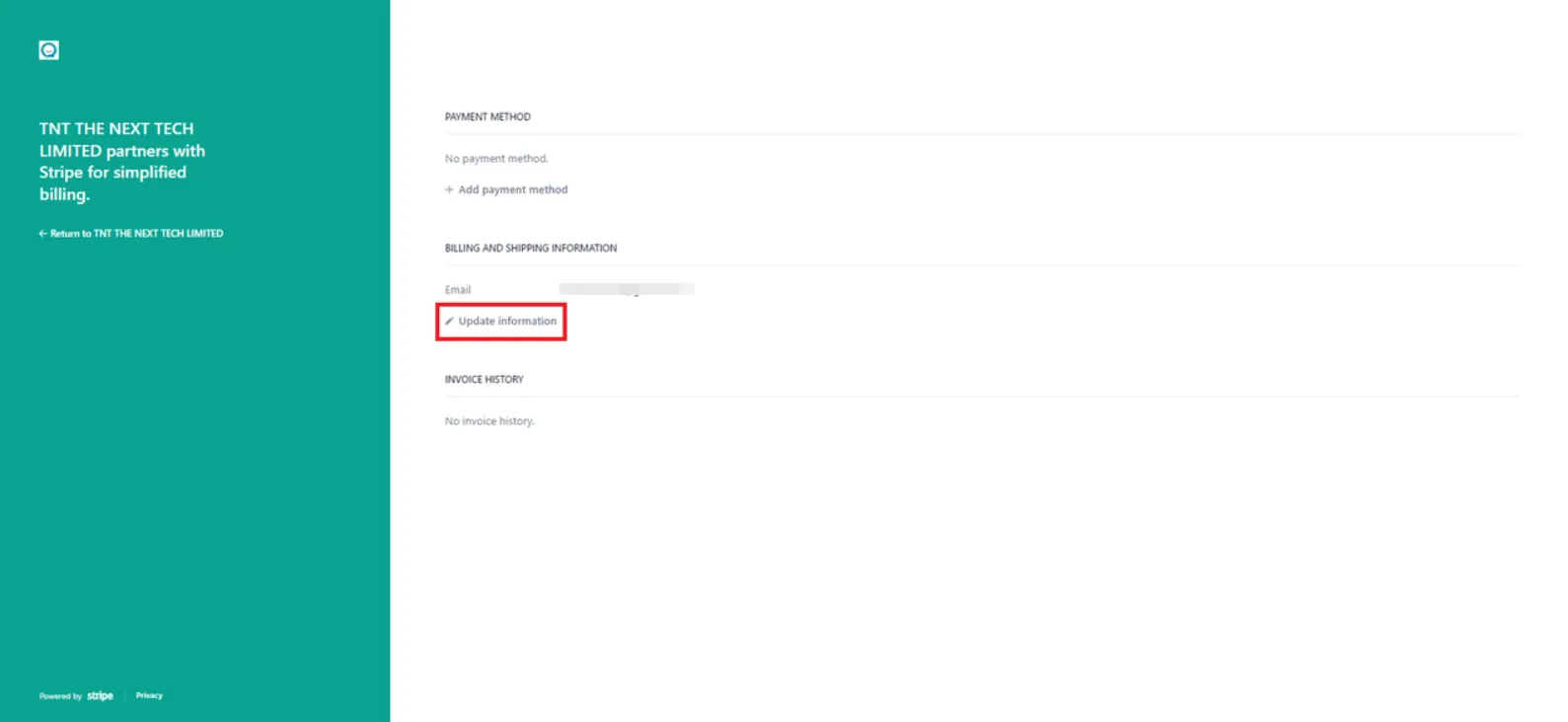
You can update your billing information by clicking “Update information”
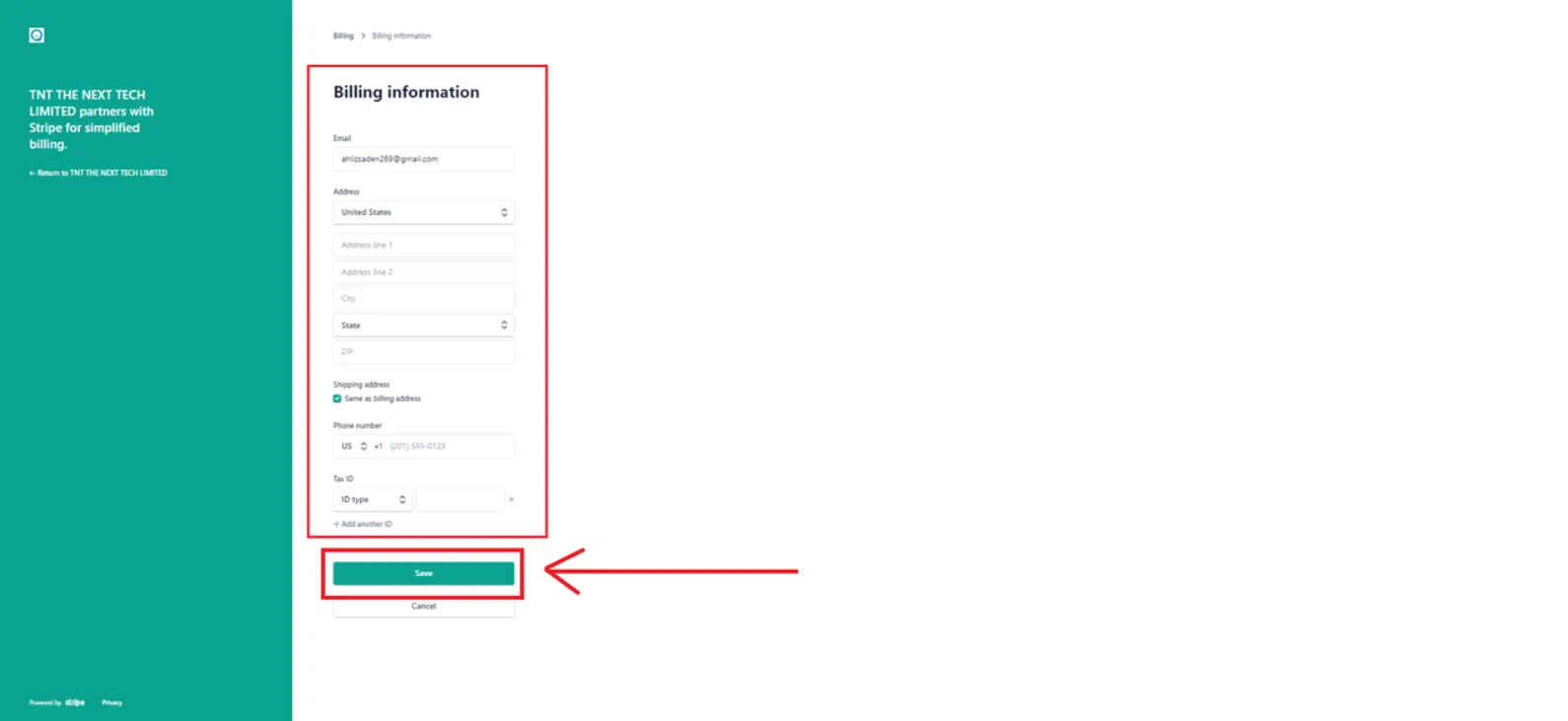
Step 5:
Input your billing information, and then click on “save”.
Feedback
Was this article helpful?