
How to setup Forms
ChatDaddy Forms: Effortlessly collect customer data and streamline workflows directly within WhatsApp! !Image - Navigate to Automation on the ChatDaddy page, then select Forms. - C…
ChatDaddy Forms: Effortlessly collect customer data and streamline workflows directly within WhatsApp!
Tutorial video
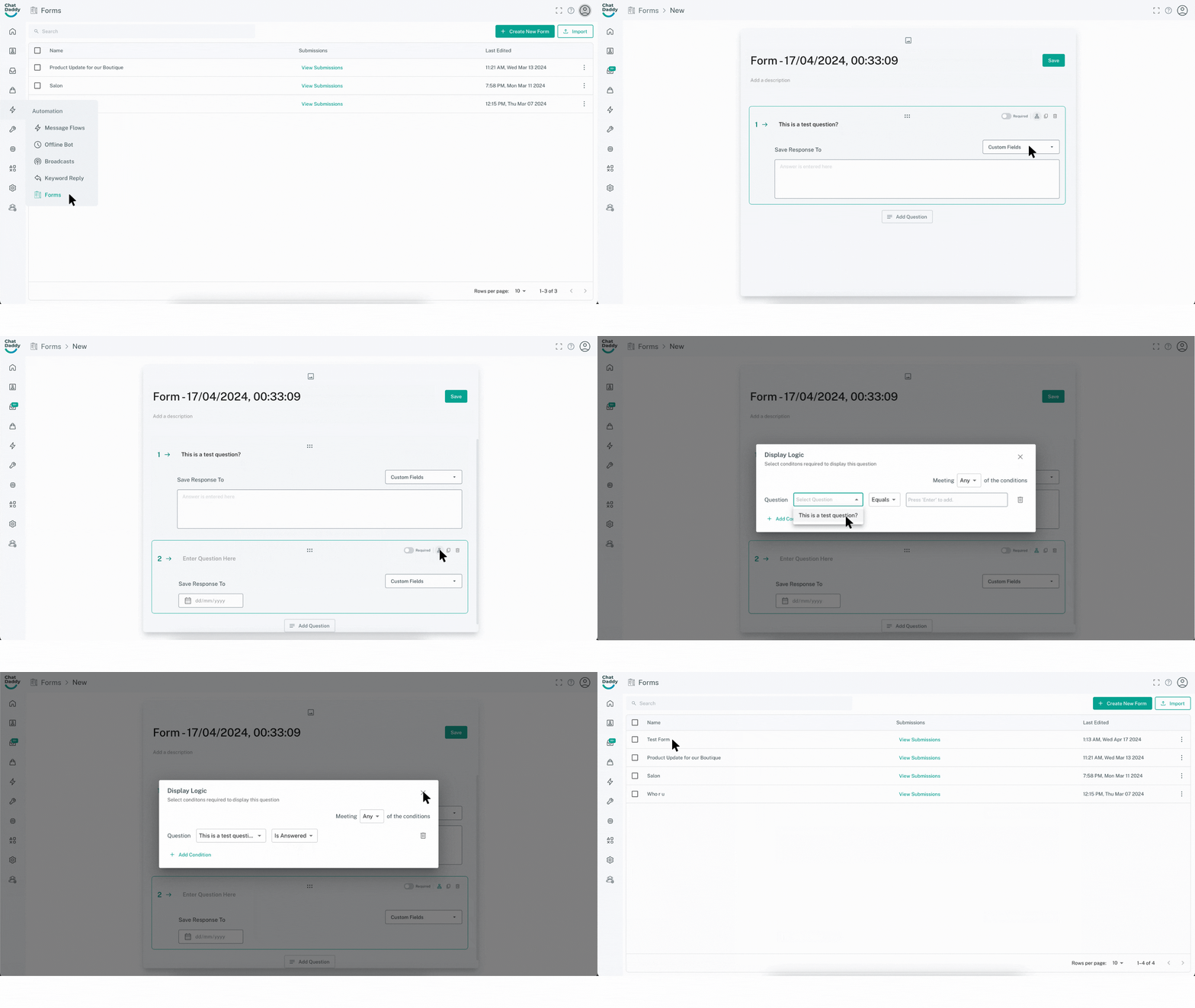
Create a ChatDaddy Form
-
Navigate to Automation on the ChatDaddy page, then select Forms.
-
Click the Create New Form button in the top right corner.
Customize Your Form
-
(Optional) Upload an image to enhance the visual appeal of your form.
-
Edit the Title
-
Add a Description (optional) to provide further context or instructions.
Build Your Questions
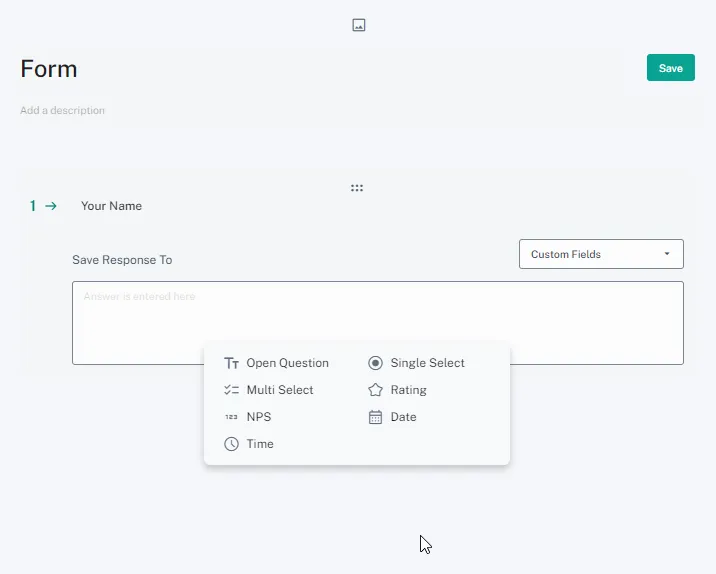
- Select the desired question type (e.g., text, multiple choice, date/time) from the options available.
-
Set Required (Optional):
- Toggle the Required option to specify whether users must answer the question before submitting the form. A red asterisk (*) usually indicates a required question.
Manage Responses
- (Optional) Assign a custom field (create one beforehand) to save the user's response for future reference.
Finalize the Form
- Click Save to create your ChatDaddy Form.
Others Forms features
-
Create a completely new form from message flow as well.
-
View **forms submissions **from Forms page and you can also view submissions from message flow using the 'eye' button.
-
You can **Export **forms submissions in CSV format.
-
You can make a question required for submission.
-
You can add conditions for questions as well.
-
You can export a Form in the same file type as message flows i.e. .yaml
-
You can also import Forms from .yaml type.