
Tools
How to View Submissions for Forms?
Ever wondered what happens after someone submits your form? Here's where you can view all the data collected, allowing you to analyze responses, track progress, and gain valuable i…
Updated Apr 15, 2026
Ever wondered what happens after someone submits your form? Here's where you can view all the data collected, allowing you to analyze responses, track progress, and gain valuable insights from your audience. This centralized view of submissions enables you to make the most of the information gathered through your forms.
Steps
Accessing Form Submissions
-
In the ChatDaddy dashboard, navigate to the menu on the left.
-
Click on Automation followed by Forms.
Locating Your Form
- Identify the specific form you want to view submissions for.
Viewing Submissions
-
Locate the Submission section within the chosen form.
-
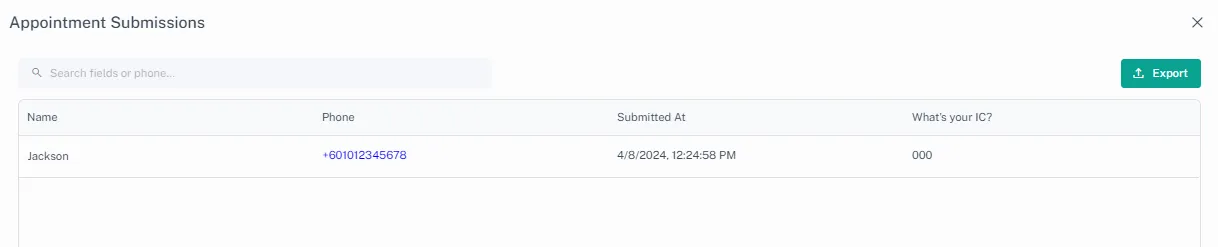
Click on View Submissions to access the collected data.
Feedback
Was this article helpful?