
Account & Settings
How to update Payment Information?
Step 1: Hover your cursor on the left navigation bar, then hover it to “Settings”, then click on “Billing”. !Image Step 2: Click on Manage Billing. Step 3. After that click on “Upd…
Updated Apr 15, 2026
Step 1: Hover your cursor on the left navigation bar, then hover it to “Settings”, then click on “Billing”.
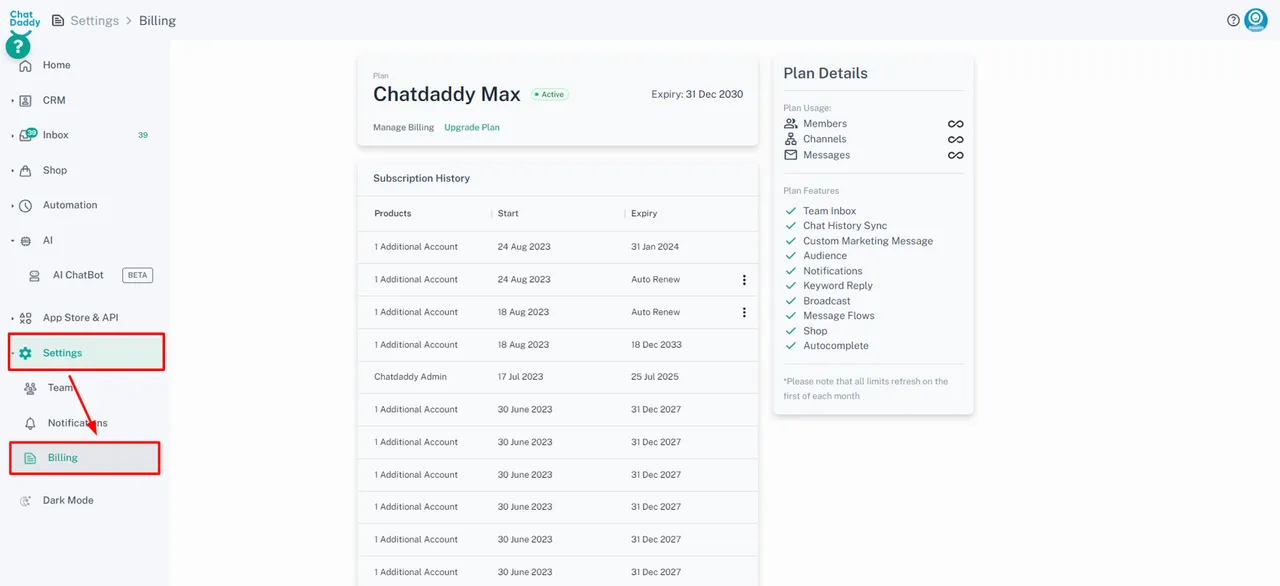
Step 2: Click on Manage Billing.
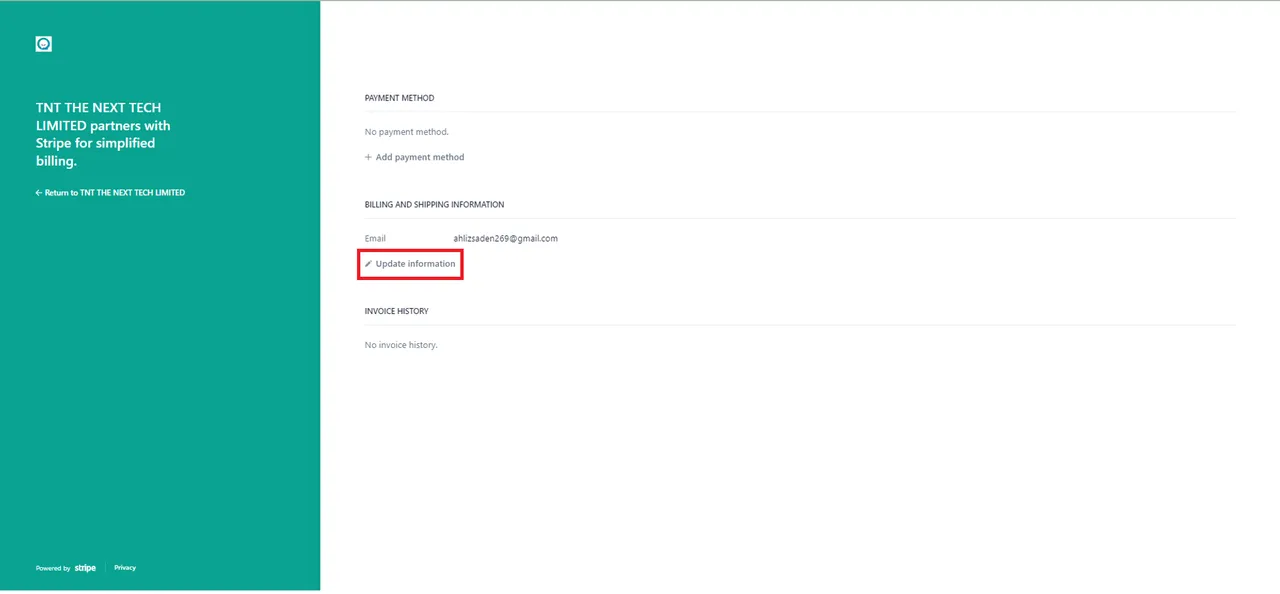
Step 3. After that click on “Update Information”.
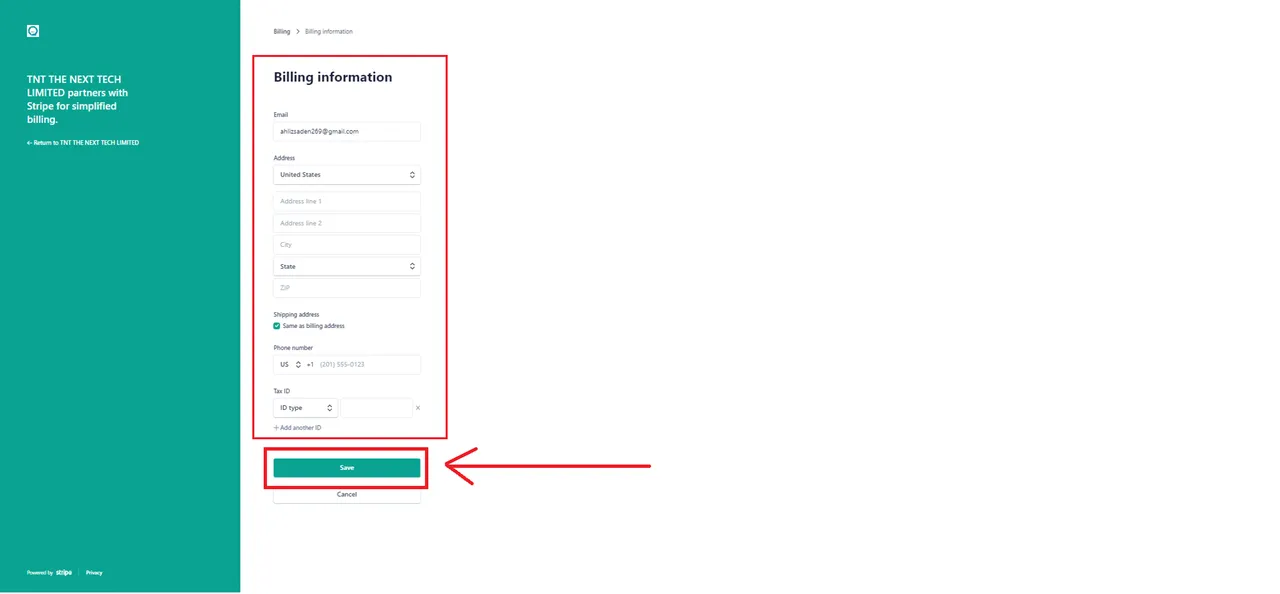
Step 4: Input your billing information, and then click on “save”.
Feedback
Was this article helpful?