
Automation & Message Flows
Set Up a Custom Message in Message Flow
1. In ChatDaddy, go to Automation > Message Flow > + Create New Flow. 1. For Google Form notifications, you can use any variable from your spreadsheet. Using the example google she…
Updated Apr 15, 2026
-
In ChatDaddy, go to Automation > Message Flow > + Create New Flow.
-
For Google Form notifications, you can use any variable from your spreadsheet. Using the example google sheet above, available variables include:
{{Your Name}}and{{Your Age}}. -
Here's how your template might look:
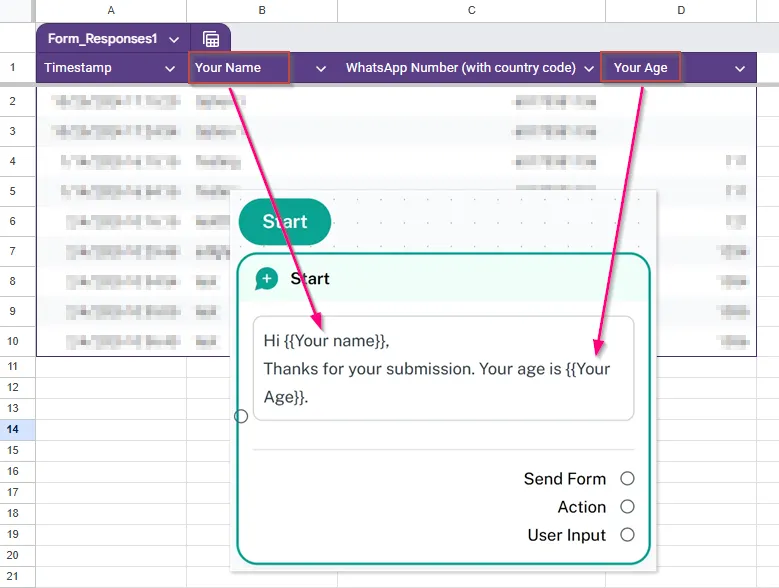
⚙ Note: Hi
{{Your name}}, Thanks for your submission. Your age is{{Your Age}}.
- Click "Save" after setting up your message template.
Feedback
Was this article helpful?