
Using Ticket Updated trigger to modify contact and update ticket.
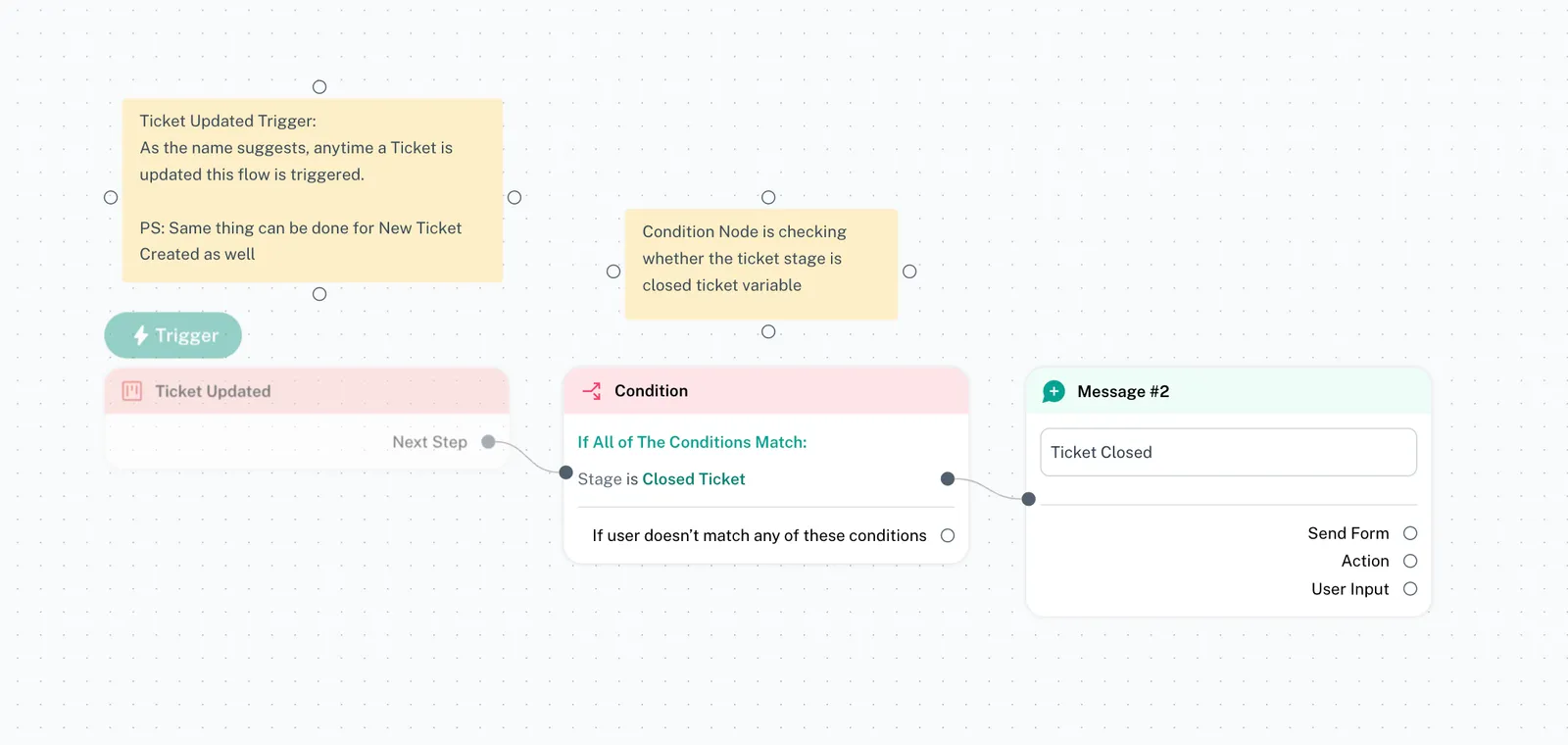
Using the "Ticket Updated" trigger and conditions, you can send a message to the contact related in the ticket when the stage changes. For ex: When you close a ticket, a message is…
Using the "Ticket Updated" trigger and conditions, you can send a message to the contact related in the ticket when the stage changes.
For ex: When you close a ticket, a message is sent to the ticket related contact that their ticket has been closed
Step 1: Add a new "Ticket Updated" trigger.
Step 2: Add a condition for ticket stage.
Step 3: Add the flow/message you want to send in response if the condition is met.
💡 Note: You can use conditions to filter out the contacts based on tags, what type of messages you want to respond to, which channel you want to enable the trigger for, time of the message, and much more.